Known Participant
July 7, 2021
Answered

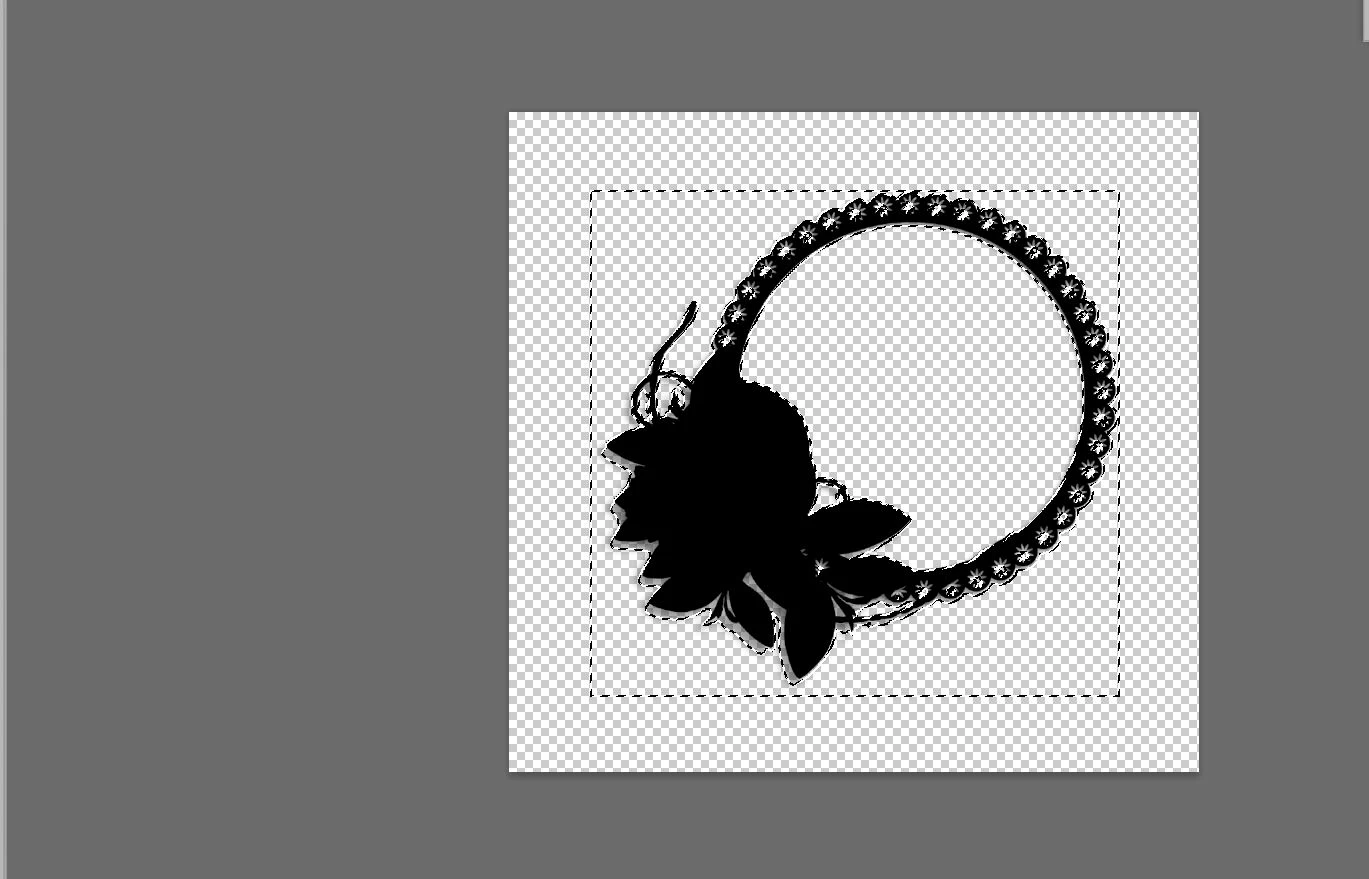
Select inside frame only

  • July 7, 2021
  • 3 replies
  • 1181 views

I will try Another PNG File But Select All , I want to inside frame only
This topic has been closed for replies.
Correct answer r-bin

For your examples, this is to poke a magic wand in the center of the layer.


var r = new ActionReference();
r.putProperty(stringIDToTypeID("property"), stringIDToTypeID("bounds"));
r.putEnumerated(stringIDToTypeID("layer"), stringIDToTypeID("ordinal"), stringIDToTypeID("targetEnum"));

var d = executeActionGet(r).getObjectValue(stringIDToTypeID("bounds"));

var x0 = d.getUnitDoubleValue(stringIDToTypeID("left"));
var x1 = d.getUnitDoubleValue(stringIDToTypeID("right"));
var y0 = d.getUnitDoubleValue(stringIDToTypeID("top"));
var y1 = d.getUnitDoubleValue(stringIDToTypeID("bottom"));

var d = new ActionDescriptor();
var r = new ActionReference();
r.putProperty(stringIDToTypeID("channel"), stringIDToTypeID("selection"));
d.putReference(stringIDToTypeID("null"), r);
var d1 = new ActionDescriptor();
d1.putUnitDouble(stringIDToTypeID("horizontal"), stringIDToTypeID("pixelsUnit"), (x0+x1)/2);
d1.putUnitDouble(stringIDToTypeID("vertical"), stringIDToTypeID("pixelsUnit"), (y0+y1)/2);
d.putObject(stringIDToTypeID("to"), stringIDToTypeID("point"), d1);
d.putInteger(stringIDToTypeID("tolerance"), 255);
d.putBoolean(stringIDToTypeID("merged"), true);
d.putBoolean(stringIDToTypeID("antiAlias"), true);
executeAction(stringIDToTypeID("set"), d, DialogModes.NO);


3 replies

JJMack
Community Expert
Community Expert
July 7, 2021

If you know the Png Subject is a frame  like you show with an empty images area. You can use the Magic wand to sample the center of the layers bounds to select the empty image ares then the use the bounds of the active selection to get the bounds you want.  Makes no different  what shape the Image area has.  The selection bounds is what you seem to want. The center of a frame will most likely be empty Magic wand should select the image area sampleing the center.


JJMack
r-binCorrect answer
Legend
July 7, 2021

For your examples, this is to poke a magic wand in the center of the layer.


var r = new ActionReference();
r.putProperty(stringIDToTypeID("property"), stringIDToTypeID("bounds"));
r.putEnumerated(stringIDToTypeID("layer"), stringIDToTypeID("ordinal"), stringIDToTypeID("targetEnum"));

var d = executeActionGet(r).getObjectValue(stringIDToTypeID("bounds"));

var x0 = d.getUnitDoubleValue(stringIDToTypeID("left"));
var x1 = d.getUnitDoubleValue(stringIDToTypeID("right"));
var y0 = d.getUnitDoubleValue(stringIDToTypeID("top"));
var y1 = d.getUnitDoubleValue(stringIDToTypeID("bottom"));

var d = new ActionDescriptor();
var r = new ActionReference();
r.putProperty(stringIDToTypeID("channel"), stringIDToTypeID("selection"));
d.putReference(stringIDToTypeID("null"), r);
var d1 = new ActionDescriptor();
d1.putUnitDouble(stringIDToTypeID("horizontal"), stringIDToTypeID("pixelsUnit"), (x0+x1)/2);
d1.putUnitDouble(stringIDToTypeID("vertical"), stringIDToTypeID("pixelsUnit"), (y0+y1)/2);
d.putObject(stringIDToTypeID("to"), stringIDToTypeID("point"), d1);
d.putInteger(stringIDToTypeID("tolerance"), 255);
d.putBoolean(stringIDToTypeID("merged"), true);
d.putBoolean(stringIDToTypeID("antiAlias"), true);
executeAction(stringIDToTypeID("set"), d, DialogModes.NO);


MXKSAuthor
Known Participant
July 7, 2021

Wow @r-bin  You are a God of Photoshop. I am Really Happy To You Knowledge. Many Many Thanks @r-bin 

Kukurykus
Legend
July 7, 2021
This is an answer for another topic that someone closed. Who could it be? : )

This is another aproach to same problem, after MXKS gave up with this thread 😉

Kukurykus
Legend
July 7, 2021

Have you read what I wrote to you: Jul 07, 2021
