Copy link to clipboard
Copied
Hello everyone,
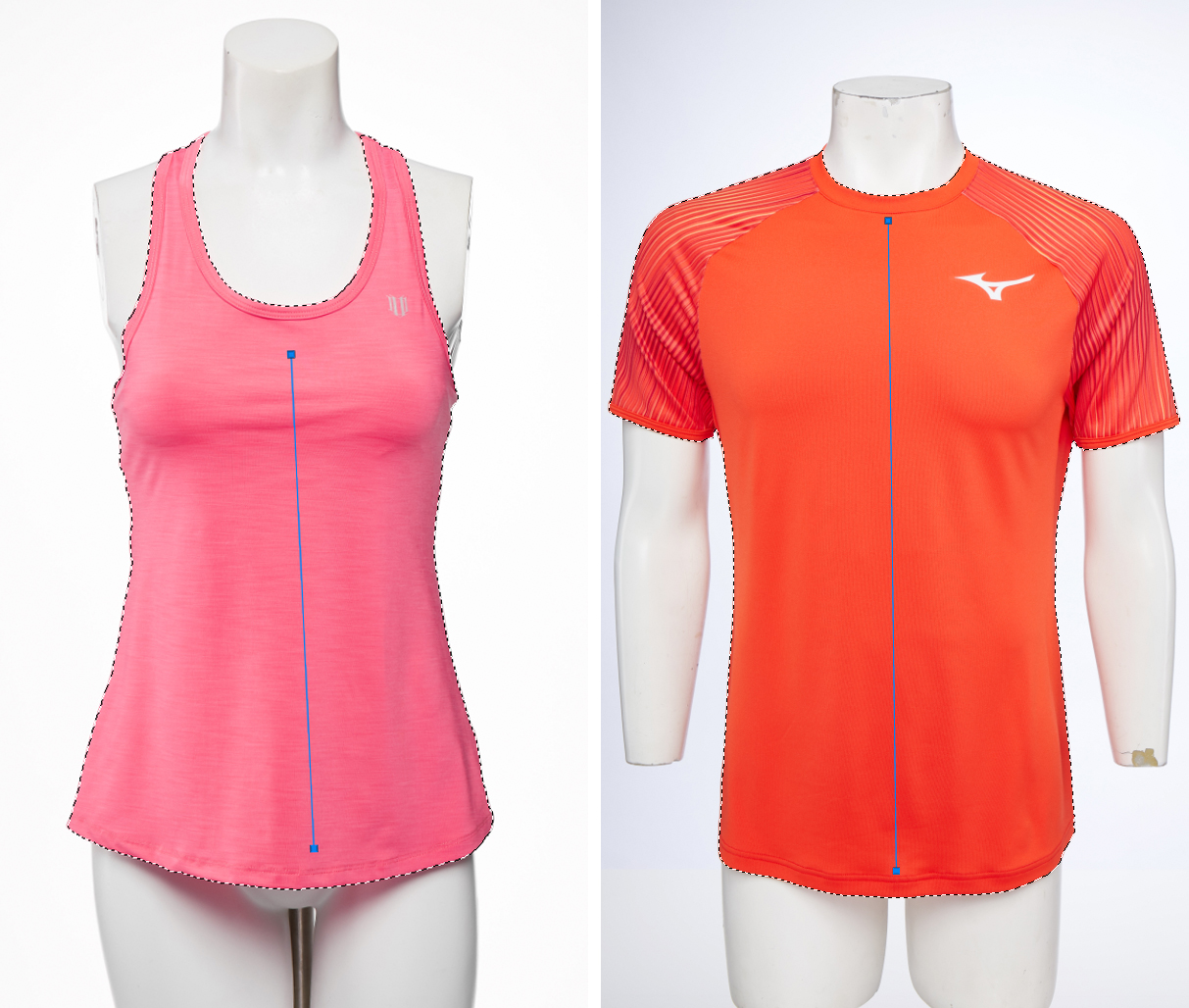
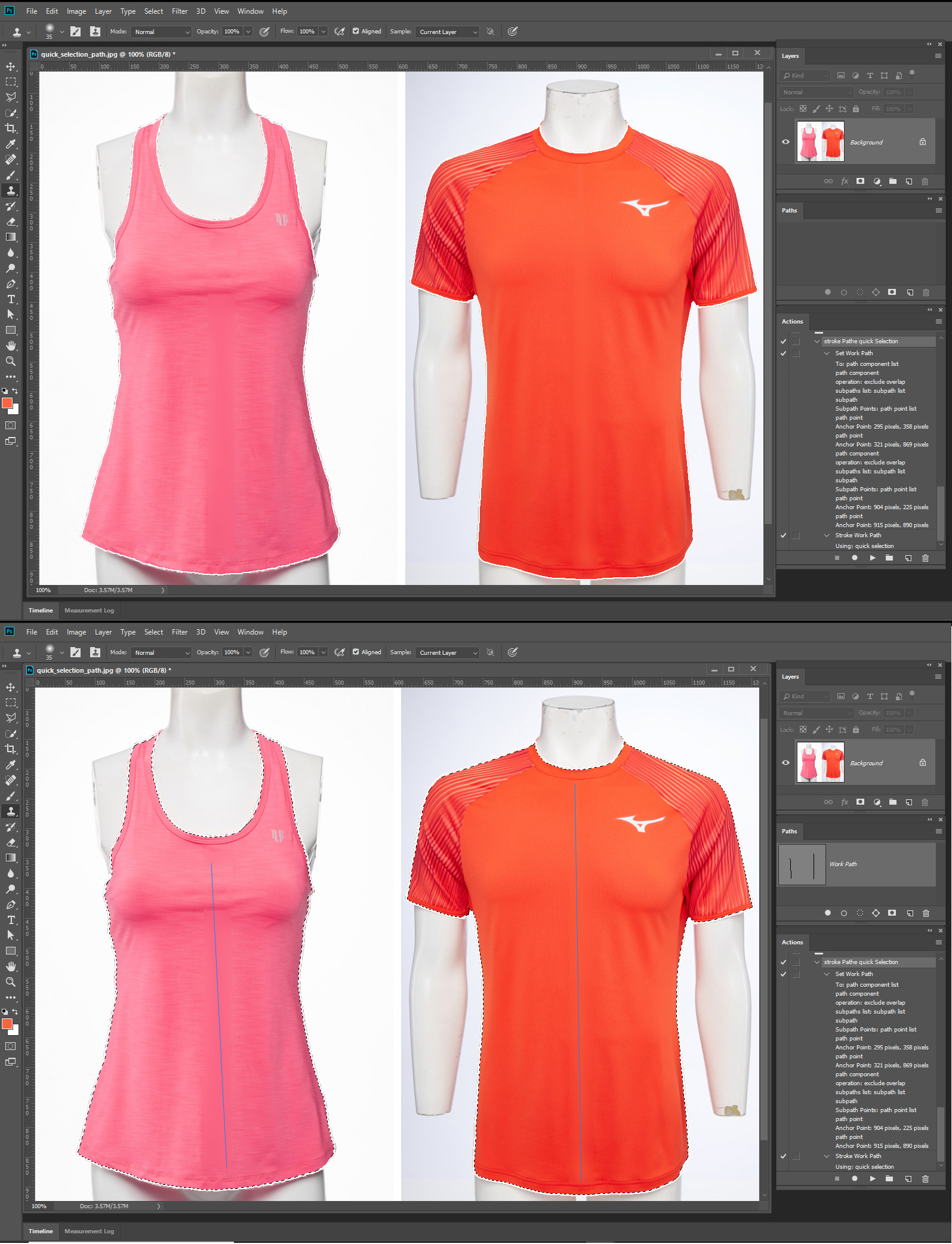
The script below (founded here on the forum) creates a Quick Selection based on a Path that works so much better than the new Select Subject function in my case...
Thing is I have to draw every time manually a path in order to run that quick selection script.
Wondering if there is a way to have the path creation scripted too, so all I need to do is to position it correctly if needed, say on my next shoot I moved the tripod and so on...
Thank you very much guys !

| app.activeDocument.pathItems[0].select(); |
| // ======================================================= |
| var idStrk = charIDToTypeID( "Strk" ); |
| var desc7 = new ActionDescriptor(); |
| var idnull = charIDToTypeID( "null" ); |
| var ref7 = new ActionReference(); |
| var idPath = charIDToTypeID( "Path" ); |
| var idOrdn = charIDToTypeID( "Ordn" ); |
| var idTrgt = charIDToTypeID( "Trgt" ); |
| ref7.putEnumerated( idPath, idOrdn, idTrgt ); |
| desc7.putReference( idnull, ref7 ); |
| var idUsng = charIDToTypeID( "Usng" ); |
| var idquickSelectTool = stringIDToTypeID( "quickSelectTool" ); |
| desc7.putClass( idUsng, idquickSelectTool ); |
| var idPrs = charIDToTypeID( "Prs " ); |
| desc7.putBoolean( idPrs, true ); |
| executeAction( idStrk, desc7, DialogModes.NO ); |
Copy link to clipboard
Copied
I think you should be able to script the Qcuck selection tool, and Magic want Tool using Action manager code to sample points you set with the Color sampler tool before running your script. You should not need many pounts or a perfect path for stroking the quick selection tool just a ruff quick path made using the freeform pen tool.
Select subject should also be able to be scripted. Run its menu item. It does not seem too work but the action manager code does,
app.runMenuItem(charIDToTypeID(('autoCutout')))
The fails but this works
#target photoshop
cTID = function(s) { return app.charIDToTypeID(s); };
sTID = function(s) { return app.stringIDToTypeID(s); };
function SelectSubject() {
executeAction(sTID('autoCutout'), undefined, DialogModes.NO);
};
SelectSubject();
You can use action manager code to convert the selection to a path. Photoshop does not do the best job possible covering a selection to a path. You can usually edit the path created by Photoshop and make it better.
SelectionToPath(); // Set Work Path
function SelectionToPath() {
// =======================================================
var idMk = charIDToTypeID( "Mk " );
var desc1145 = new ActionDescriptor();
var idnull = charIDToTypeID( "null" );
var ref692 = new ActionReference();
var idPath = charIDToTypeID( "Path" );
ref692.putClass( idPath );
desc1145.putReference( idnull, ref692 );
var idFrom = charIDToTypeID( "From" );
var ref693 = new ActionReference();
var idcsel = charIDToTypeID( "csel" );
var idfsel = charIDToTypeID( "fsel" );
ref693.putProperty( idcsel, idfsel );
desc1145.putReference( idFrom, ref693 );
var idTlrn = charIDToTypeID( "Tlrn" );
var idPxl = charIDToTypeID( "#Pxl" );
desc1145.putUnitDouble( idTlrn, idPxl, 2.000000 );
executeAction( idMk, desc1145, DialogModes.NO );
}
Copy link to clipboard
Copied
Morning JJJMack, thank you for you time trying to help me on this subject !
didn't really understood what do u mean by :
"I think you should be able to script the Quick selection tool, and Magic want Tool using Action manager code to sample points you set with the Color sampler tool before running your script. "
Can you be more specific please ? (maybe use a screenshot or so )
P.S. Mannequin and tripod will be always moving, so the second option would not work with me ![]()
Thank you !
Copy link to clipboard
Copied
If the location of the objects in the image change using either method you will need to manually set points or Path. You can not stroke Paths with the magic wand tool. You would need to set point or sample point with in the path you manually set if you want to use the Magic wand tool instead of the quick selection tool.
As you found out Select subject is designed to select the image main content not to different small color ranges of your T-shirts. Select Subject would select your two manikins and not even do a good job of it.

You will not be able to completely automate the selection process you want. An artificial intelligence selection process more advanced then select subject would be needed. Like a selects items of interest algorithm.
Copy link to clipboard
Copied
If you want to use that simple two line path all the time you do not need a script at all, all you need is a simple action. However all image must be the same size and resolution and the subjects must be in the correct location for the action will set the same path all the time. Then stroke the path with the quick selection tool.

Get ready! An upgraded Adobe Community experience is coming in January.
Learn more