
Participant
December 18, 2018
Answered

Selecting all layers

  • December 18, 2018
  • 2 replies
  • 19971 views

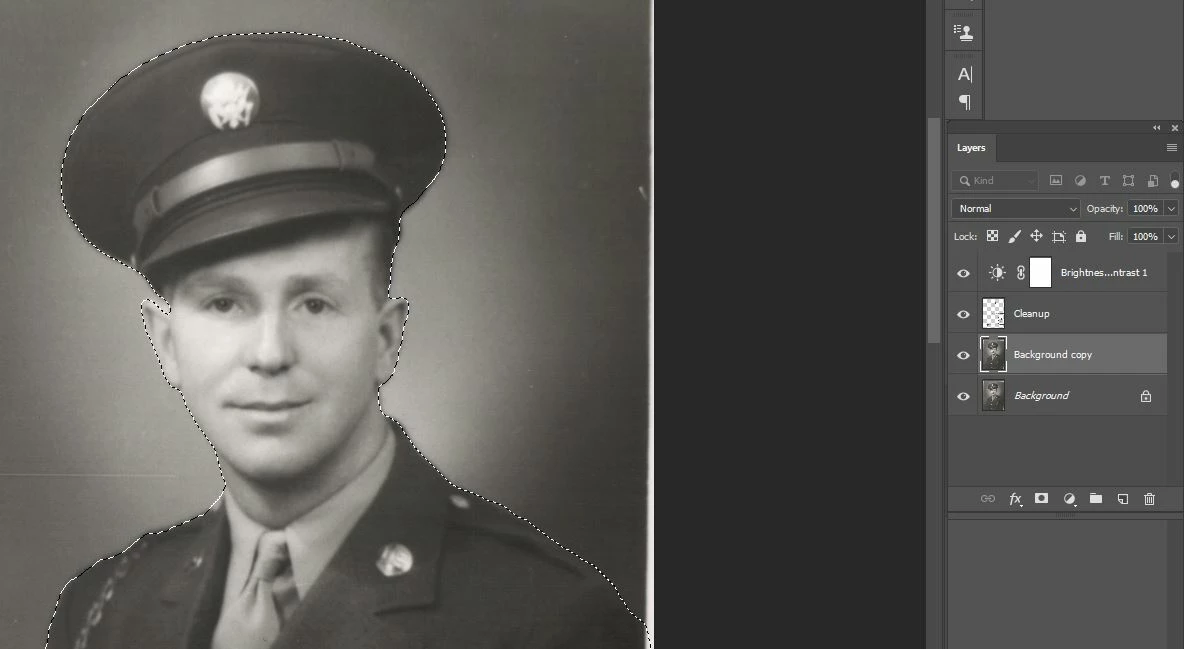
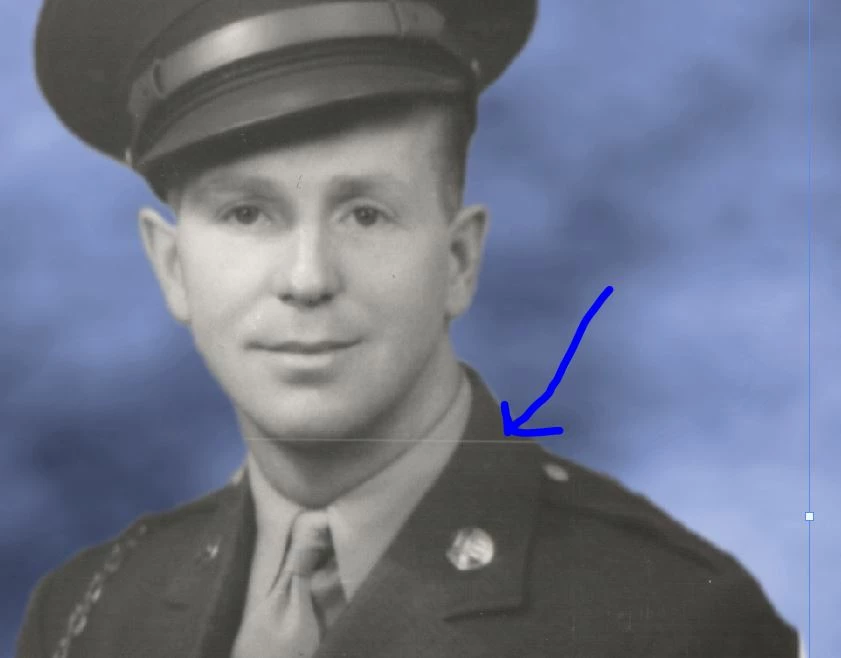
Please bear with as I am fairly new to photoshop. I am attempting to make a selection of layers, including a clean up layer (in which I used the spot healing tool), and then copying and pasting my selection into a new image. However, when I paste the selection into my new image, I lose my clean up layer. How can I ensure that all my layers are selected. See "Selection" image below which is the original picture and selection and "Paste" image which shows that the clean up layer didn't copy and paste.
[Here is the list of all Adobe forums... https://forums.adobe.com/welcome]

[Comments is to ask about the operation of the Forum, not a specific program]

[Moved from the Comments forum to the specific Program forum... Mod]

This topic has been closed for replies.
Correct answer gener7

In the Layers Pane, select the top layer, hold down the Shift key and select the bottom layer. That selects all layers.

2 replies

rob day
Community Expert
Community Expert
December 18, 2018

You can also drag and drop a selection of Layers from one doc to another. Hold down the Shift key before the drop to center the layers.

Participant
December 18, 2018

I gave your suggestion a go but must be doing something wrong because when I tried it, instead of copying just the selection, it copied the entire image.

rob day
Community Expert
Community Expert
December 18, 2018

In my example I'm dragging and dropping layers from one document to another—I'm not copying.

So with the source document in front, select the layers you want to move and drag them from the Layers panel onto the window of the destination document. If you hold down the shift key the layer(s) content will be centered in the destination document.

gener7
Community Expert
gener7Community ExpertCorrect answer
Community Expert
December 18, 2018

In the Layers Pane, select the top layer, hold down the Shift key and select the bottom layer. That selects all layers.

Participant
December 18, 2018

Thank you SO much! I did what you suggested, selected "Copy Merged" and it worked! Thanks again.

gener7
Community Expert
Community Expert
December 18, 2018

Thanks for lettings us know! This will help future forum members with the same problem. And as you can can see there are more than a few ways to do something in Photoshop. Pick the one that works best for the situation.

Gene