Inspiring
December 20, 2016
Answered

Selecting fonts

  • December 20, 2016
  • 1 reply
  • 725 views

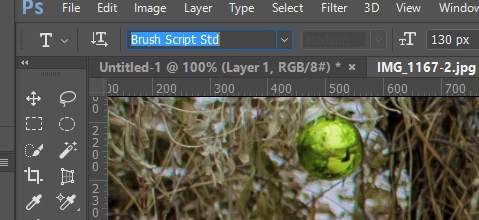
When deciding which font to use, I used to be able to select the text with the Type tool and in the list of fonts use the up and down arrow keys to change the font. The way Photoshop works now, moving the cursor up and down in the list of fonts changes the font. I prefer the old method because I have more control over pausing to look at a font.

Is there a way to make the Photoshop font list work the way it used to, perhaps a preference setting?
    This topic has been closed for replies.
    Correct answer Trevor.Dennis

    I'm using PC.


    You have to make the font window active.  You don't need the entire font name selected, but if you click one of the words, that does the trick.  As soon as you hit an up or down arrow key, the entire font window becomes selected, and you are good to go.

    1 reply

    postrophe
    Inspiring
    December 21, 2016

    Hi

    Are you using PS 2017.x ?

    Pierre

    Inspiring
    December 21, 2016

    I'm using Photoshop 2015.5.1

    Inspiring
    December 21, 2016

    Hi

    and in the list of fonts use the up and down arrow keys to change the font

    Well .. On my Mac ( using 2015.5.1 ) up and down arrow keys work just fine.

    Pierre


    I'm using PC.