Participating Frequently
July 18, 2017
Answered

Selection in Centimeters

  • July 18, 2017
  • 1 reply
  • 591 views

Hello, i have this code in order to make a selection of 50cm x 50cm in any document, but it only works in a 72 ppi resolution file. If i run the script in a document with other resolution ( 30 ppi for example ) it makes a 120cmx120cm selection,  i want a 50cm x 50cm selection no matter the resolution.

Regards

var doc= activeDocument;

app.preferences.rulerUnits = Units.CM;

punto1x = new UnitValue( '50', 'cm' ).as( 'px' )

punto1y =  new UnitValue( '50', 'cm' ).as( 'px' )

punto2x = new UnitValue( '50', 'cm' ).as( 'px' )

punto2y = new UnitValue( '0', 'cm' ).as( 'px' )

punto3x = new UnitValue( '0', 'cm' ).as( 'px' )

punto3y = new UnitValue( '0', 'cm' ).as( 'px' )

punto4x = new UnitValue( '0', 'cm' ).as( 'px' )

punto4y = new UnitValue( '50', 'cm' ).as( 'px' )

doc.selection.select(Array

                     (Array(punto1x,punto1y),   //punto 1//


                      Array(punto2x,punto2y),  //punto 2//


                      Array(punto3x,punto3y),  //punto 3//


                      Array(punto4x,punto4y)), SelectionType.REPLACE, 0, false);  //punto 4//
This topic has been closed for replies.
Correct answer JJMack

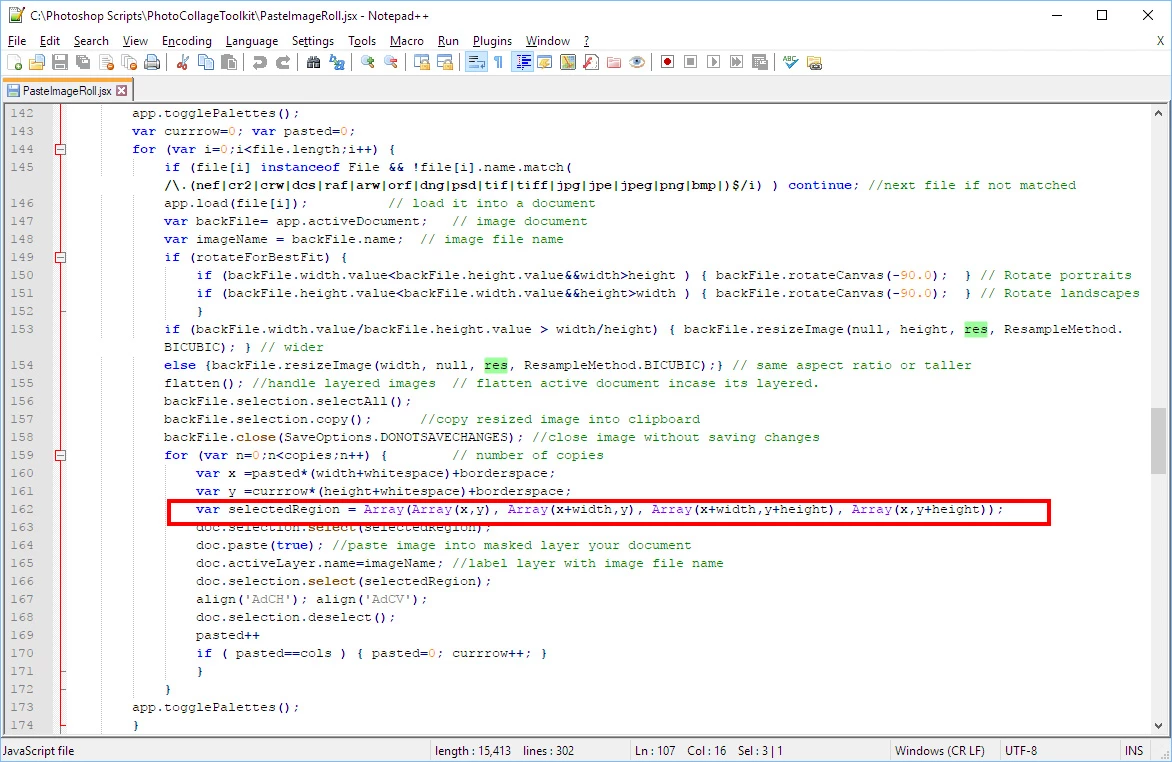
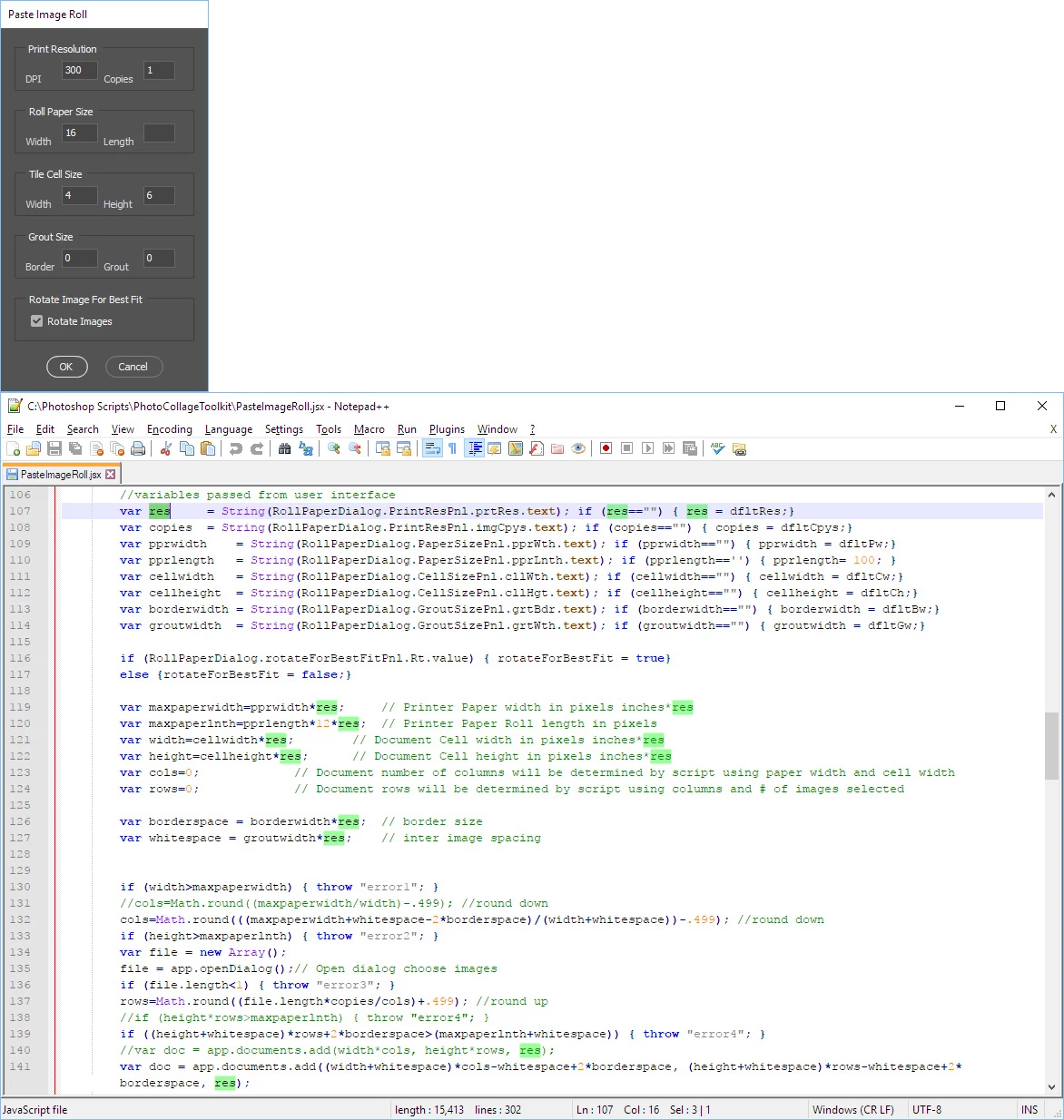
CM like inches is relative to resolution.  pixels per inch, pixel per CM.    I always save the user units and resolution and set  units to pixels and use the documents the resolution to calculate the number of pixel  an inch is inchXresolution cmXresolution do everything using pixels. Being from the US I use inches....  Here is one of my scripts note you specify resolution in DPI and sizes in inches. My script code use RES to calculate pixels.

At this time in the script Width Height and white space is in number of pixel you can see your selection being tiles in the document

1 reply

JJMack
Community Expert
JJMackCommunity ExpertCorrect answer
Community Expert
July 19, 2017

CM like inches is relative to resolution.  pixels per inch, pixel per CM.    I always save the user units and resolution and set  units to pixels and use the documents the resolution to calculate the number of pixel  an inch is inchXresolution cmXresolution do everything using pixels. Being from the US I use inches....  Here is one of my scripts note you specify resolution in DPI and sizes in inches. My script code use RES to calculate pixels.

At this time in the script Width Height and white space is in number of pixel you can see your selection being tiles in the document

JJMack
Participating Frequently
July 19, 2017

Excelente aswer, it was really helpfull, Thank you