
roberte80674240
Participant
March 9, 2024
Answered

Selection Loses Color Info when dragged

  • March 9, 2024
  • 3 replies
  • 316 views

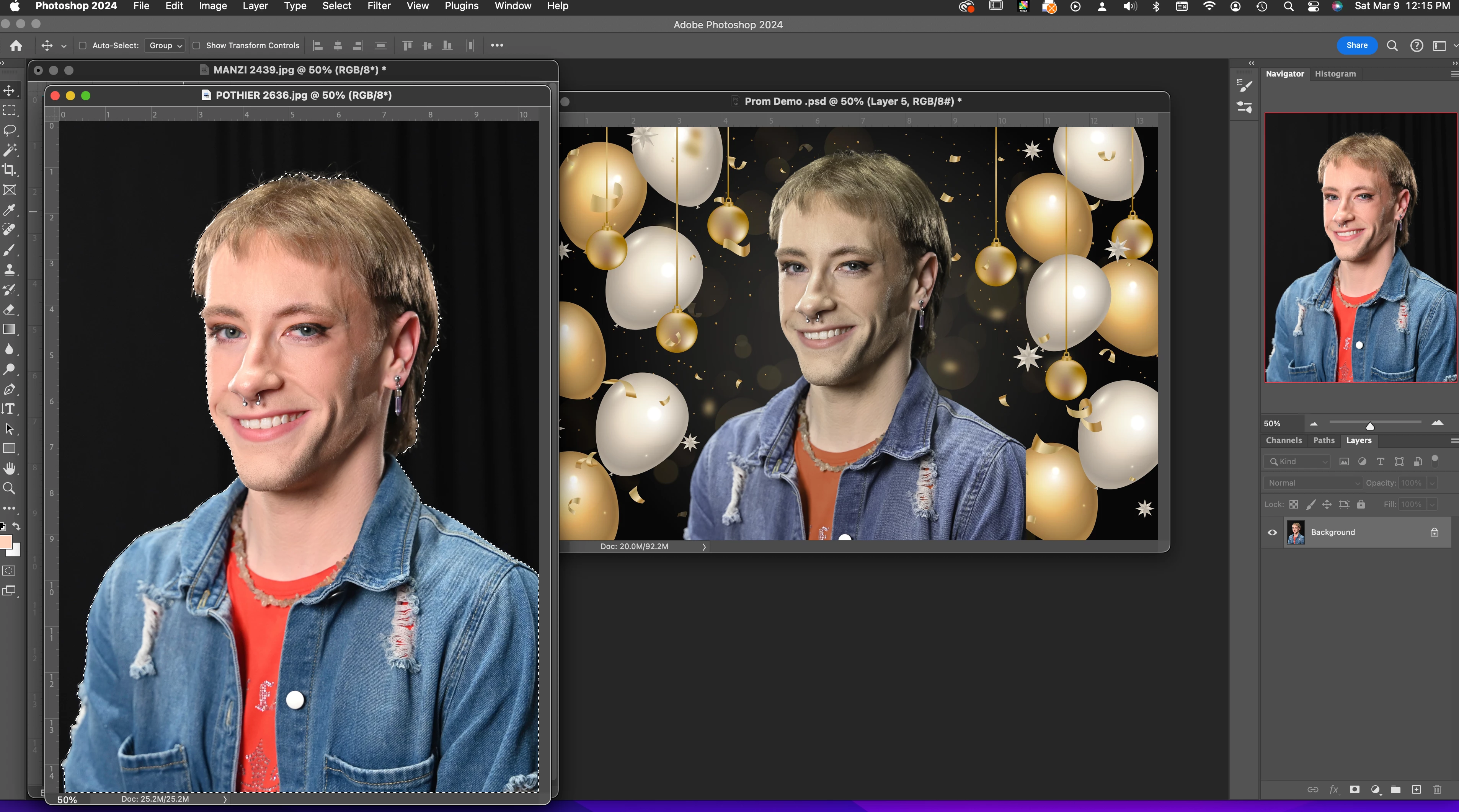
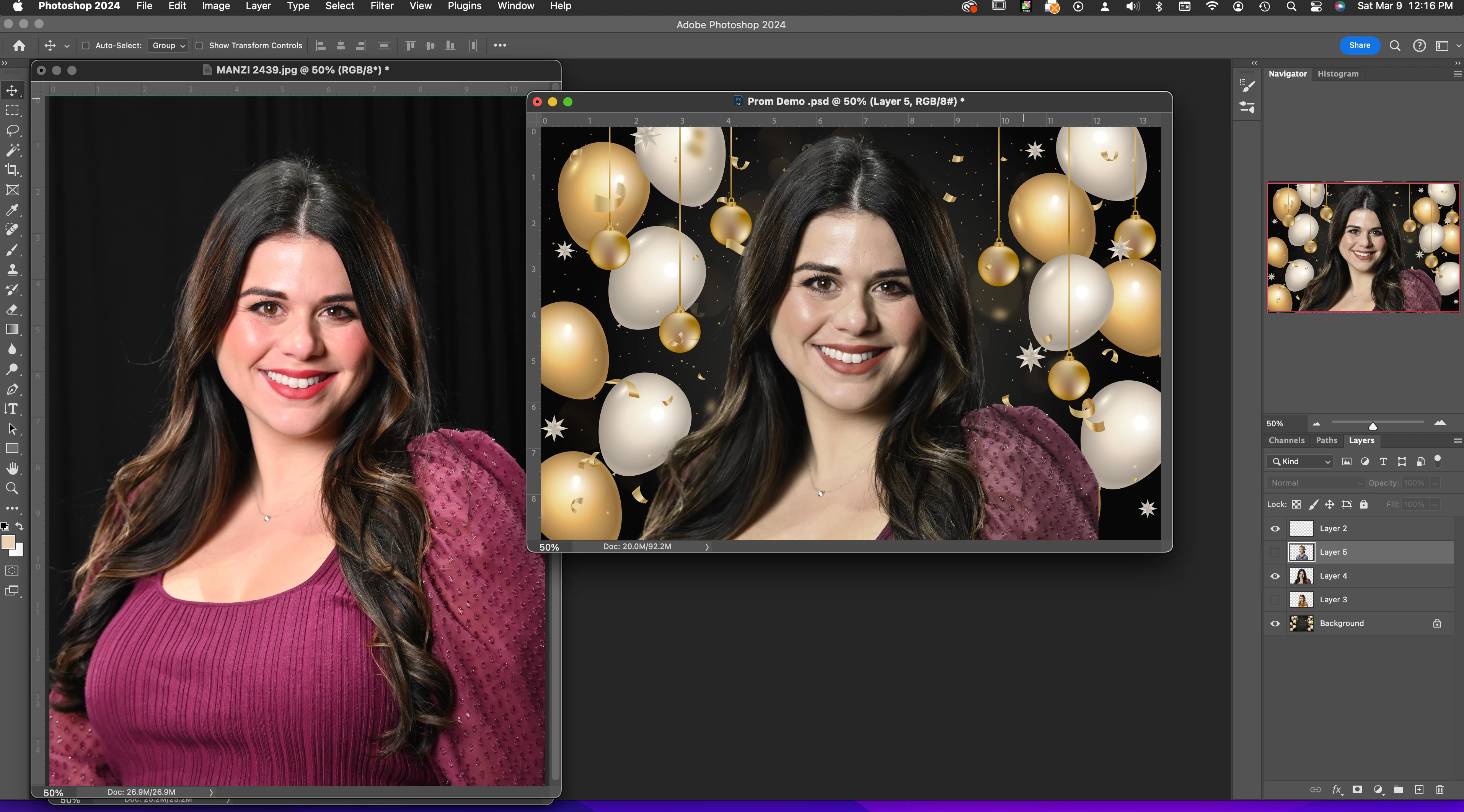
When dragging a selection to a target background, the original selection loses color information and and becomes muddy, flat and loses contrast, saturation, everything.  By playing with the color and hue sliders in the new document, I can get a little color back, but nowhere near the original.  Everything is using the same color space, but still this happens every time.  I'm usually pretty good with treoubleshooting PS, but this one has me baffled.  Using current versions of the software and MacOS on a Mac Pro desktop.


Does anyone have any thoughts?  Thanks  in advance.
This topic has been closed for replies.
Correct answer D Fosse

This is because you're working without color management, with untagged images. Never do that. Always make sure there is an embedded color profile (sRGB, Adobe RGB, ProPhoto, Image P3).

3 replies

c.pfaffenbichler
Community Expert
Community Expert
March 11, 2024
quote

Everything is using the same color space, but still this happens every time.  

To demonstrate that please set the Status Bar to »Document Profile« and post meningful screenshots with the pertinent Panels (Toolbar, Layers, Options Bar, …) visible.

didiermazier
Community Expert
Community Expert
March 10, 2024

Meanwhile you find a way to manage color profiles, you can do the inverse :

Select your guy

Drop the background to you guy pic

Use the guy selection as a mask

If some one is asking you to build a bridge, you can also find another way to cross the river

😉

D Fosse
Community Expert
D FosseCommunity ExpertCorrect answer
Community Expert
March 9, 2024

This is because you're working without color management, with untagged images. Never do that. Always make sure there is an embedded color profile (sRGB, Adobe RGB, ProPhoto, Image P3).

roberte80674240
Participant
March 11, 2024

Thank you for your response and help with my color management issue in Photoshop...I was able to fix the problem using the information I received here....again, many thanks.