

selection specific adjustment layers affecting entire image
The title of this post reflects only one problem I am having with my image.
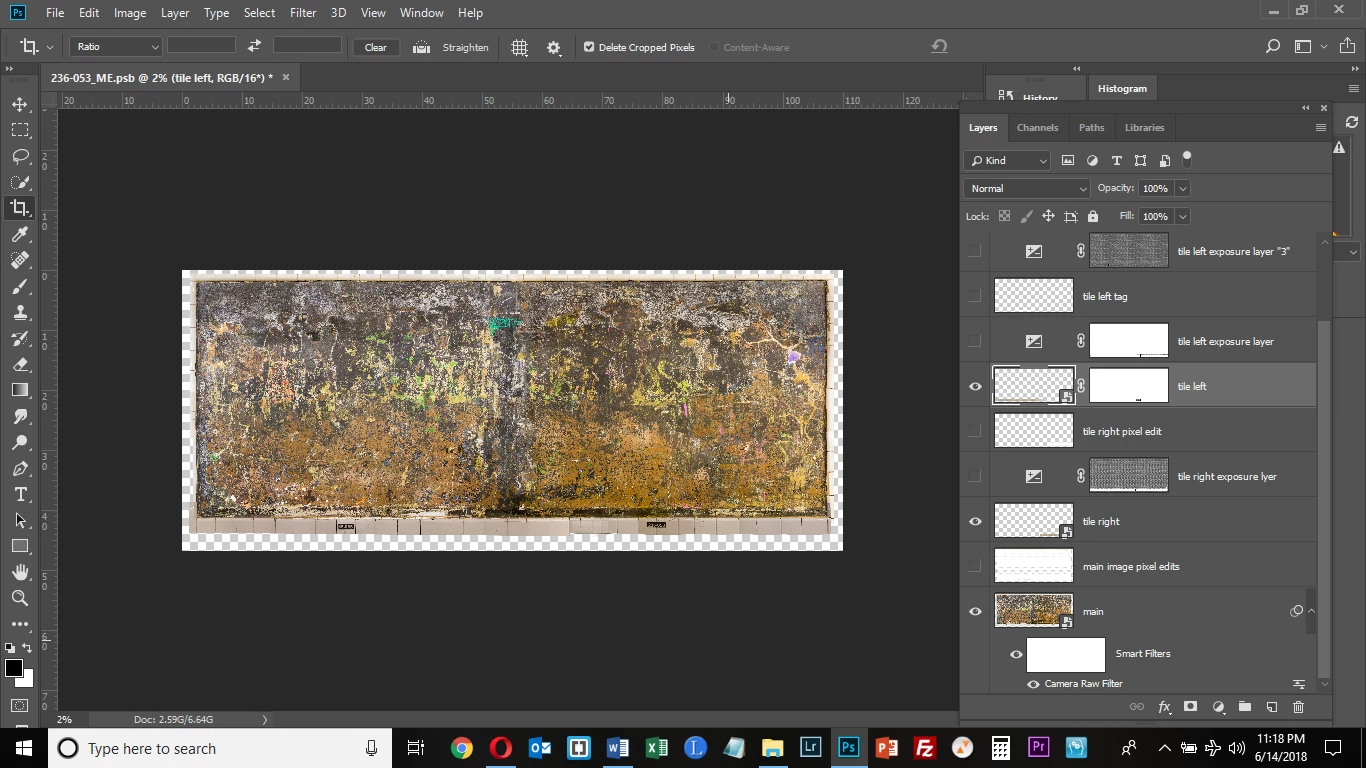
I have a layer ("main") and 2 additional layers ("tile left" and "tile right") which are visible in the screenshot below. The 2 tile layers comprise the bottom tile border of the image.
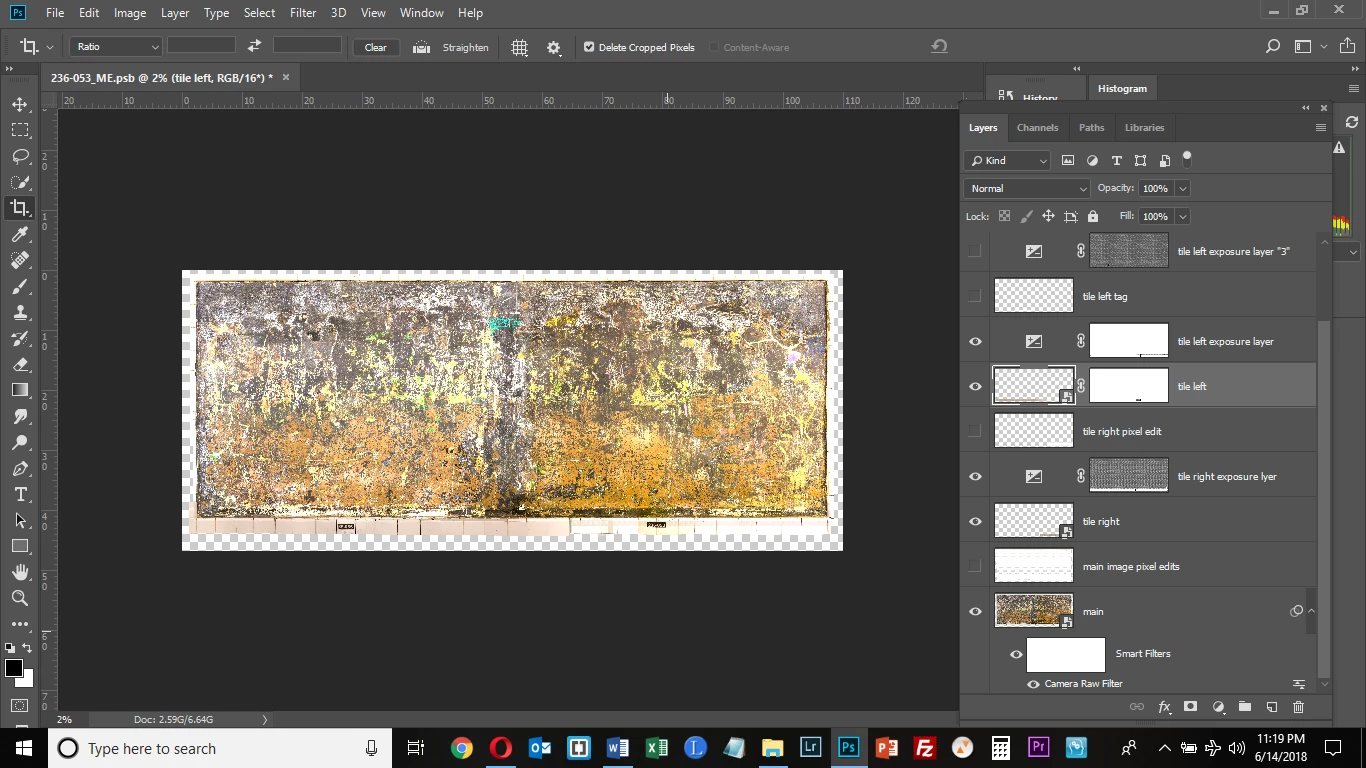
The tile borders were too dark, so I selected them; created a Layer Mask; and added an Adjustment Layer (exposure), lightening them. This worked initially, but now, when I activate the Adjustment Layer for "tile left" and "tile right," the exposure adjustment affects the entire image (see 2nd screenshot). Why is this?
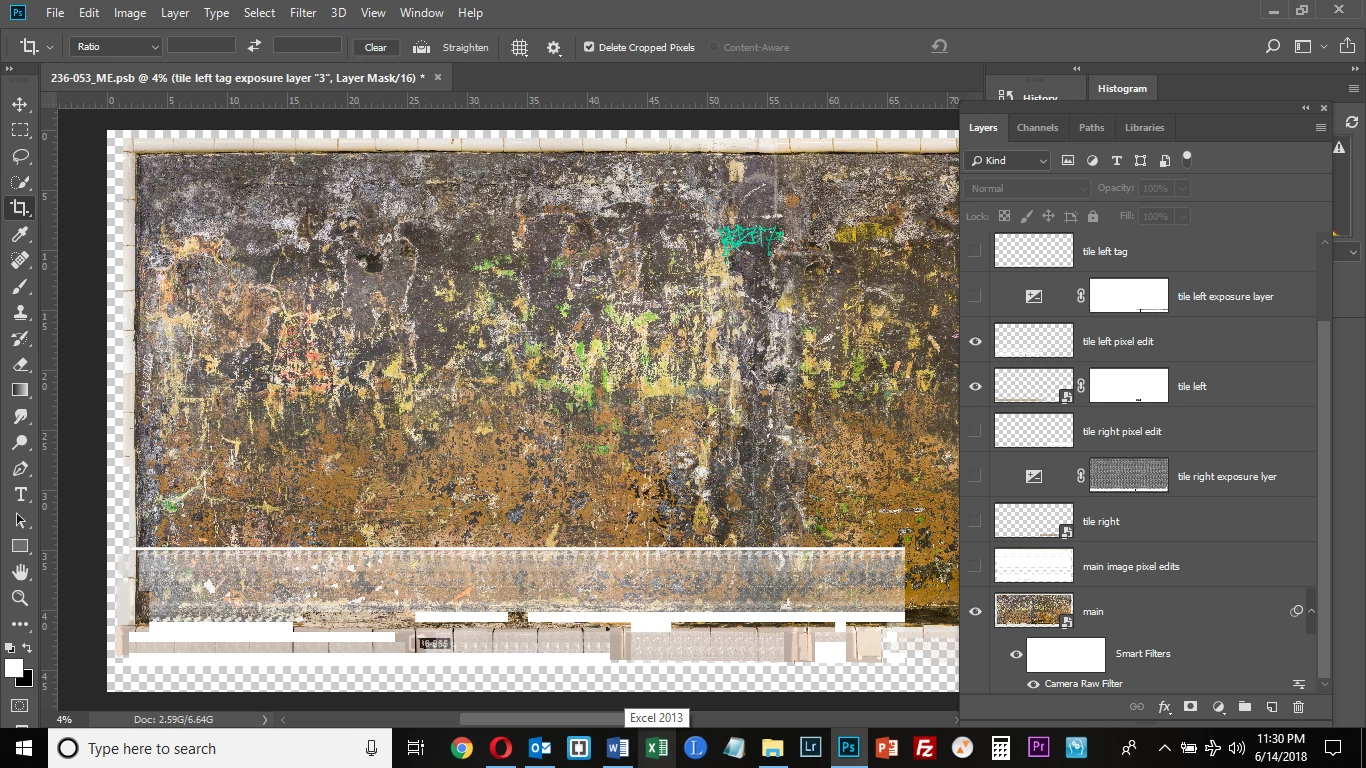
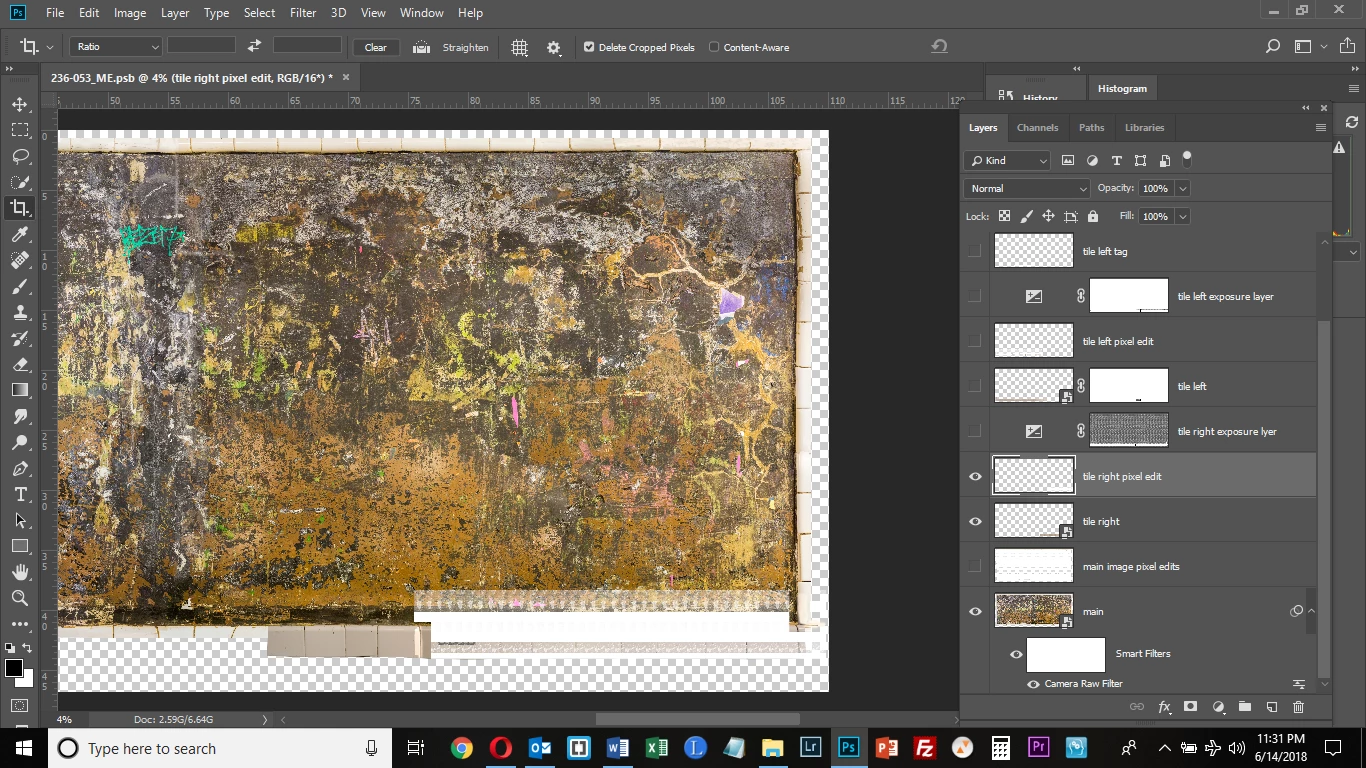
But here is my more serious problem. I needed to edit pixels (clone/stamp and spot healing brush) on the tile layers. So I made them Smart Objects and created a new blank layer and enabled Sample All Layers for the edits for these 2 layers. This worked initially but now I am getting strange behavior when I activate the blank layers with the pixel edits for the tile layers. See the 3rd image. (I moved some of these Layers around between the screenshots posted below, but it didn't have any effects on the problems I was seeing.) The "main" layer, "tile left" and "tile left pixel edit" layers are enabled, and totally crazy stuff is happening in the image. In the 4th screenshot, the "main" layer, "tile right" and "tile right pixel edit" layers are enabled, and you can see similar bizarre artifacts appearing on the tile which looks totally normal in the 1st 2 images. Does anyone have any idea what could be happening? I feel like at some point I did something which when executed told me layers would be merged. Although that doesn't appear to have happened, I wonder if I executed a command which has resulted in these artifacts being introduced - especially since for a while this was going along fine. Everything was appearing as it should be.
 AdChoices