
Participant
May 16, 2020
Question

Selection Tool (Random / unwanted selections)

  • May 16, 2020
  • 3 replies
  • 1892 views

Hello,


Running version 21.1.2 and I've been having some issues with the selection tool (lasso / polygonal)


When selecting parts of the image (single layer images or multiple) when closing the selection, random square / rectangular selections appear both inside and outside the area I have selected. When I try to add / subtract them from the selection it allows me to "chip away" at the random selection until the last picel is removed and it re-appears:
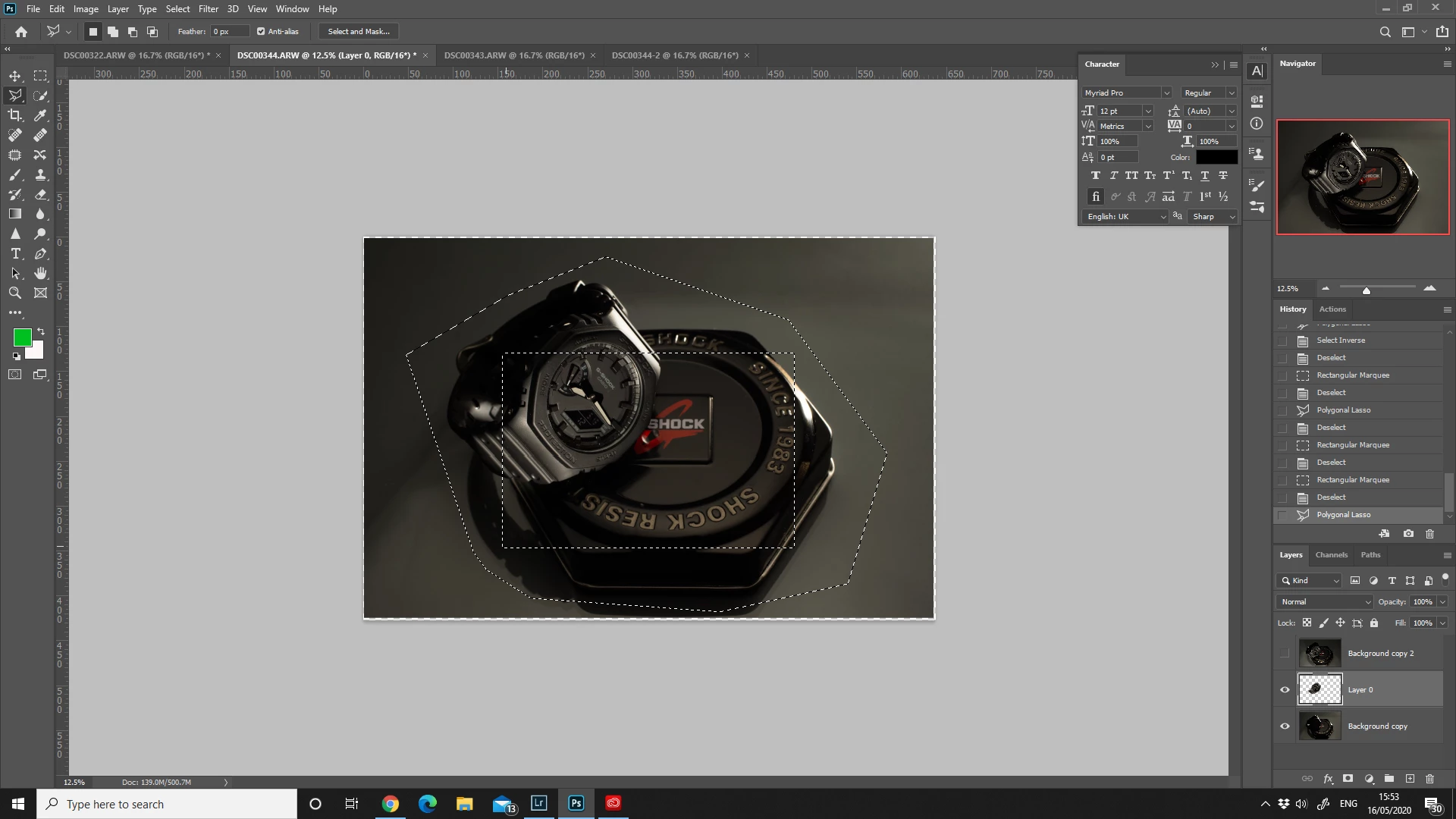
 

I have tried resetting the tool (right clicking and resetting the tool).


I' have tried searching but I can't seem to find anything useful.


Thanks


Adrian

This topic has been closed for replies.

3 replies

Participating Frequently
November 1, 2021

I also have a problem when making any selection in Photoshop (Windows 10 and Photoshop 23.0.0) Just clicking on a picture makes already some random selection... @Adobe each release has some tool broken, seriously, it just pains to work with photoshop

haileys59136996
Participant
September 16, 2021

Did you get this solved? I'm also having this issue.

c.pfaffenbichler
Community Expert
Community Expert
May 16, 2020

Does turning off »Use Graphics Processor« in the Performance Preferences (Photoshop > Preferences > Performance > Graphic Processor Settings) and restarting Photoshop have any bearing on the issue? 


What have you done for general trouble-shooting so far? 

Restoring Preferences after making sure all customized presets like Actions, Patterns, Brushes etc. have been saved might be a good starting point:

https://helpx.adobe.com/photoshop/kb/basic-trouble-shooting-steps.html