
Participant
January 3, 2021
Question

Separating hand drawn sketch from background

  • January 3, 2021
  • 1 reply
  • 3090 views

Hi All, 


Very new to this and learning A LOT! 


Hoping someone may be able to point me in the right direction. 


I want to seperate / isolate (sorry not sure which is the correct term) the lines on the below image. The end purpose is so i can duplicate the image on various backgrounds.


I can seperate out the backround colour onto a separate layer but its the black pen marks and strokes I would like. 


Sorry if this is a really simple / stupid question. If I need to adjust the original image to make this work I can redraw, either with a different pen or on white paper if that would make a difference. 


Am working on a Mac if thats at all relevant.


Appreciate your time and help. 


Thanks


Adam 
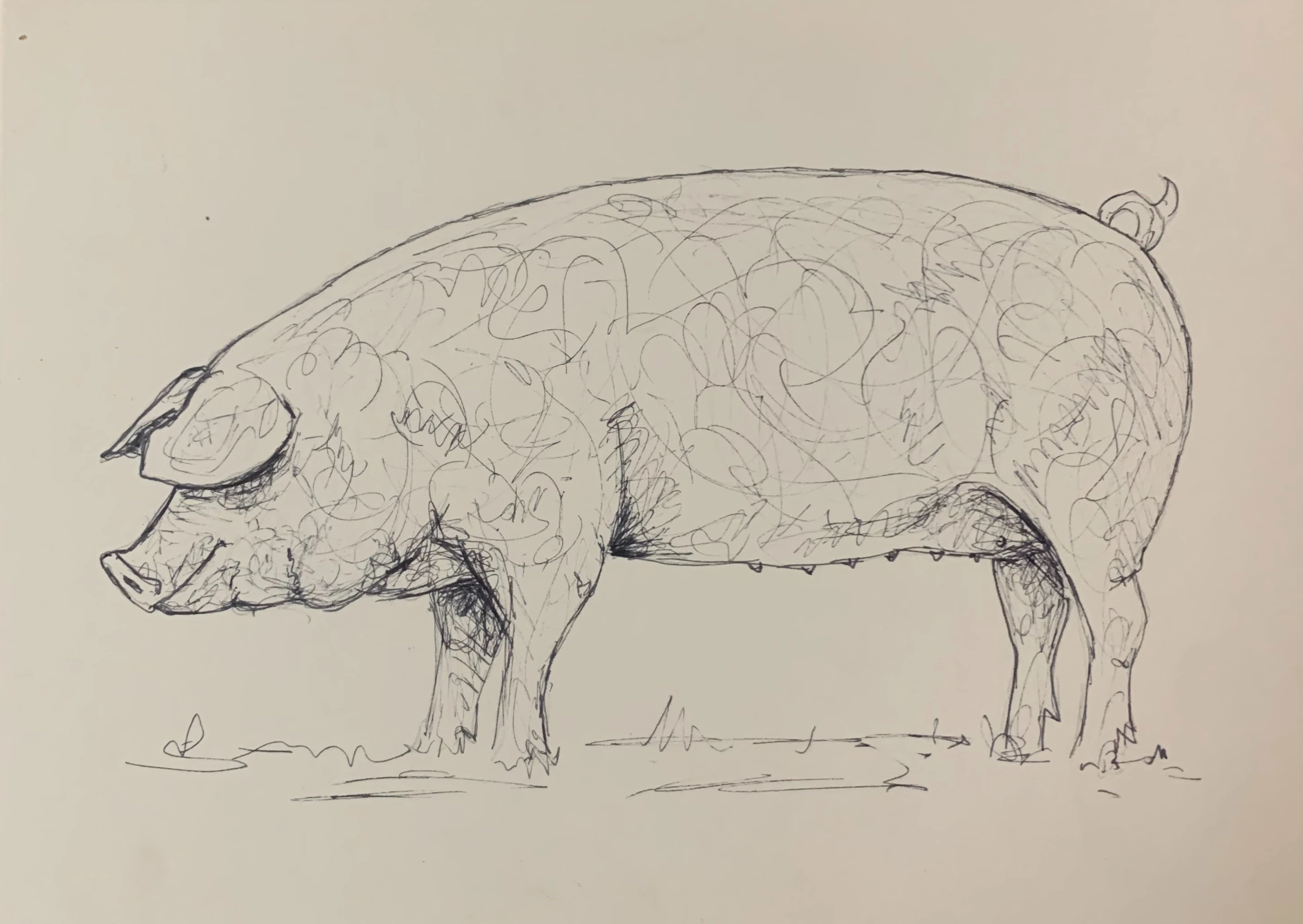


1 reply

Norman Sanders
Legend
January 4, 2021

Usually, removing the background of an illustration is handled efficiently using only the Blend If command on an RGB file. In this case, though, some of the lines are so thin and light that additional steps are suggested in order to maintain greater image fidelity. These are the steps:


Open the file and change its mode to Lab Color. Choose the L channel and Select > All followed by Edit > Copy. Then, deselect the marching ants.


Return to the Layers panel, add a blank layer and Edit > Fill it with White. Then, Edit > Paste, which will put the image, the L channel copy, on a layer above the white layer. Turn off the Background layer.


Double-click on the top layer to bring up Layer Style and set the top slider as shown. Note that the background goes from a very light gray (84 on a scale where 100 is white) to white except in the lower right corner. Use the Brush set to White to remove the gray value.


Move to the middle layer, Select > All and tap the Delete key. It is now transparent. Then, deselect the marching ants.


Return to the top layer and Layer > Merge Down. Add a transparent layer between the existing two layers and Fill that layer with a color. I chose blue for this exeercise. I would actually prefer ivory or something similar. It's your call.  Choose the top layer and change its Blending Mode to Multiply. Last return to RGB Mode.

DiglaneAuthor
Participant
January 4, 2021

Awesome advice, really appreciate you taking the time to share your knowledge.


Thanks 😀👍