

BenSCR
Inspiring
March 28, 2020
Question

Shadow (Clipping Mask)

  • March 28, 2020
  • 3 replies
  • 1191 views

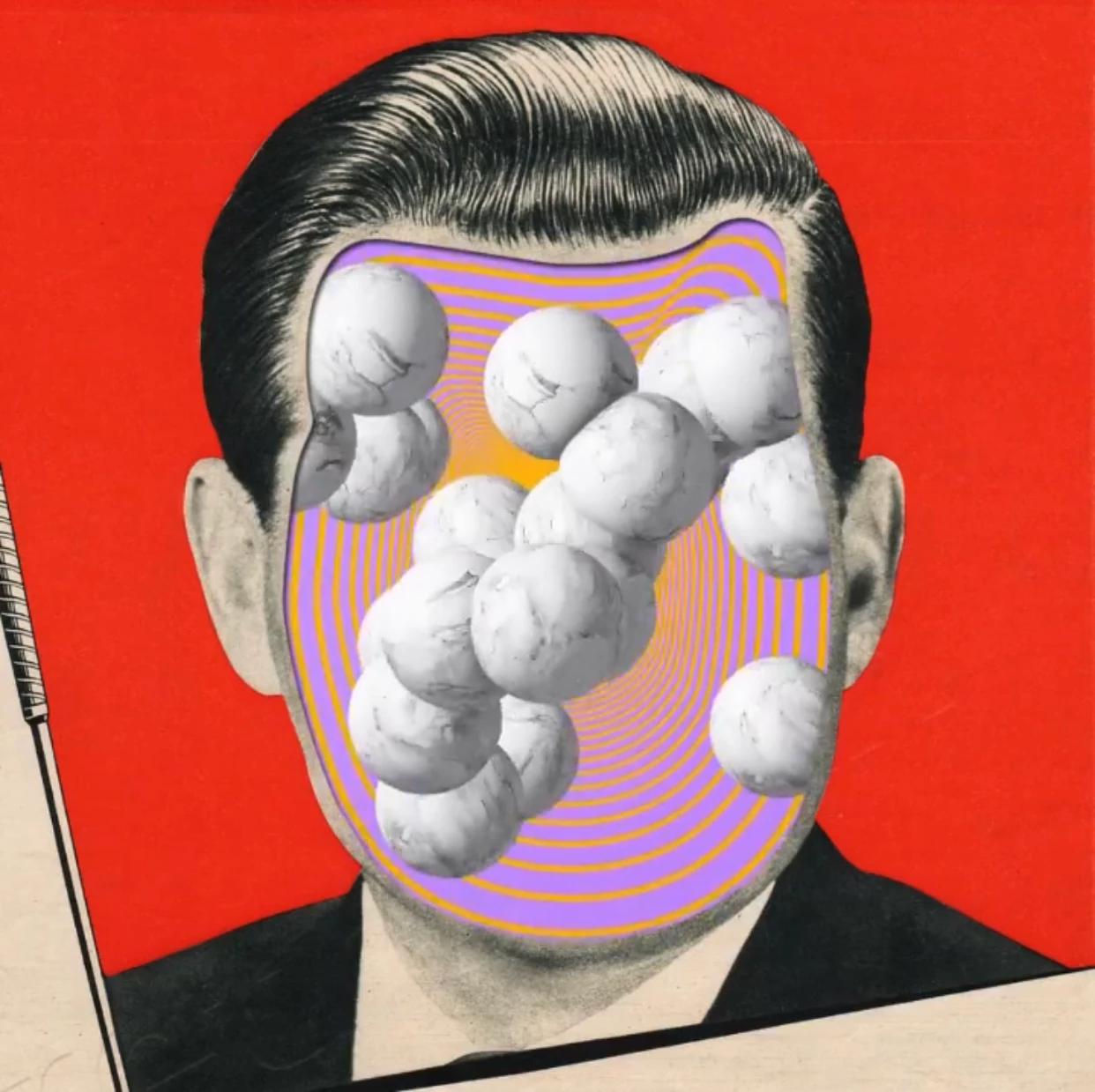
I'm trying to create an image with part of a face cut out, and have used an image of a 'Circuit Board' superimposed in to it buy using a 'Clipping Mask' which has worked well (as expected). But I'm having propblems adding a discreet shadow around part of the face that's cut out to give it depth.


How can I make and image with a shadow to give it depth like in this below photo....
 

This topic has been closed for replies.

3 replies

Bojan Živković11378569
Community Expert
Community Expert
March 28, 2020

If you want to add shadow then add Drop Shadow effect to bottom layer to which is content clipped or use separate layer for shadow which can be above or below what depends how deed is done but easier way is to keep it below layer to which is clipped content.

Chuck Uebele
Community Expert
Community Expert
March 28, 2020

Without seeing your layers panel, it's hard to say. If your image has a mask creating the hole in the face, you could make a selection of that, then create a new layer, and fill it with the selection. Then you can set the fill opacity to 0 and add a drop shadow to that layer. The fill would then not show, and only the layer effect will.

lambiloon
Community Expert
Community Expert
March 28, 2020

Hi, its optical illusion as 2d surface all layers you can make the shade and split all things on layer very easy....regards

Ali Sajjad / Graphic Design Trainer / Freelancer / Adobe Certified Professional