umaynome
Inspiring
May 7, 2023
Answered

Shape Help

  • May 7, 2023
  • 1 reply
  • 2659 views

Hello PS heros


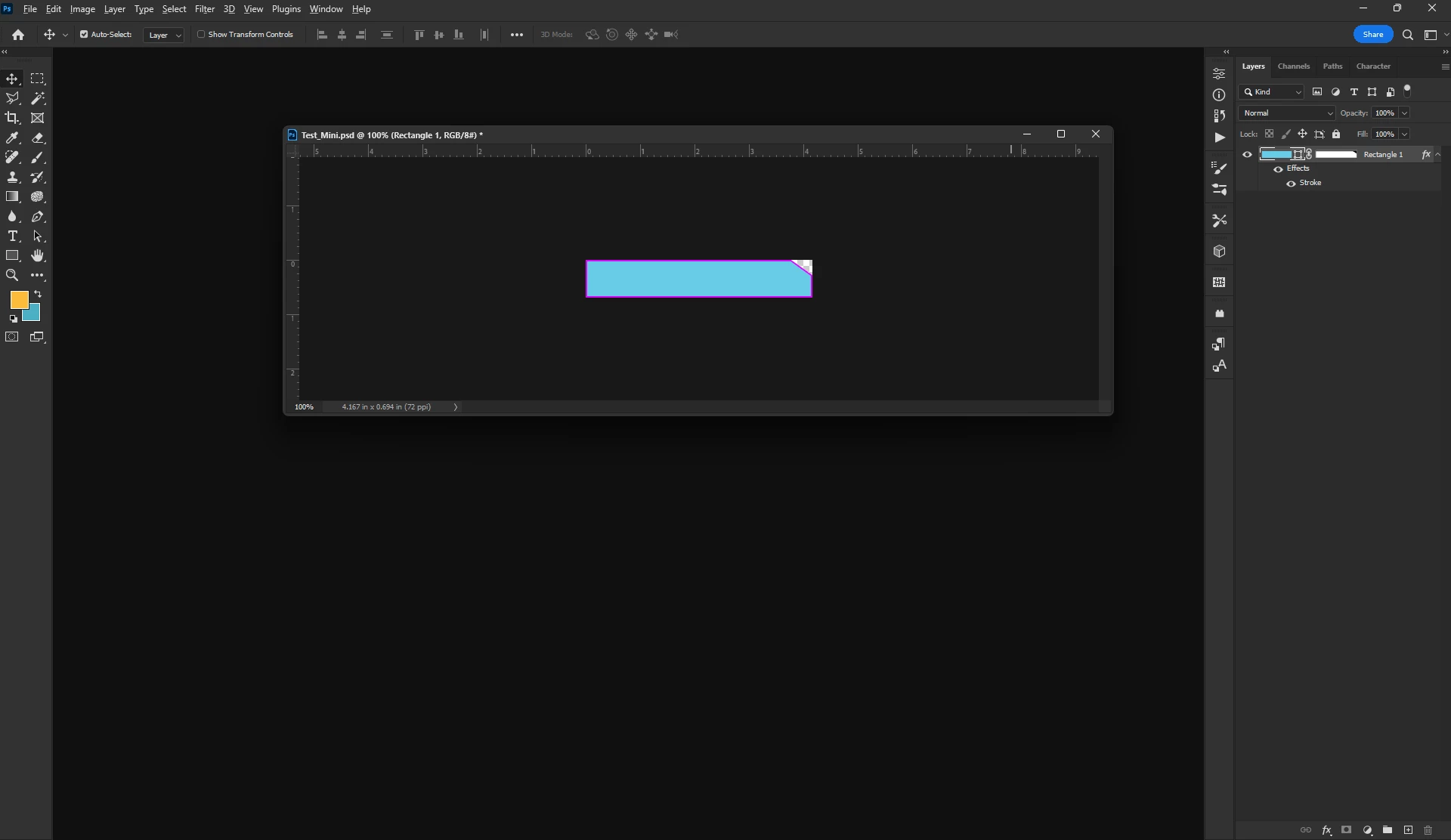
We all love the live shape tool, however I am creating a rectangle with a right custom angle and was wondering what is the best practice to do this? I just used a mask to hide the clip part.


The goal is to have this shape as clean as possible and then i want to be able to offer a 1,2,3px clean border on inside of the shape.


What is the best practice to achieve this gang?


Right now i can add a stroke border on the masked shape, but i feel there is a better method a more cleaner method.




Thank you all.

Sticks
 

This topic has been closed for replies.
Correct answer Jeff Arola

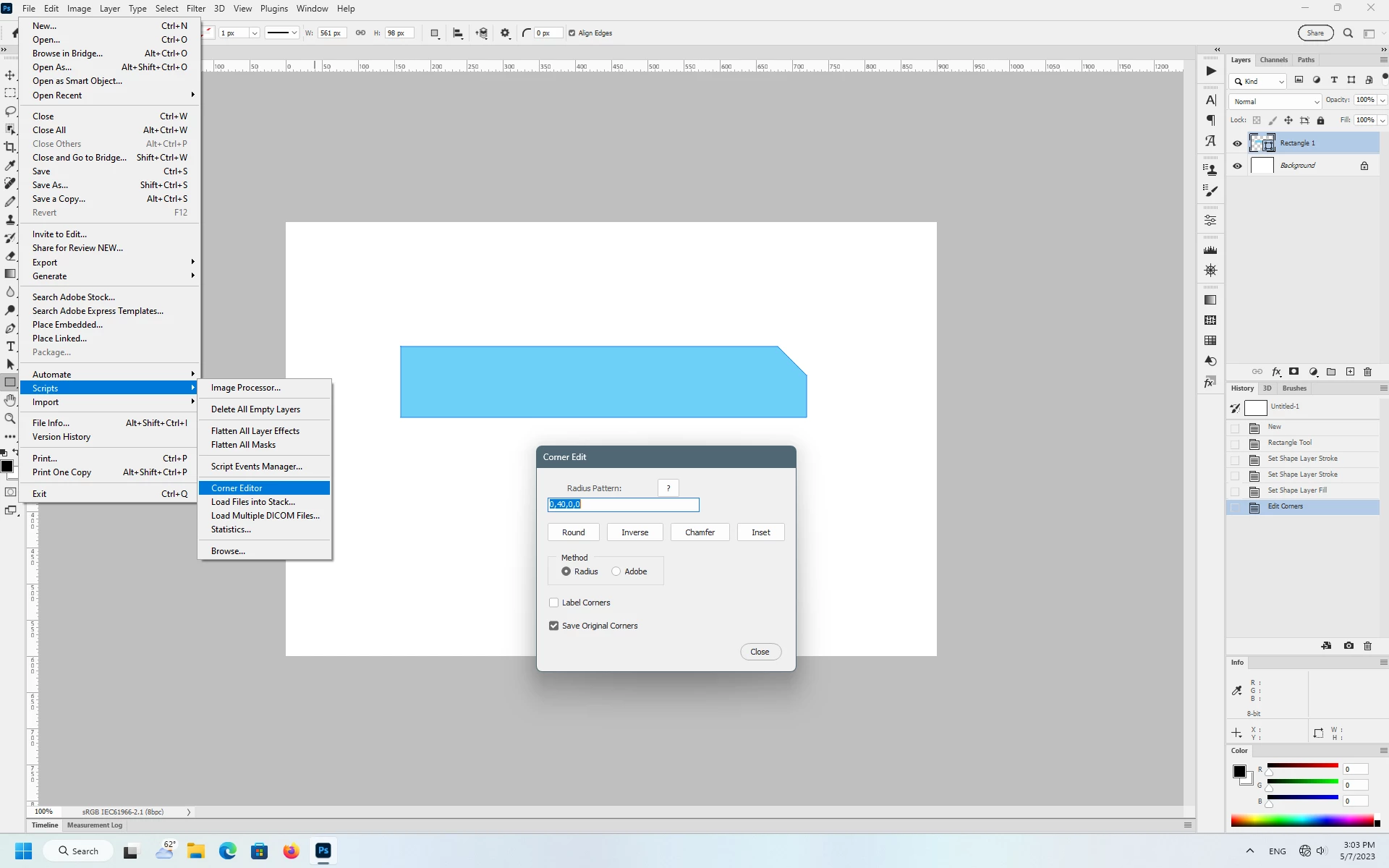
Yes it works on windows with photoshop ver 24.


Put the Corner Editor.jsx in C:\Program Files\Adobe\Adobe Photoshop 2023\Presets\Scripts


Then from within photoshop, File>scripts>Corner Editor


1 reply

Jeff Arola
Community Expert
Community Expert
May 7, 2023
umaynome
umaynomeAuthor
Inspiring
May 7, 2023

That looks sweet Jeff, so tell me does that work with a PC and the newer PS version 24?

Once i create a rectangle in PS, where is the script (once installed) to run it for the settings above 0, 40,0,0

Can you point me to the path for the script, once i have the rectangle shape made?

Thanks

umaynome
umaynomeAuthor
Inspiring
May 7, 2023


Do i select CHAMFER button? is that my issue here?