
Exit
  • Global community
    • Language:
      • Deutsch
      • English
      • Español
      • Français
      • Português
  • 日本語コミュニティ
  • 한국 커뮤니티
0

Sharp tool creating weird artefacts

New Here ,
Apr 24, 2023 Apr 24, 2023

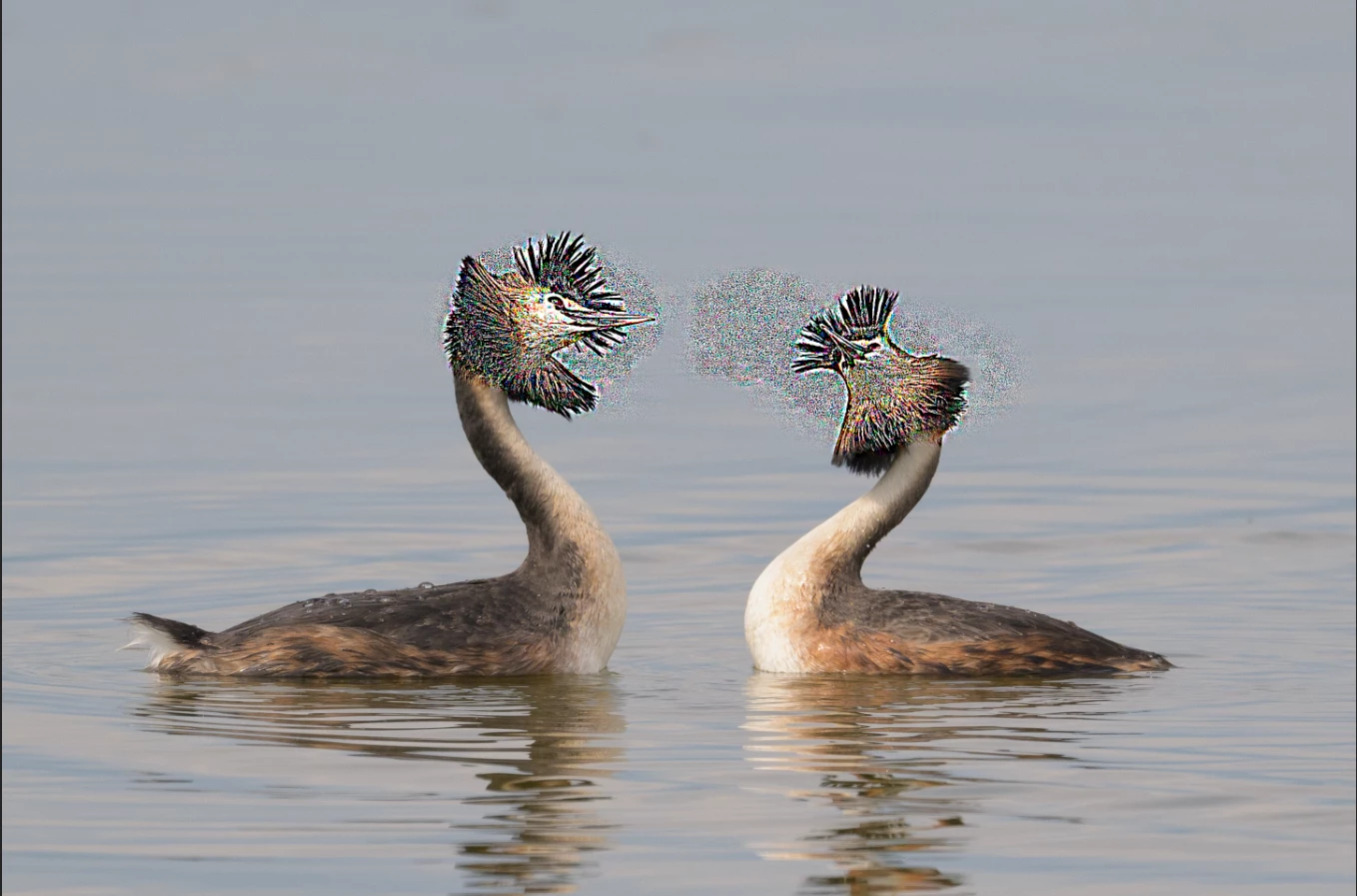
Not sure if this started after the latest update, if it's a bug, or if I made any settings changes that cause this.  When I am trying to use the sharpen tool, for any local small sharpening, instead of sharpening I get these artefacts!!  Any ideas??
 

Manos28655970923r_0-1682357491347.png
Latest PS version
Windows 11
GeForce RTX 3060 GPU


TOPICS
Windows
115
Translate
Report
Community guidelines
Be kind and respectful, give credit to the original source of content, and search for duplicates before posting. Learn more
community guidelines
Adobe
New Here ,
Apr 24, 2023 Apr 24, 2023

PS Ver: 24.4.1 20230418.r.449 53a6c60 x64

Translate
Report
Community guidelines
Be kind and respectful, give credit to the original source of content, and search for duplicates before posting. Learn more
community guidelines
Community Expert ,
Apr 24, 2023 Apr 24, 2023
LATEST

If you ask me, this precisely shows why you should not use the sharpen tool. You have absolutely no control over the result. You just need to stop pouring when the cup is full - and in this case it runs over. This is oversharpening in the extreme.


Use the much more precise ACR filter or Smart Sharpen, and use masking to determine which areas should be sharpened. Used as Smart Filters, they are also re-editable.


The thing with sharpening is that you want to avoid excessive halos. Halos is what you have here. My own favorite is the ACR filter, but some prefer Smart Sharpen, where you can fade out the effect towards shadows and highlights. The older Unsharp Mask is a little less controllable, unless you use layer blending to fade.

Translate
Report
Community guidelines
Be kind and respectful, give credit to the original source of content, and search for duplicates before posting. Learn more
community guidelines