
sharpening workflow
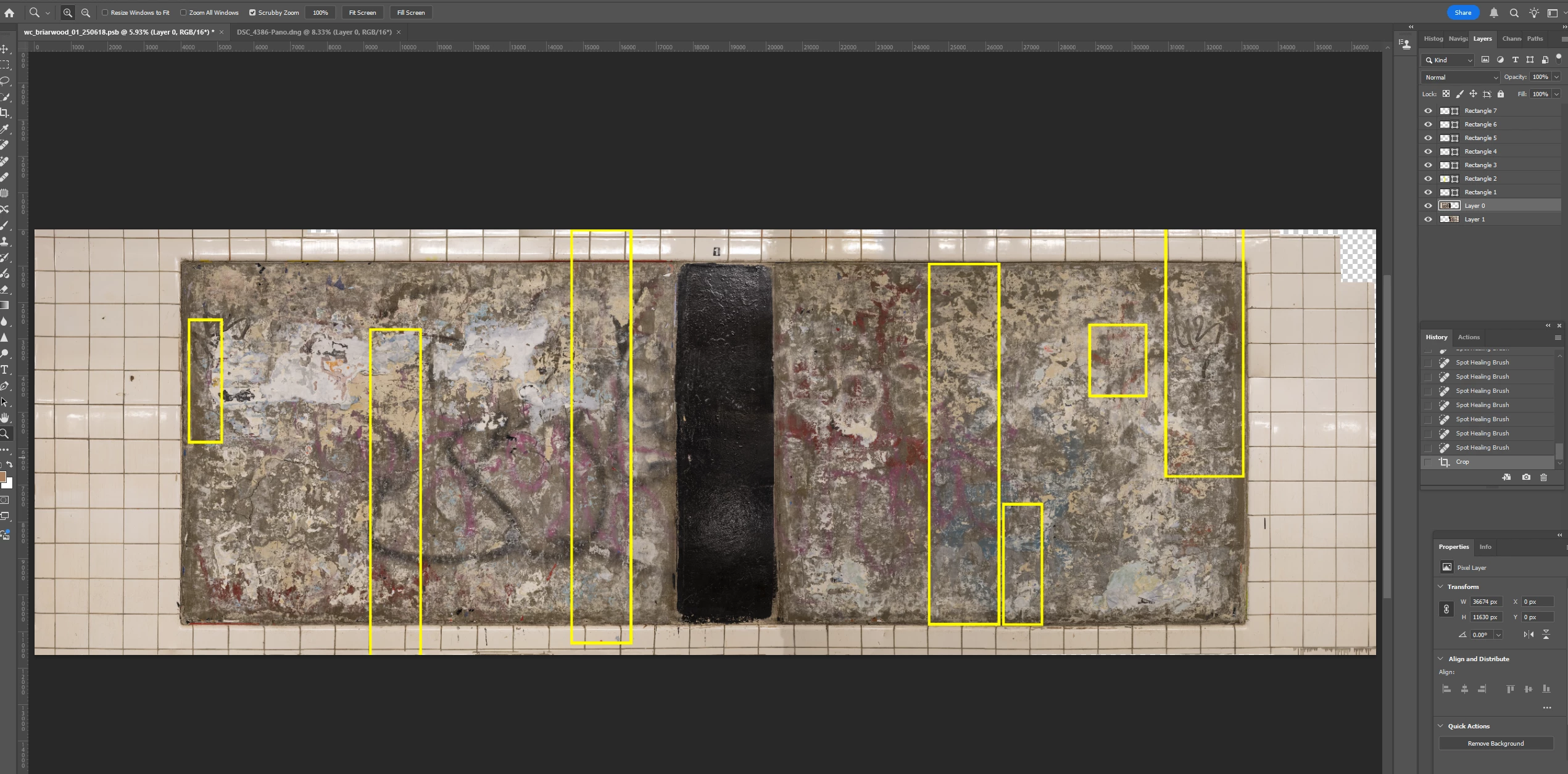
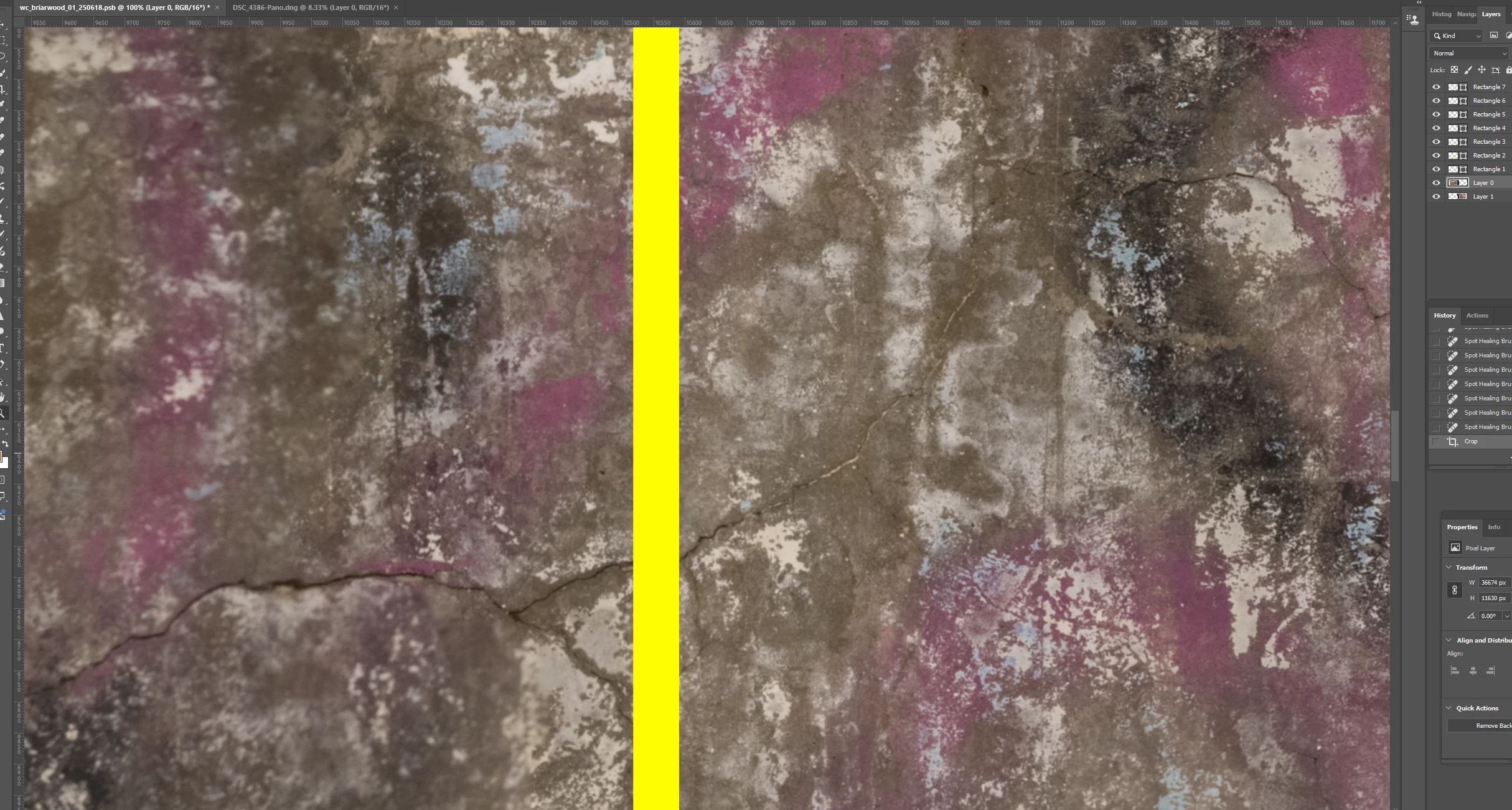
I'd be interested on hearing workflow suggestions for sharpening. The 1st image below is a composite of 30 photographs. The areas in yellow rectangles are a bit soft. The second screenshot shows one of these areas at 100% with the soft area on the left of the yellow line and the sharp area to the right. In an exchange back in 2022, @c.pfaffenbichler recommended using the Mask of the Smart Filter or multiple instances of the Smart Object, applying different Filters/Settings and Layer Masks to them. I am curious if anyone uses a workflow without Smart Objects to get similar results. I tend not to work with Smart Objects because of the increased file size and the complications they create for pixel edits. It may also be a matter of a workflow that I have gotten used to working with Adjustment Layers, which I feel work well for me and are quite flexible. Anyway, if anyone has thoughts I'd appreciate hearing them. Thanks.
 AdChoices