
Sharpness in Photoshop and Lightroom - Nikon D850
I have the following problem. I have a Nikon D850 camera, which I use as a professional photographer to shoot in RAW Flie.
I have had several problems with the sharpness of the images, and have been going to NIKON's Zurich service for almost a year to have the problem solved. My camera has been technically tested and the result is that the camera produces sharp images.
On the advice of the NIKON Corporation, I downloaded the Nikon View NX-I program. I was absolutely shocked to see the over-sharpened image on my monitor as I had seen in the service department.
On the one hand, this reassured me that the problem was not with my monitor, and confirmed that the problem was probably not with the camera.
I am sending you 3 screenshots, which I hope you will see how Adobe Lightroom and Adobe Photoshop read the camera data in RAW File with a degradation of quality. I am honestly very disappointed with this quality degradation in terms of image sharpness.
I do not understand how this is possible. There are a lot of professional photographers in the world who use Nikon's 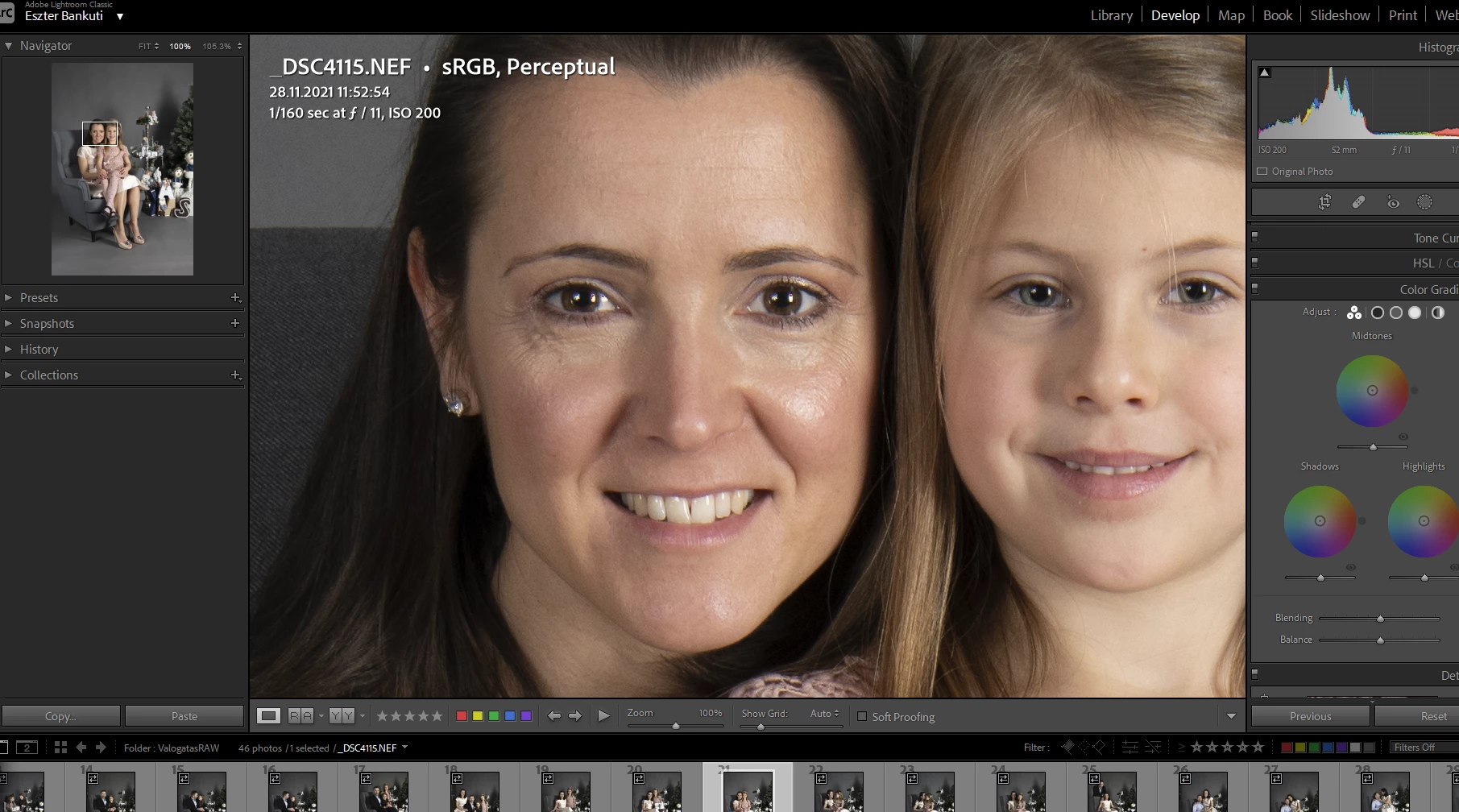
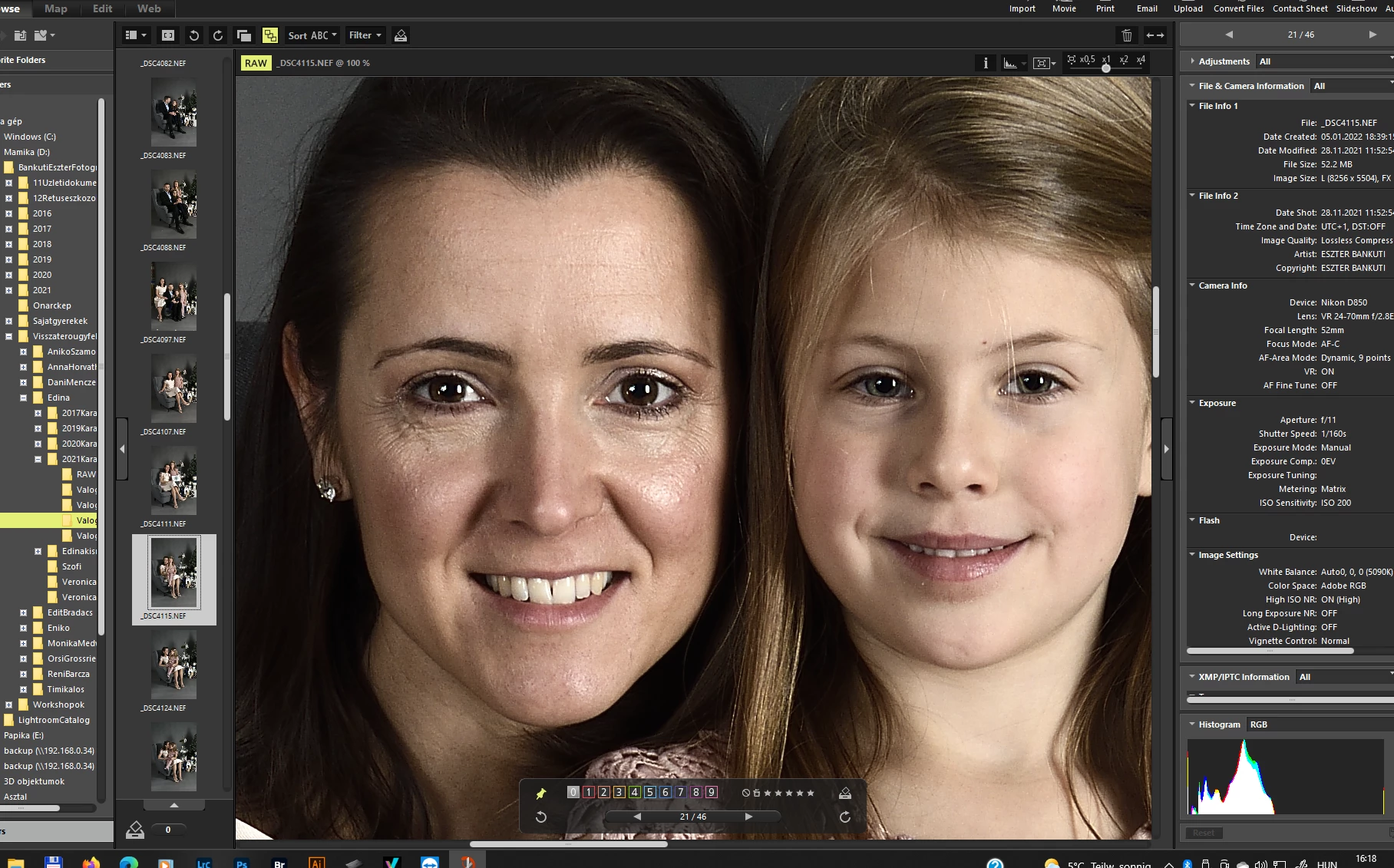
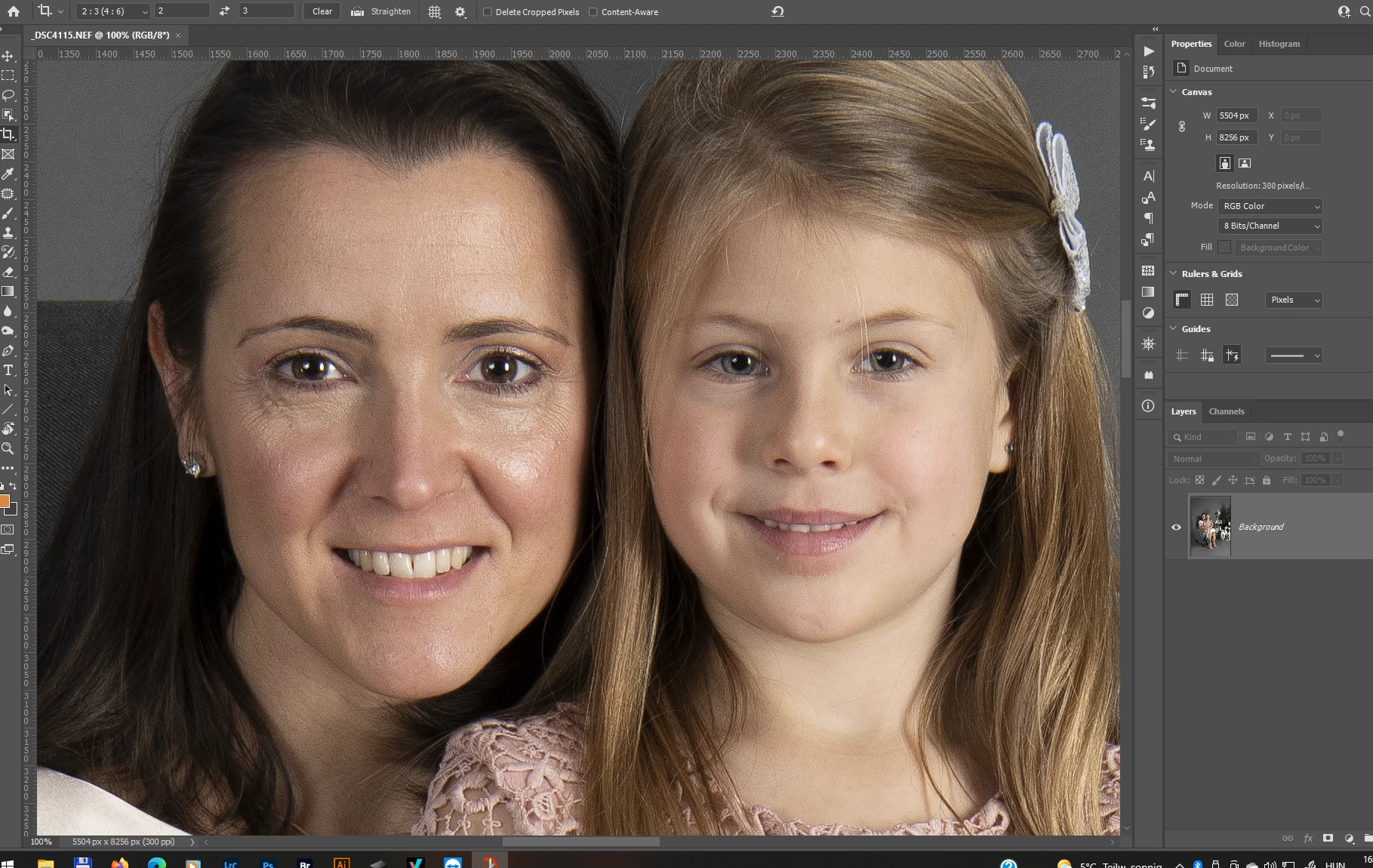 top of the range camera and post-process their images using Adobe Ligtroom and Photoshop.
How is it possible that I have such a big drop in quality? In all 3 screenshots the photos are opened in RAW, i.e. NEF, at 100%. So you can visually see the quality degradation. My monitor is an EIZO Coloredge CG2420, which works perfectly, you can see the difference between the 3 images. My graphics card is Nvidia GEForce RTX 2080 TI, with the latest software update.
How to solve the problem so that I can see in Photoshop and Lightroom the same sharp photo that my camera takes? Thank you for your help
 AdChoices