
sfloro
Participant
May 20, 2016
Frage

Shift key glitch with Wacom tablet

  • May 20, 2016
  • 8 Antworten
  • 18580 Ansichten

Hi,

I've been trying to fix this issue for days.
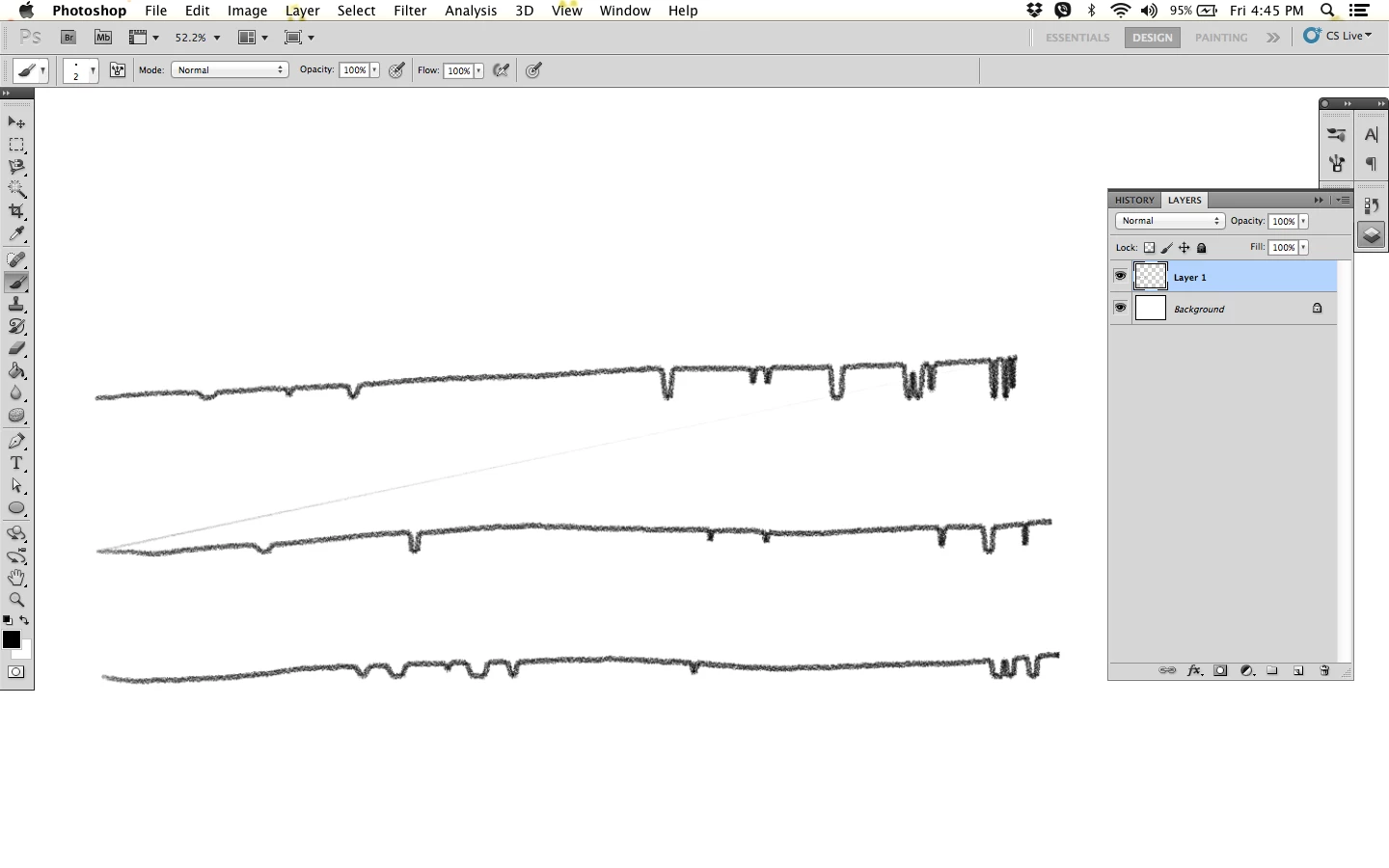
Whenever I try and draw using my Wacom Intuos, this keeps happening. I already uninstalled Photoshop, went from a CS6 to installing CS5. Uninstalled and installed the Wacom driver thinking perhaps that's the problem.

I also tried checking on the Shift keys on my MacBook Air, but it's working fine.

This happens whenever I plug in the tablet and use it on Photoshop that it begins acting up until irregular capitalizations of letters start happening. I eventually have to restart my Mac and unplug the tablet.

I'd love some help, thank you so much.

    Dieses Thema wurde für Antworten geschlossen.

    8 Antworten

    Participant
    August 9, 2018

    I had the same problem with my Wacom Intuos (older model). I tried everything trying to figure out if it was a problem with the software or the operating system or the Wacom Board....

    The problem was that I had accidentally held down the shift key (which locked it). For me, I solved it by holding down the (physical button) shift key (on the Wacom Board obviously) to turn off the Shift Lock. Hope this helps someone...

    Participant
    March 20, 2018

    I had the same issue, and tried absolutely everything I could think of, resetting and reinstalling and so on. Turned out the fix was to turn touch on and off with the switch on the side...

    sidneye51063447
    Participant
    December 26, 2016

    I have the same problem..

    seems like there is no way to fix it, now my 400 Wacom tablet is useless..

    MacOS Sierra 10.12.2

    Participant
    December 11, 2016

    also experiencing this behavior when holding shift & alt in photoshop

    windows 10

    Participant
    November 28, 2016

    Same here, changed keyboard but it still occurs.

    Running OS X El Capitan

    willl58593023
    Participant
    August 31, 2016

    You'll need to uninstall your current wacom driver, and install the older driver (6.3.15-2)

    Drivers | Wacom

    Participant
    July 7, 2016

    I've been having the same problem! I actually got locked out of my computer for about 30 minutes because the shift key was stuck. I uninstalled the tablet software and now everything is fine, but I can't use my new tablet! Super upset. Wacom needs to fix their software. It's not an issue with Creative Cloud- I wasn't even using any CC software when this happened.

    NicolasRix
    Participant
    July 27, 2016

    Same issue for months on Adobe CC (Windows 10). Shift zoom or holding shift to draw a line from one point to another. I've tried everything. Same thing happens if I try the Alt shortcut to drag a selection or hold shift to add to selections.


    I've tried multiple wacoms and same issue arises. This issue does not happen on CS6 (Windows 7).

    jbm007
    Community Expert
    Community Expert
    July 27, 2016

    Wacom software does not play nice with window 10 OS

    Blame Microsoft not Wacom

    Windows 10 keeps trying to steal the touch function when using a a tablet, any tablet

    Trevor.Dennis
    Community Expert
    Community Expert
    May 20, 2016

    Can you be very specific about the issue please?  Are you drawing while holding down shift, or touching down, and Shift touching elsewhere on the canvas?  What exactly is the glitch?

    Is this happening with both CS6 and CS5?

    What version of OSX are you using?

    Do you have all the updates for Photoshop, and operating system?