
Participant
July 30, 2017
Question

Shift + Rotate and Shift + Scale doesn't work anymore

  • July 30, 2017
  • 2 replies
  • 1152 views

Hello,

I'm having an issue that shift + rotation and scale doesn't keep the proportion anymore / doesn't rotate to 15/45/90 whatever degree. I'm using this features since years and it's working fine at my companions computer. It snaps to weird places/degrees whenever I stop draging, only small changes. I am still holding shift when the problem appears! All snapping is disabled. I reinstalled Photoshop 2 times, same problem.

When I lock the proportions in the menu above everything works fine.
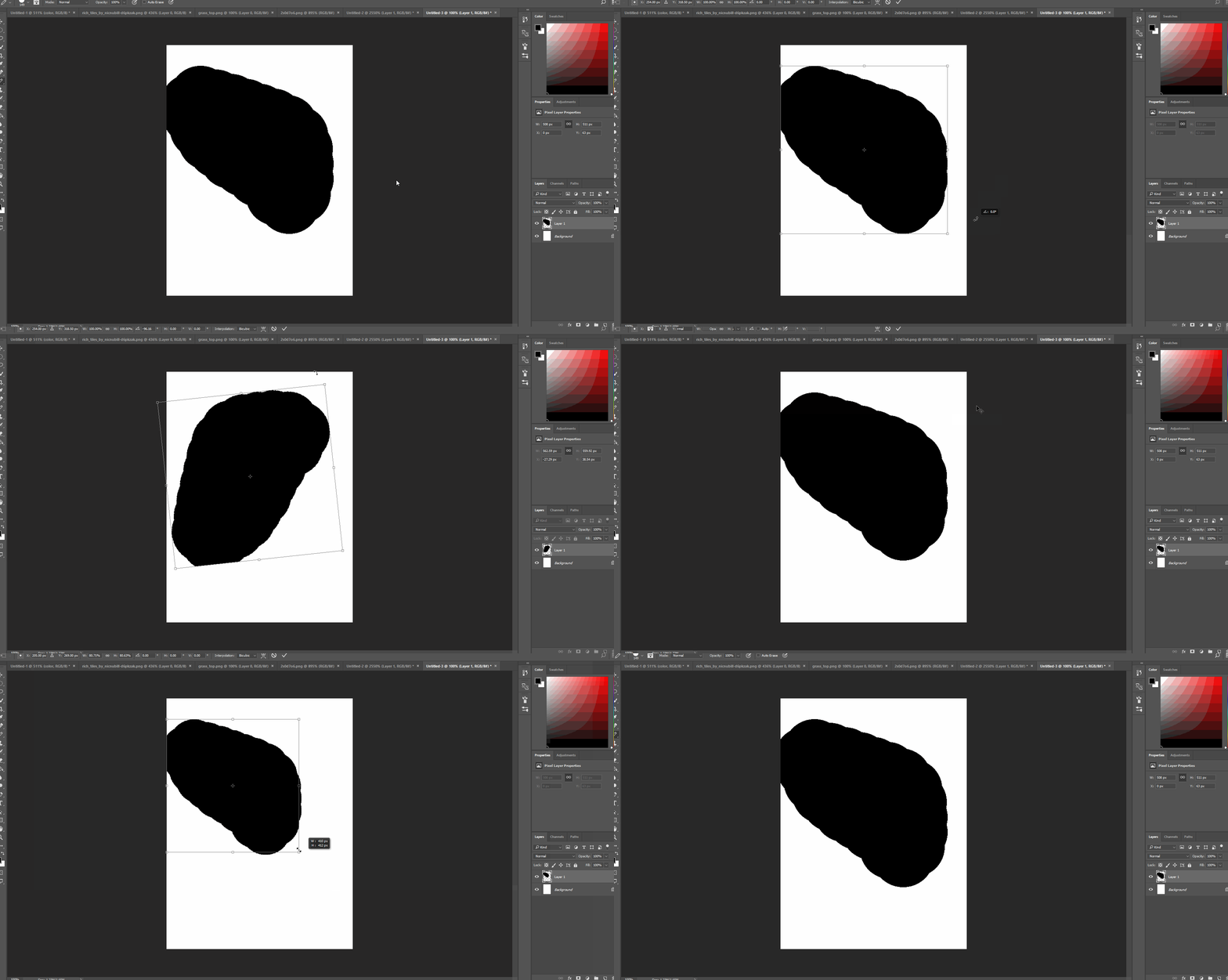
Any help would be great!

Cheers

This topic has been closed for replies.

2 replies

Chuck Uebele
Community Expert
Community Expert
July 31, 2017

I can't reproduce this either. What pointing device are you using? Could the issue be with that not releasing the click till after you actually release the shift key?

Participant
July 31, 2017

I have the same problem when I used my wacom tablet. Also, the pointing device can't be the issue since shift + rotate should allow only certain rotation degrees while pressing shift, right? So snapping to 78,34° couldn't be an option when I'm still pressing shift, could it? I'm pretty confused...

Same thing happens when I'm using a different (brand new) mouse...

Barb Binder
Community Expert
Community Expert
July 31, 2017

Is the Wacom driver up to date? Or did it update just before this started happening?

~Barb at Rocky Mountain Training
barbara_a7746676
Community Expert
Community Expert
July 31, 2017

I can't reproduce the problem. Some people have had various problems with GPU. You could try turning it on/off in Preferences.

If that doesn't work, you could try resetting preferences. Preferences in Photoshop

And if that doesn't work, you could try the Adobe CC Cleaner Tool. Use the Creative Cloud Cleaner Tool to solve installation problems The cleaner tool has worked for me a couple of times, when a standard uninstall/reinstall has not worked.

Participant
July 31, 2017

Doesn't change anything at all , checked and unchecked all the options even the advanced settings...

barbara_a7746676
Community Expert
Community Expert
August 1, 2017

Sorry that the problem persists. Give BarbBinder's suggestion a try. And if that doesn't work, as I previously suggested,

try resetting preferences. Preferences in Photoshop

And if that doesn't work, you could try the Adobe CC Cleaner Tool. Use the Creative Cloud Cleaner Tool to solve installation problems