Participant
November 26, 2017
Answered

shortcuts key photoshop

  • November 26, 2017
  • 2 replies
  • 1522 views

Hi!

Is there a shortcut key to rename layers?

    This topic has been closed for replies.
    Correct answer Barb Binder

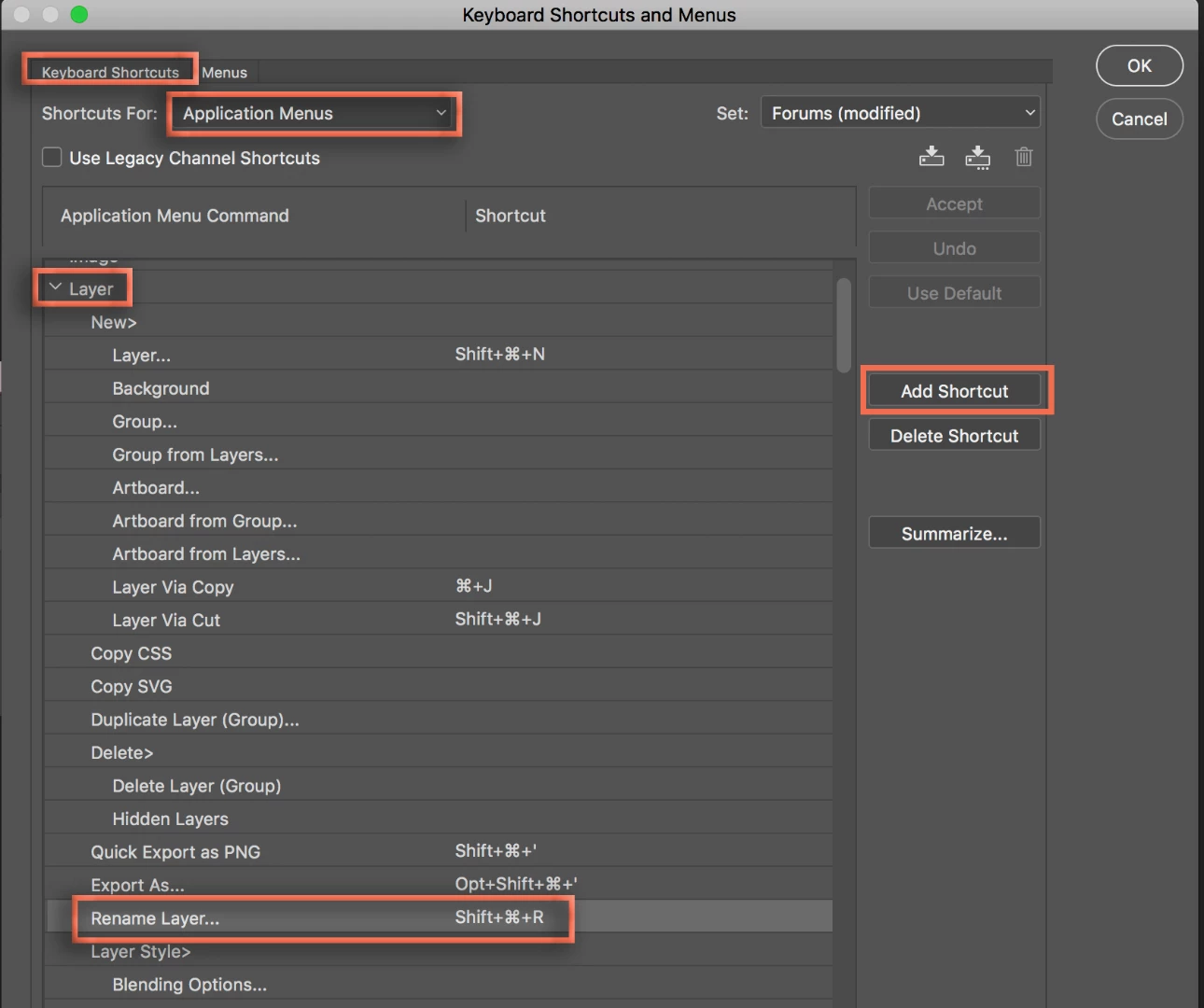
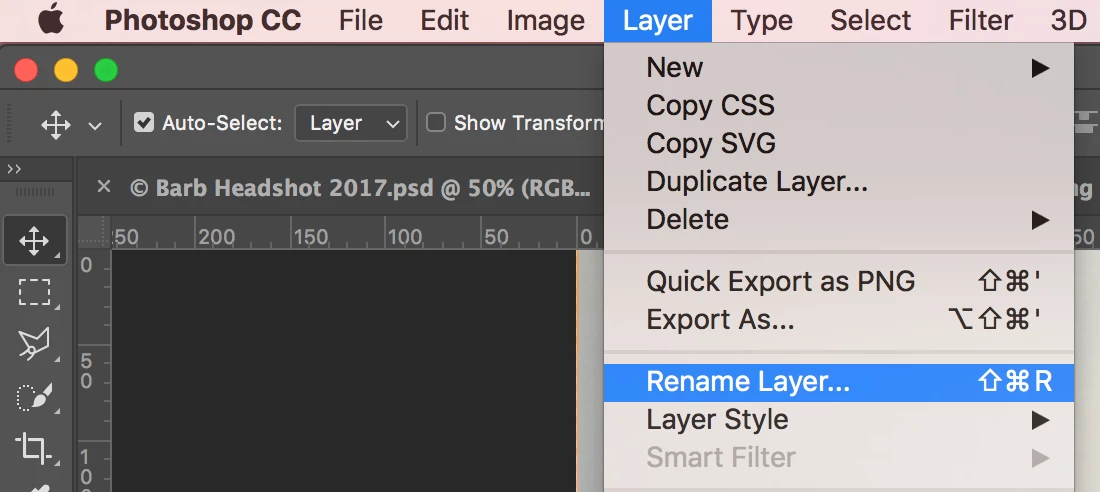
    There isn't a default shortcut for Layer > Rename Layer but you can add one via Edit > Keyboard Shortcuts > Shortcuts for Application Menus > Layer > Rename Layer.

    Note that many key combinations are already assigned elsewhere, so you many have to hunt to find a unused combo, or you can simply remap the keys to this shortcut. Once you add it, the shortcut will be listed to the right of the command in the Layers menu.
    2 replies

    Barb Binder
    Community Expert
    Barb BinderCommunity ExpertCorrect answer
    Community Expert
    November 27, 2017

    There isn't a default shortcut for Layer > Rename Layer but you can add one via Edit > Keyboard Shortcuts > Shortcuts for Application Menus > Layer > Rename Layer.

    Note that many key combinations are already assigned elsewhere, so you many have to hunt to find a unused combo, or you can simply remap the keys to this shortcut. Once you add it, the shortcut will be listed to the right of the command in the Layers menu.

    ~Barb at Rocky Mountain Training
    Participant
    November 27, 2017

    Thanks a lot.

    Barb Binder
    Community Expert
    Community Expert
    November 28, 2017

    You are welcome!

    ~Barb at Rocky Mountain Training
    Derek Cross
    Community Expert
    Community Expert
    November 26, 2017

    I'm not aware of one, you double click on the text in the Layer in the Layer Panel to rename it.

    Participant
    November 26, 2017

    thanks.I am aware of this method,But I'm looking for a shortcut key on the keyboard