
Electric_fact15A9
Participant
November 7, 2020
Question

Show Transform Control No longer Visible in 2021 version

  • November 7, 2020
  • 2 replies
  • 3080 views

I use this function, a lot, and since I have upgraded from 2020 to 2021 I no longer see that option, which is a bit annoying.

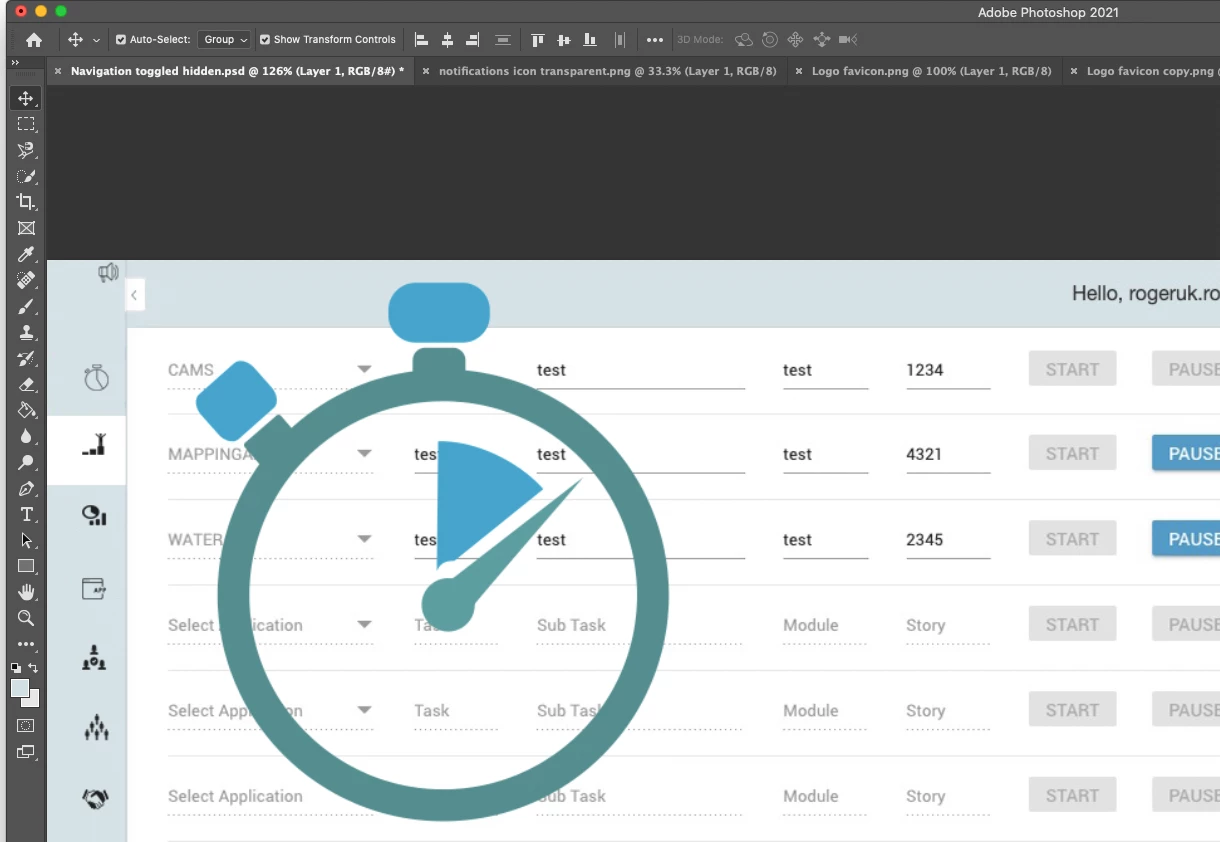
This is an example, I want to freely transform the icon in a draft design I'm preparing for a web app, I have copied and pasted the transparent image, like I always used to do, hoping the free transform to resize would show in the edges of the layer, but it is no longer showing.


Did spend a long time trying to figure out.


frustrating.
 

This topic has been closed for replies.

2 replies

Legend
September 1, 2021

Are they hidden? If you select View > Show > All do the transform controls show?

jane-e
Community Expert
Community Expert
November 7, 2020

Does it work when you use Cmd+T (or Edit > Free Transform)?

~ Jane

Participant
July 16, 2021

Yes, but it's not part of my workflow that, 20 years using the click on the object and suddenly add the most basic function of the PS this Adobe likes to play,

Participant
September 1, 2021

I'm also having this issue with PSD 2021 and its so frustratinggggggg