
Inspiring
February 10, 2025
Answered

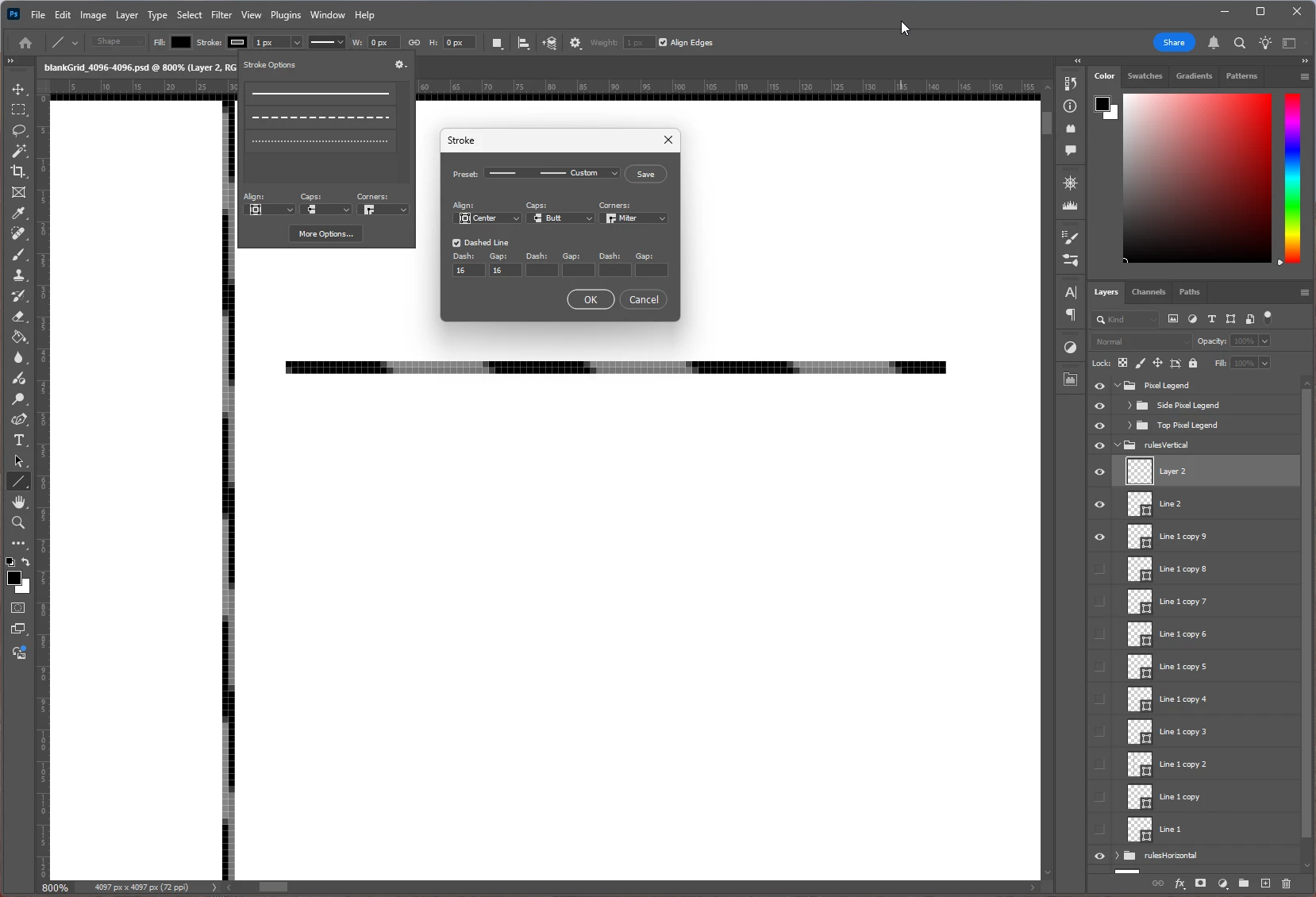
simple dashed line 1px is offset and has gray between each dash

  • February 10, 2025
  • 2 replies
  • 253 views

Created a simple 1 px wide dashed line with the line tool results in "dashes" that are offset. They also have gray in between each dash, where it should be white.  I reset the line tool by selecting the tool, using the dropdowncaret, choosing the cog, and "reset tool".  Using the latest 26.3.0 auto-updated from the CC cloud.  In the image, the vertical line started as a solid line, and I tried converting it to dashed afterward. The horizontal line was drawn after I made the selection of dashed, entered 16 and 16, and hit okay.
Correct answer BrettN

You can't use the Line tool to make dashed lines. Simply use the Pen tool instead. 


I can provide a very detailed explanation about why this is the case, if you like. The short answer is that the stroke setting doesn't play well with the nature of the Shape object created by the Line tool.

2 replies

Bojan Živković11378569
Community Expert
Community Expert
February 11, 2025

Here is my video explaining how to create dashed lines in Photoshop. If you have any doubts or questions, please don't hesitate to ask here. https://youtu.be/ToUI_dlga8s?si=Les0w0H-voDlDckF

BrettN
Community Manager
BrettNCommunity ManagerCorrect answer
Community Manager
February 11, 2025

You can't use the Line tool to make dashed lines. Simply use the Pen tool instead. 


I can provide a very detailed explanation about why this is the case, if you like. The short answer is that the stroke setting doesn't play well with the nature of the Shape object created by the Line tool.