Participant
August 16, 2018
Answered

Simulate Lightroom "visualize spots" effect in photoshop

  • August 16, 2018
  • 3 replies
  • 1930 views

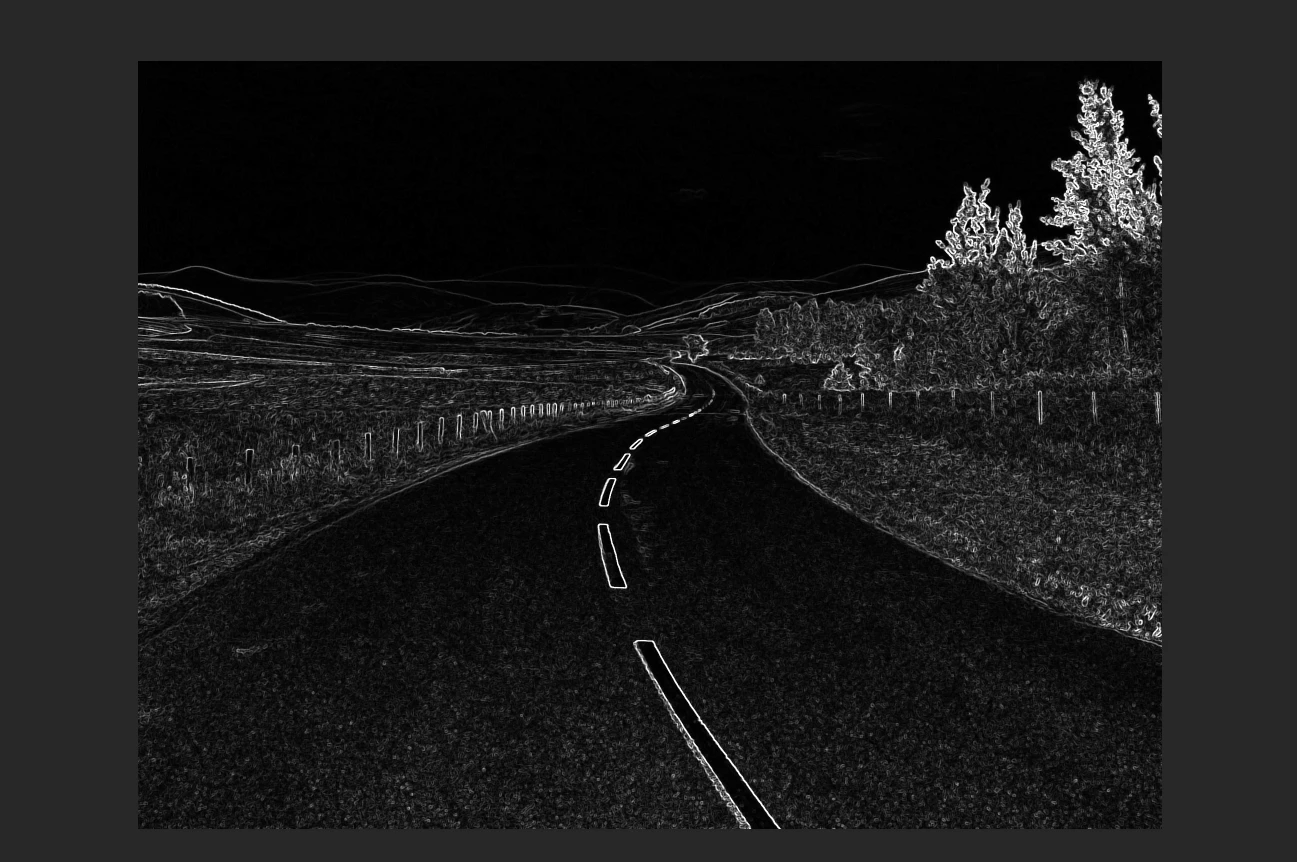
Some image I have look great (Lightroom) when I activate the visualize spots check box in Lightroom, I'd like to recreate this effect or image not to remove dust spots bot for the image itself.

Anyone knows how they do it? And can we reproduce this in Photoshop directly, not in Camera Raw of course. I want to keep the image as it looks when I hit the check box.

Thanks
This topic has been closed for replies.
Correct answer Sahil.Chawla

Hi FelixPQ,

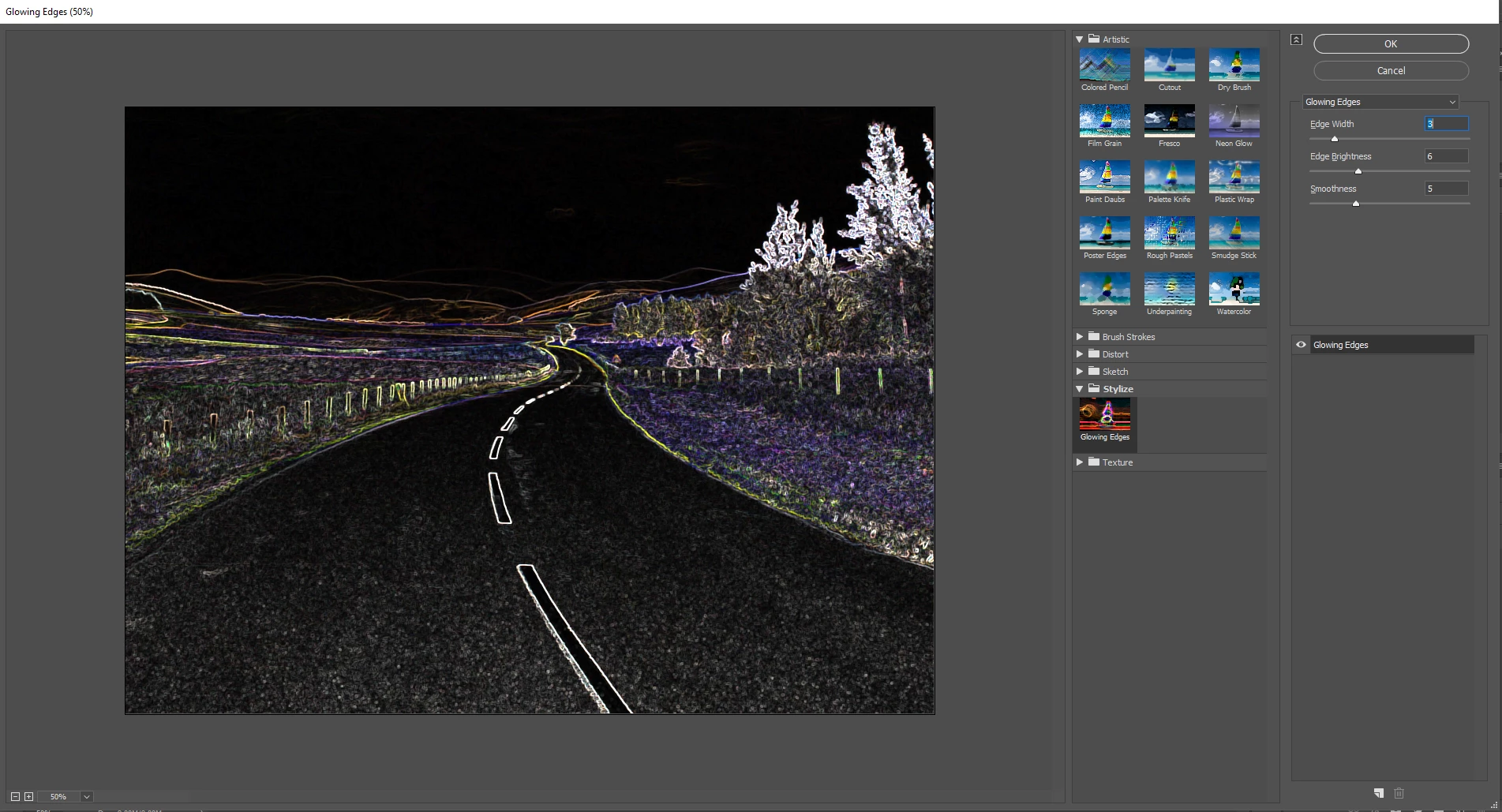
As you're looking to add a similar effect to visualize spot in Photoshop, you can add stylize effect by going to Filter > Filter Gallery

After that you can turn the image Black & White:

Regards,
Sahil

3 replies

Participant
August 16, 2018

Thanks, it's better then what I expected but it's unfortunate that we have to change mode to 8 bit. Again yes, I did change to 8 bit and revert back to 16 bit for the final touches.

Here is the result I managed to obtain with your method. It's copyright, just in case.

44030770652_39b71c219f_z.jpg

Legend
August 16, 2018

I use a Levels adjustment layer and drag the sliders to the right for a bright image and to the left for a dark one. This increases contrast and makes seeing dust spots much easier, and its easy to move the sliders around to get the effect you want.

Sahil.Chawla
Adobe Employee
Sahil.ChawlaCorrect answer
Adobe Employee
August 16, 2018

Hi FelixPQ,

As you're looking to add a similar effect to visualize spot in Photoshop, you can add stylize effect by going to Filter > Filter Gallery

After that you can turn the image Black & White:

Regards,
Sahil