
Exit
  • Global community
    • Language:
      • Deutsch
      • English
      • Español
      • Français
      • Português
  • 日本語コミュニティ
  • 한국 커뮤니티
0

Single Row/Column Marquee issue

Explorer ,
Apr 26, 2019 Apr 26, 2019

I opened an image file.

I selected the single row marquee tool.

I clicked the Move tool icon

I then dragged the top/middle handle upwards on the marquee.

It created a random spread of colours but did not replicate the line of pixels selected - see image.

This is the same with column mode.

I have turned "Use Graphics Processor" on and off but that made no difference.

Photoshop CC 20.0.4

Windows 10.0.17763.404

BTW you can also see the issue at the end of this video Single Row Marquee Tool - Adobe Photoshop CC 2019 - YouTube
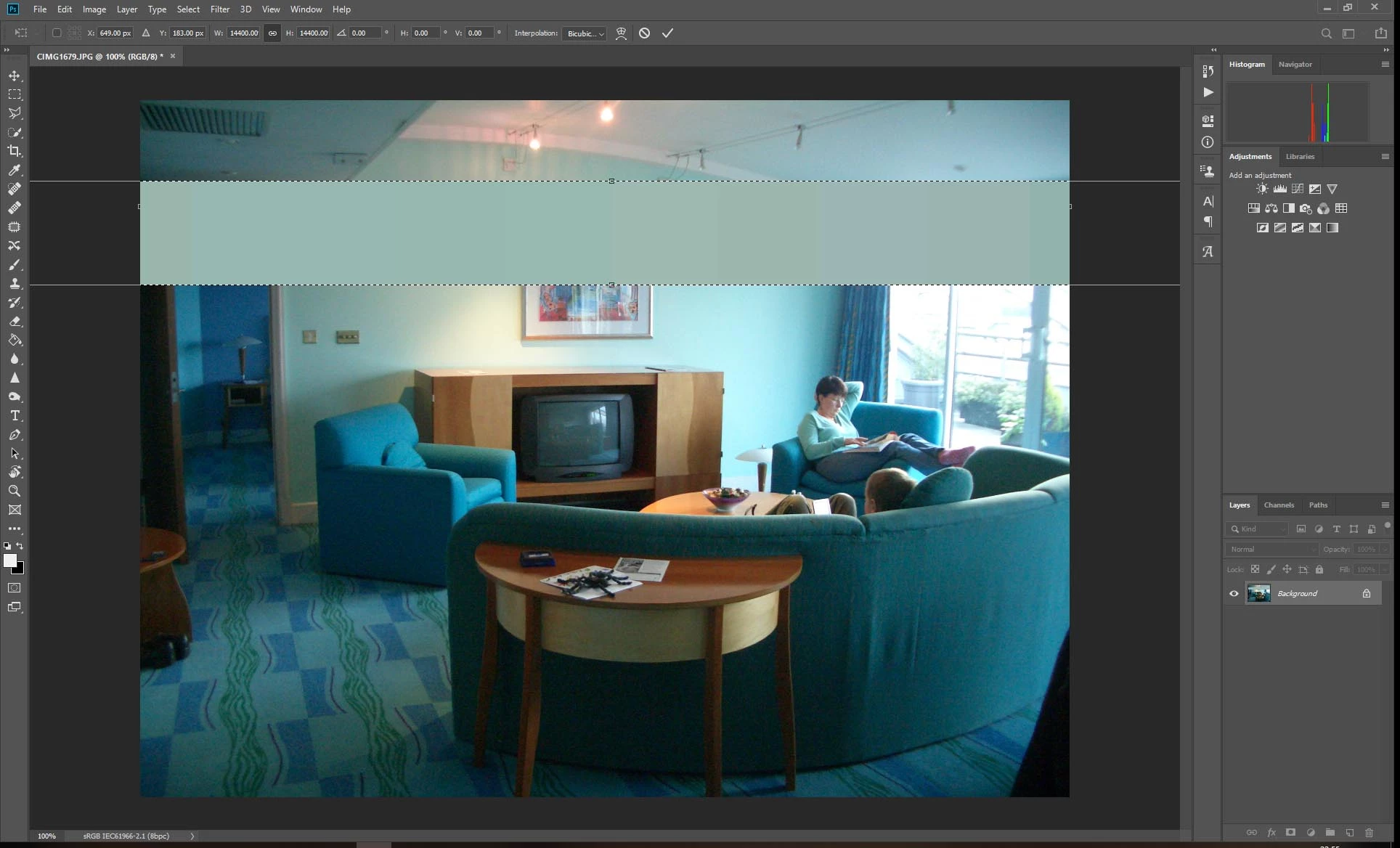
marquee-tool-issue.jpg

Tim

2.3K
Translate
Report
Community guidelines
Be kind and respectful, give credit to the original source of content, and search for duplicates before posting. Learn more
community guidelines

correct answers 1 Correct answer

Community Expert , Apr 26, 2019 Apr 26, 2019

The problem may have to do with adobe changing how Transform shortcuts work.

Try pressing the Shift key while moving (transforming) the Single Row Marquee Tool and see if that does what your expecting.

Changes adobe made to Transform under Transform proportionally by default

New and enhanced features | Latest release of Photoshop

Translate
Adobe
Community Expert ,
Apr 26, 2019 Apr 26, 2019

The problem may have to do with adobe changing how Transform shortcuts work.

Try pressing the Shift key while moving (transforming) the Single Row Marquee Tool and see if that does what your expecting.

Changes adobe made to Transform under Transform proportionally by default

New and enhanced features | Latest release of Photoshop

Translate
Report
Community guidelines
Be kind and respectful, give credit to the original source of content, and search for duplicates before posting. Learn more
community guidelines
Explorer ,
Apr 26, 2019 Apr 26, 2019
LATEST

Thanks Jeff. Problem solved

Translate
Report
Community guidelines
Be kind and respectful, give credit to the original source of content, and search for duplicates before posting. Learn more
community guidelines