MahaB82A
March 20, 2023
Answered

Size of brush tool when removing

  • March 20, 2023
  • 2 replies
  • 2024 views

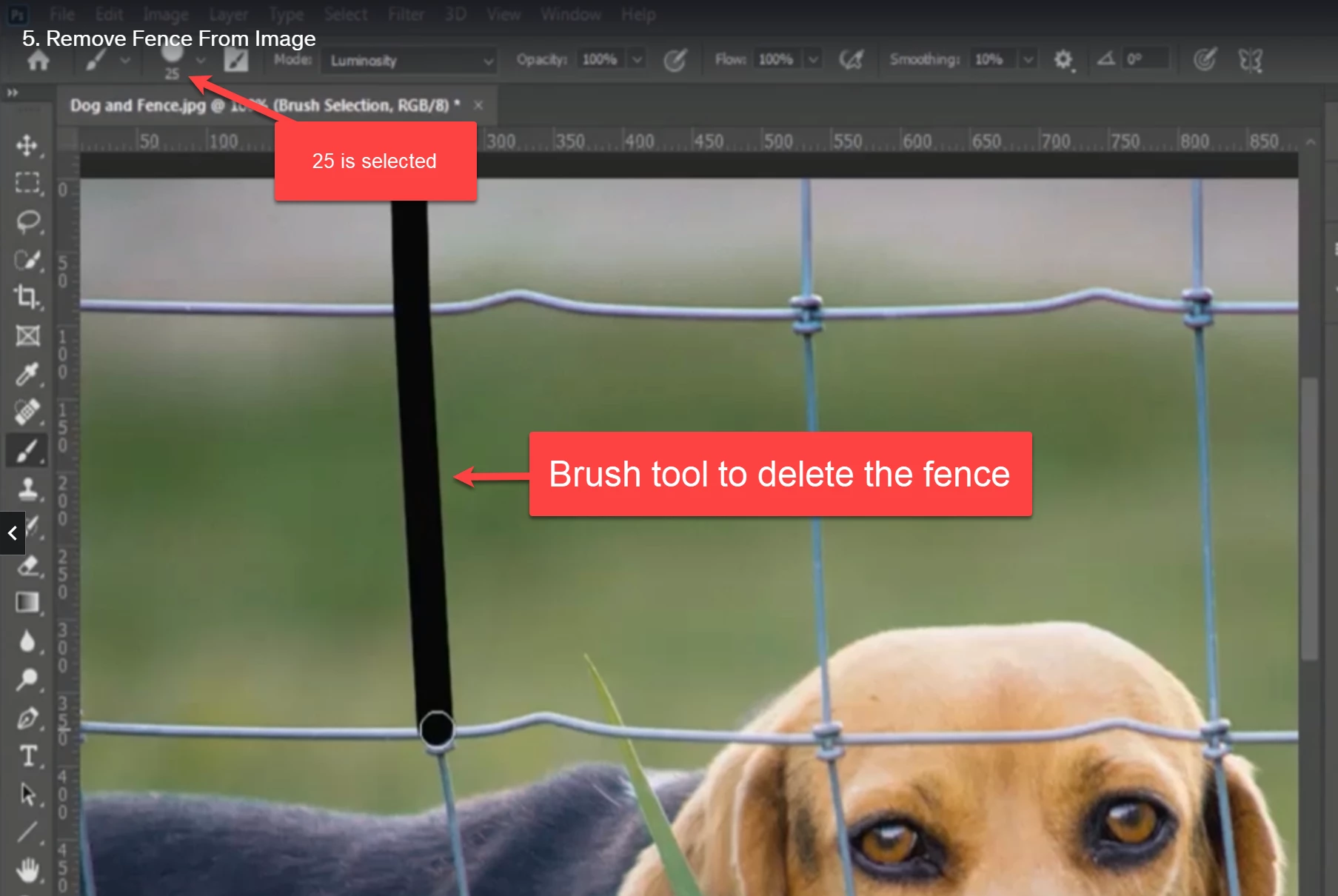
In this tutorial brush tool size 25 is selected to remove the fence. I wish to know whether size of the brush tool is matter when removing. I am asking this because size 25 barely covers fence knot. 


This topic has been closed for replies.
Correct answer Kevin Stohlmeyer

Correct - change the size to 44 to meet your needs. 25 would be fine for the wire, not the knots.

You have to adjust your brush size when retouching in Photoshop - there is no one static size that works for everything.

2 replies

jane-e
Community Expert
Community Expert
March 20, 2023

@MahaB82A 


Did you mean to be using the Brush tool and not the Spot Healing Brush tool?


Jane

MahaB82A
MahaB82AAuthor
March 20, 2023

I am new to Ps. I do not know which tool is best for the purpose. I just follow what tutorial says. It says brush tool.  

jane-e
Community Expert
Community Expert
March 20, 2023


Can you double-check @MahaB82A ? It looks like you are painting black lines over the fence, not removing it. Your Tools panel shows the Brush tool. If you give us a link to the tutorial, we can check for you.


You might try the Spot Healing Brush instead.


Jane

Kevin Stohlmeyer
Community Expert
Community Expert
March 20, 2023

Hi @MahaB82A I would use the best size for your each photo - there is no "one size fits all" (no pun intended). Adjust your size as needed.

MahaB82A
MahaB82AAuthor
March 20, 2023

In my file I got different sizes. You can see knot crosses the border of the circle when value is 25. When 33 only just value. When value is 44 knot is inside the circle.


MahaB82A
MahaB82AAuthor
March 20, 2023

Correct - change the size to 44 to meet your needs. 25 would be fine for the wire, not the knots.

You have to adjust your brush size when retouching in Photoshop - there is no one static size that works for everything.


Thanks for the explanation.
