
Participant
April 19, 2022
Answered

Sky Replacement Options window too big

  • April 19, 2022
  • 1 reply
  • 601 views

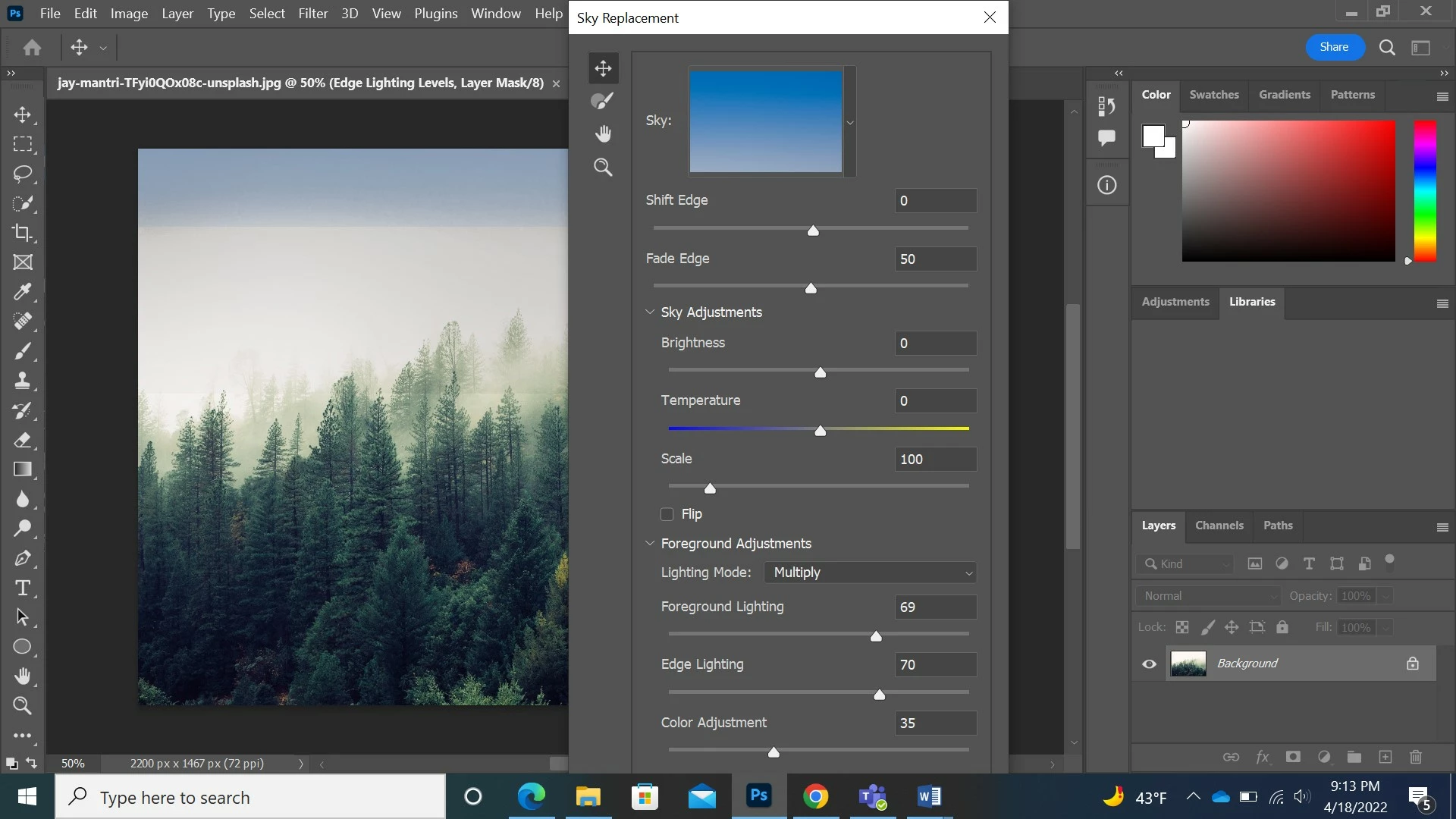
When I open the sky replacement option window, the window is appearing too large so I can't apply any of the changes. (see screen shot below) I have already tired to change the interface UI and the screen view mode. How do I make the window smaller? Thank you!
This topic has been closed for replies.
Correct answer Ged_Traynor

Hi

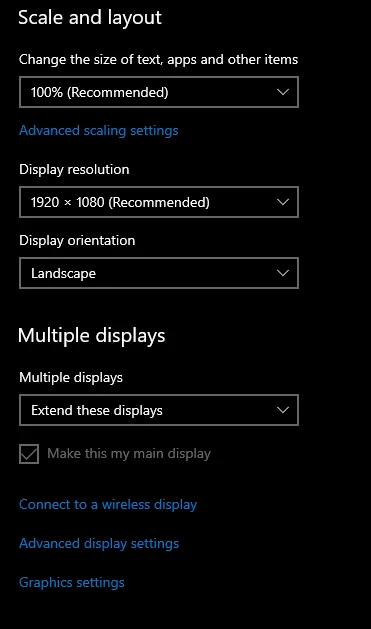
Try changing your Windows display resolution

1 reply

Ged_Traynor
Community Expert
Ged_TraynorCommunity ExpertCorrect answer
Community Expert
April 19, 2022

Hi

Try changing your Windows display resolution

Participant
April 19, 2022

Thank you so much, that did the trick!

Ged_Traynor
Community Expert
Community Expert
April 19, 2022

You're welcome 🙂