


- Home
- Photoshop ecosystem
- Discussions
- Slim filter rendering Belichtingseffecten
- Slim filter rendering Belichtingseffecten

Copy link to clipboard
Copied
Waarom werkt het slimme filter belichtingseffecten niet meer zoals dit in de 2021 was? Nu erg lastig te gebruiken en toe te passen.


 2 Correct answers


Gooie dag!
I would also try to download an older version of Photoshop from the Creative Cloud application for lighting effects.

Thanks, found out that it's not working more from version 22.4. Before versions it works.

Explore related tutorials & articles
 12
Replies
12
12
Replies
12



Copy link to clipboard
Copied
Go to Preferences > Technology Previews... and check "Disable Native Canvas" - then restart Photoshop. Does the problem still occur?
Copy link to clipboard
Copied
If Disable Native Canvas doesn't help, does View > Show > All work to show the controls?
Copy link to clipboard
Copied
Sorry, did but still the same and not getting the lines vissible, also a older version same problem.
Copy link to clipboard
Copied
Jammer genoeg!
Did you see this page: https://helpx.adobe.com/photoshop/kb/3d-faq.html
You might want to try to download an older version from this page, following their instructions: https://prodesigntools.com/adobe-cc-2020-direct-download-links.html
Or this page: https://prodesigntools.com/adobe-cc-2019-direct-download-links.html
Correct answer by
Henk_Ib
AUTHOR
Copy link to clipboard
Copied
Thanks, found out that it's not working more from version 22.4. Before versions it works.
Copy link to clipboard
Copied
Ok, according to the 3D FAQ, we should not expect further development on this version of the filter.
Copy link to clipboard
Copied
Gooie dag!
I would also try to download an older version of Photoshop from the Creative Cloud application for lighting effects.
Copy link to clipboard
Copied
Sorry, did and also not working and not getting the lines or points vissible.
Copy link to clipboard
Copied
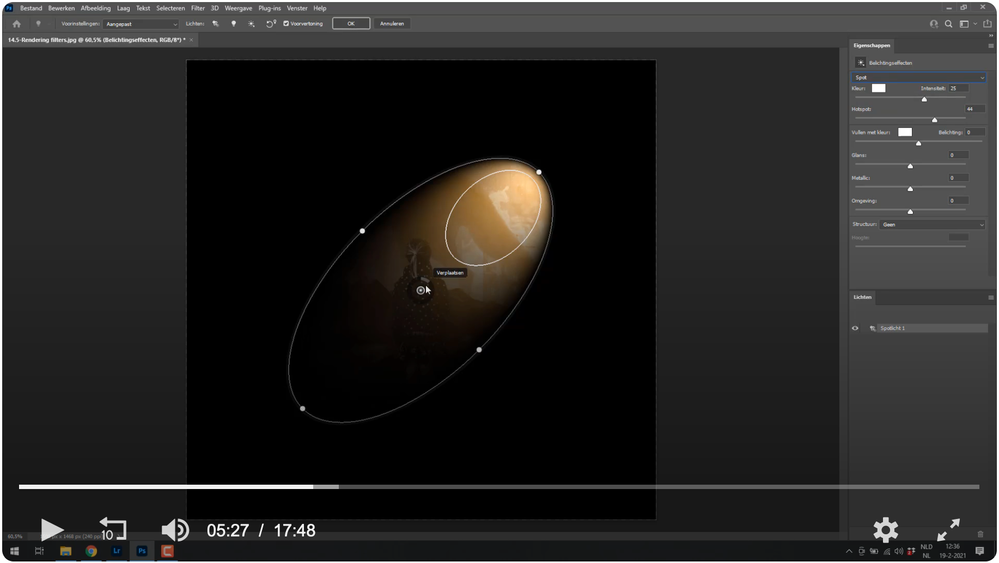
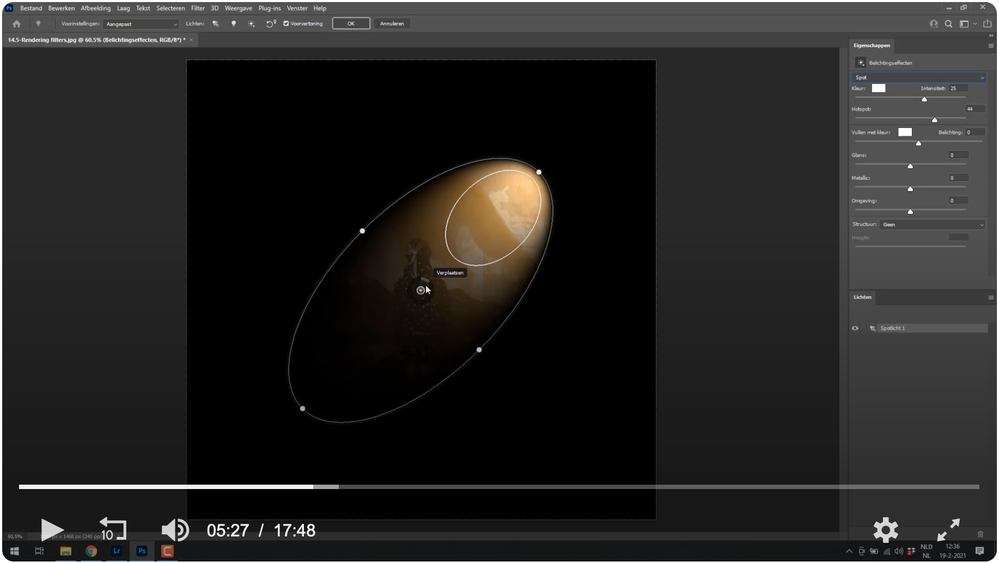
Waarom krijg zoals in de foto mijn hulplijnen niet zichtbaar. ook na installatie versie 2021 niet zichtbaar met foutmelding 3D.
Copy link to clipboard
Copied
How do i get the support lines and points vissible (see picture i don't have) in photoshop 2021 and version 2022 with the filter lighting effects (rendering belichtingseffecten).

Copy link to clipboard
Copied
Lighting effects is a feature that doesn't work too well in recent versions of Photoshop. This is because it is part of functionality that's being discontinued. I get the following message when first going to Filter > Render > Lighting Effects...
'Photoshop's 3D features are being discontinued. Many 3D features are not working properly; click the Learn More' link bbelow for details.'
That takes you to:
https://helpx.adobe.com/photoshop/kb/3d-faq.html
There is another discussion thread on this that may be similar to your issue:
Copy link to clipboard
Copied
Actually, there are a lot of other discussions on this that can be seen below in the 'Related conversations' on the bottom of this page.


Get ready! An upgraded Adobe Community experience is coming in January.
Learn more
 AdChoices