
Known Participant
November 22, 2022
Question

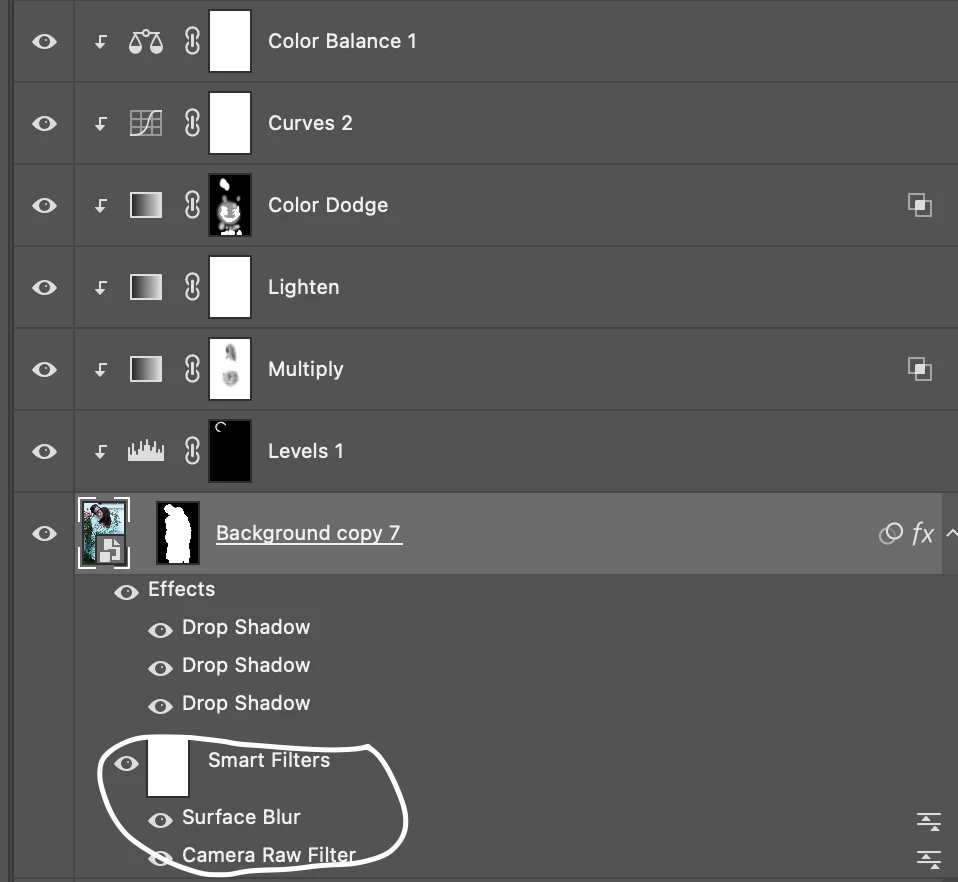
Smart Filter, is it possible to create multiple ones in one same layer?

  • November 22, 2022
  • 2 replies
  • 3777 views

Hi Community,

I am working on an image which already has a smart filter for Camera Raw.

In addition to this filter, I want another one -Surface Blur- but I want to mask this one out so it shows just in certain areas of the image. Doing so impacts the Camera Raw, which I want to be applied on the whole image and not having it mask.

Is there a way to create multiple smart filters in one layer? Or another way to go about which I am not thinking of?

Thanks
 

This topic has been closed for replies.

2 replies

Imaginerie
Community Expert
Community Expert
November 22, 2022

You can only have one smart filter on a layer BUT, nobody is stopping from nesting a smart object into another smart object.
So you have one blur on a smart object, then you right click and go "convert to smart object" and magic, you have another brand new blank smart object, onto which you can add another smart filter, any of which can be masked differently...
(and so on and on, I don't know if there is actually a limit to multi-nesting, apart loosing your sanity after the 20th 🙂 )

Good luck!

D Fosse
Community Expert
Community Expert
November 23, 2022

Yes, absolutely. Nested smart objects is also a good way to do it.


I agree with the OP that it should be possible to mask each individual smart filter. This might make a good topic for Ideas. I'd vote for it.

Imaginerie
Community Expert
Community Expert
November 23, 2022

Actually I had to do it a couple of times for a project, and I used your solution (new smart object via copy) and mine combined.
I also sometimes use groups within groups where each subgroup is masked differently (nothing to do with smart objects in particular, but one can also mix the two solutions).

Sometimes it's a question of trying things out and see how much it can be pushed 😁.

D Fosse
Community Expert
Community Expert
November 22, 2022

Correct, you can only have one smart filter mask per layer.


So the workaround is "New Smart Object via Copy":

Known Participant
November 22, 2022

sweet thanks, i'll try tonight. I appreciate for the reply