simoned12773534
Participant
May 28, 2018
Answered

Smart Filters are not showing on my layer, after applying them

  • May 28, 2018
  • 1 reply
  • 9427 views

Hi

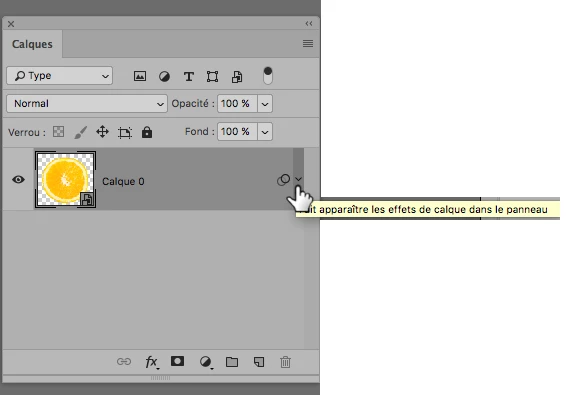
After I apply any smart filter to my layer, they are not showing beneath, as they did before.

How can I make them appear, so I can adjust them, after applying them?

Sincerely

Simone
    This topic has been closed for replies.
    Correct answer teachbit

    Hi,

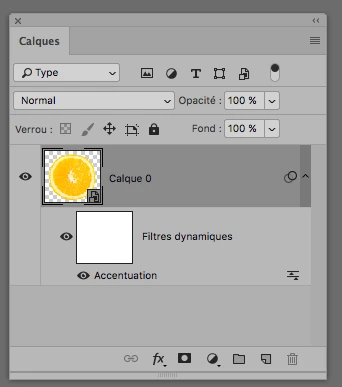
    just click on the little triangle on the right hand side of your layer in the layer palette

    and they gonna appear:

    1 reply

    teachbitCorrect answer
    Participating Frequently
    May 28, 2018

    Hi,

    just click on the little triangle on the right hand side of your layer in the layer palette

    and they gonna appear:

    Participant
    May 4, 2021

    well the problem is that, it doesn't show that a smart filter has been added, even though you can see in the preview image that it has applied the smart filter.

    Participant
    September 7, 2021

    Did you get any resolution for this issue.


    Actually i dont see any arrow in the layer to expand but i can see the filter are getting applied.


    I don't really remember but i solved it. I remember that it was my fault. I think i put it as a smart object or something...