
Participating Frequently
January 5, 2023
Answered

Smart object convert to original layer question

  • January 5, 2023
  • 1 reply
  • 286 views

Hello,

I have a smart  object layer with some smart filters in the Photoshop,I right click it and convert it to the  original layer,at first  time ,it shows  a panel that  keep the smart filter applied to the smart object layer,and there is a  checked box that says no more display,I click and close it ,then the panel never appear again although I restart Photoshop or restart the computer.


How to show this panel again?
This topic has been closed for replies.
Correct answer Bojan Živković11378569

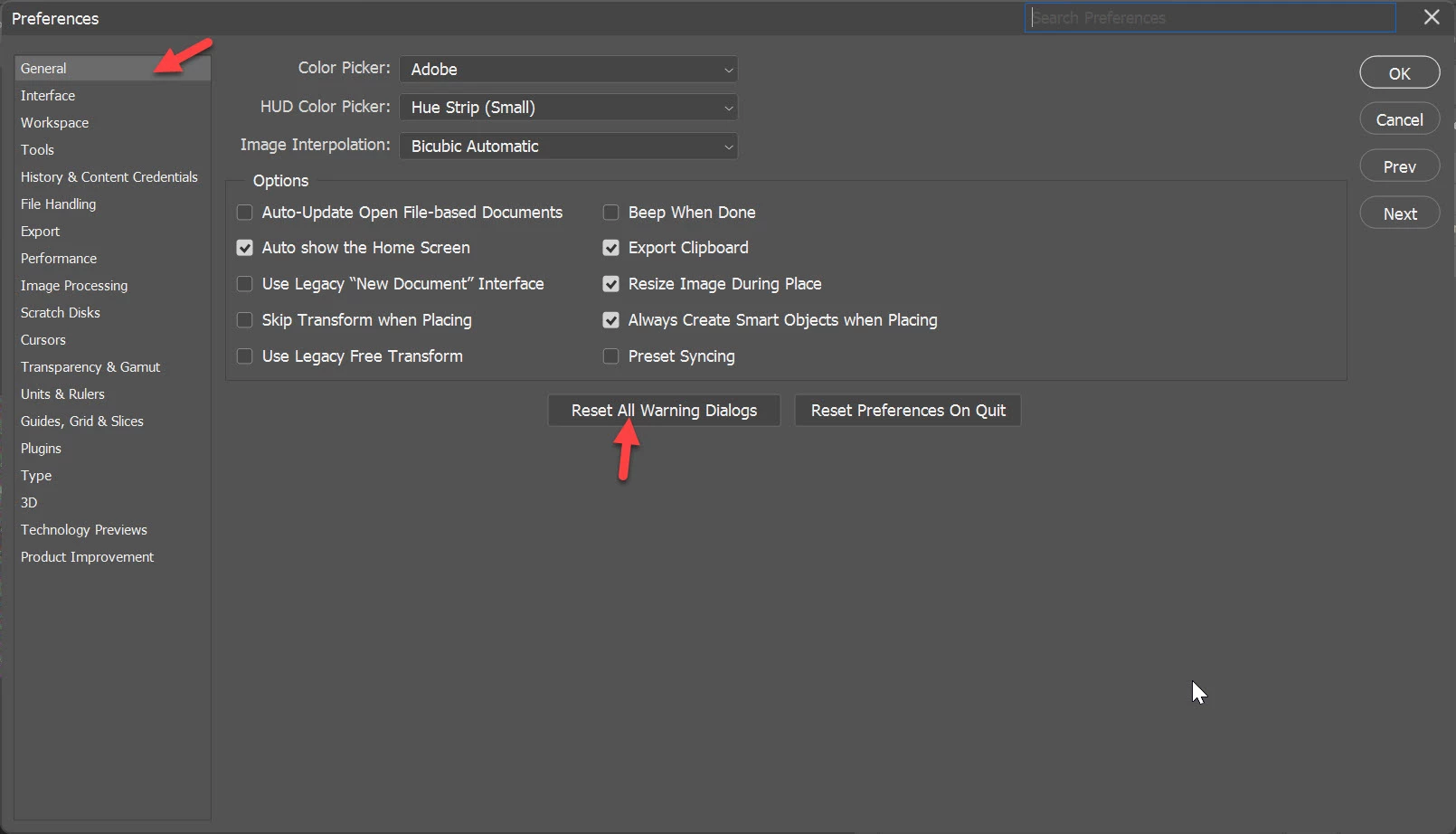
If you mean warning dialogue then go to Preferences > General > Reset All Warning Dialogs


1 reply

Bojan Živković11378569
Community Expert
Community Expert
January 5, 2023

If you mean warning dialogue then go to Preferences > General > Reset All Warning Dialogs


Participating Frequently
January 5, 2023

Thank you Bojan!that's it!

Stephen Marsh
Community Expert
Community Expert
January 5, 2023

I have marked the correct answer for you.