
Participant
March 29, 2023
Answered

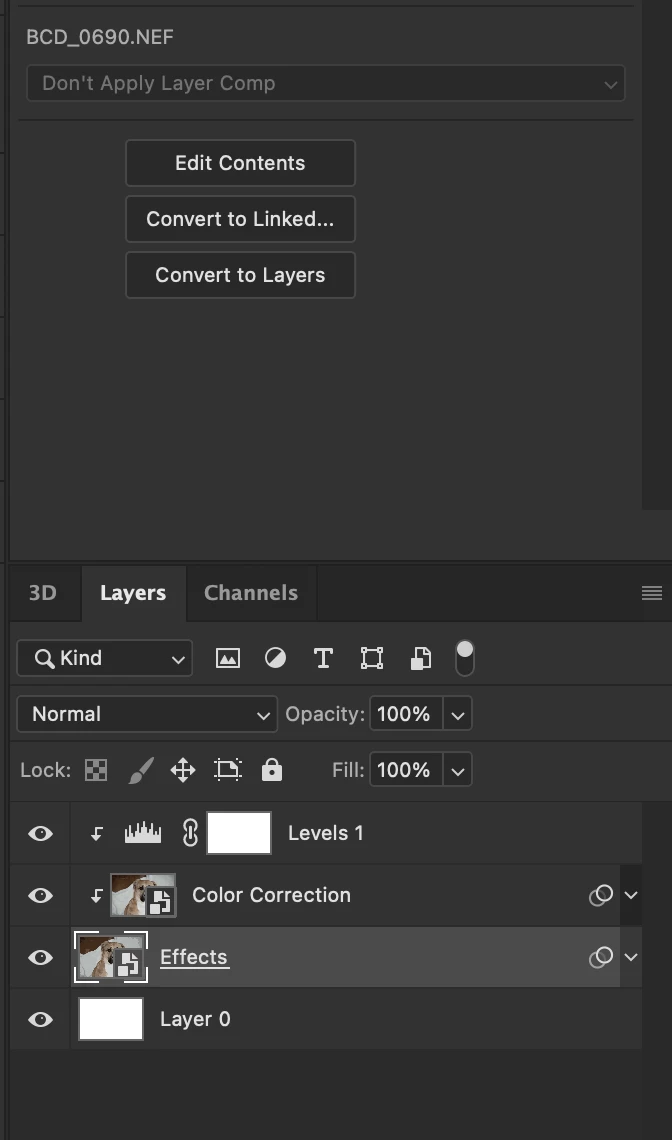
smart object in photoshop when double-clicked now opens in Camera Raw and not as a new tab in PS

  • March 29, 2023
  • 2 replies
  • 5363 views

I have always been able to double-click a smart object in the layers panel of PS and have it open as a new tab in PS....now it opens in Camera Raw? How do I get it to work like it did?
 

This topic has been closed for replies.
Correct answer D Fosse

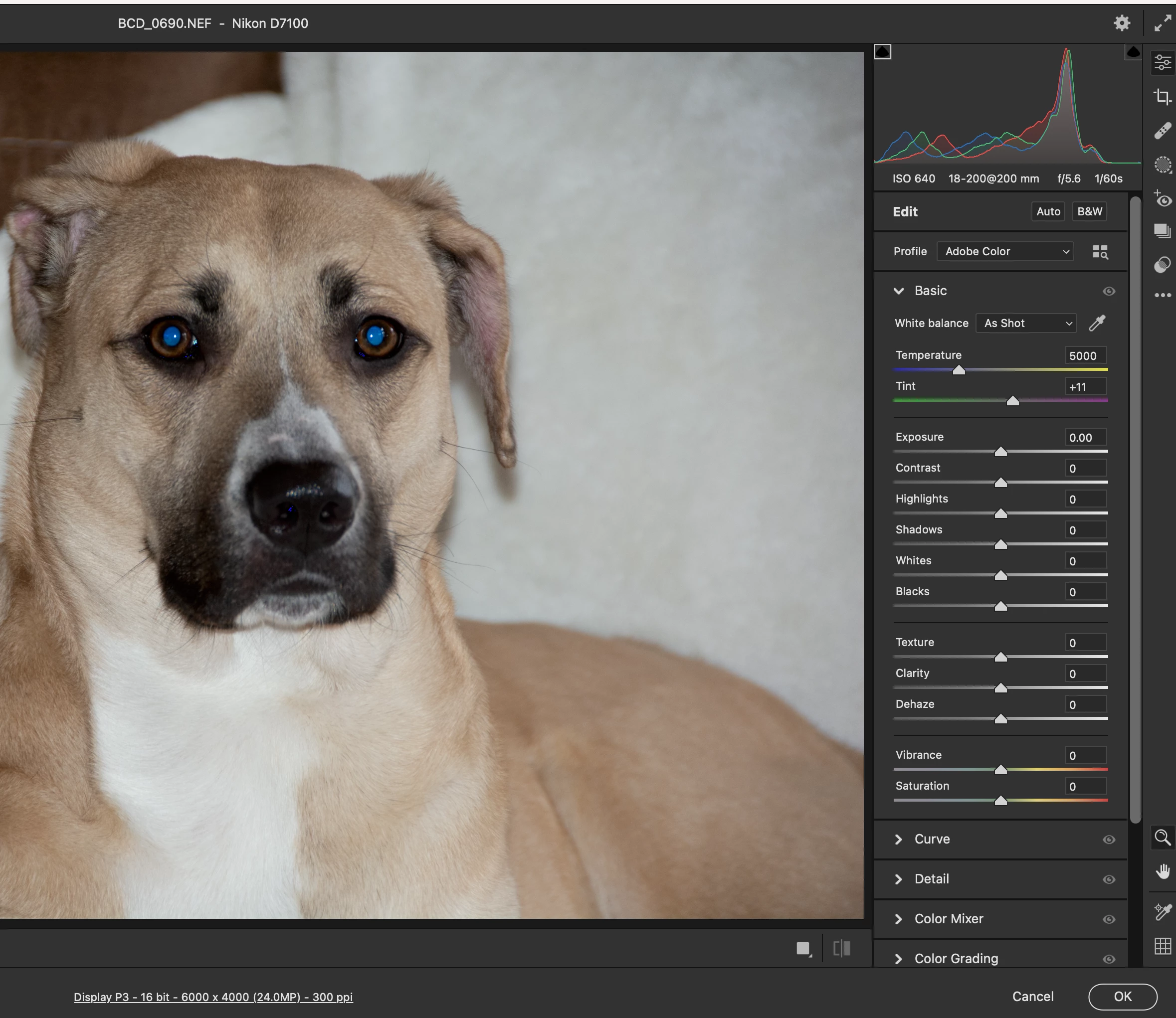
The smart object is a raw file from a camera, so ACR is what it has to open in. Photoshop can't open raw files directly; only through ACR


Smart objects always open in their parent application. If the smart object was a vector file from Illustrator, it would reopen in Illustrator.


In other words, everything normal here.

2 replies

Sameer K
Community Manager
Community Manager
March 29, 2023

Yep! Agreed with what @D Fosse said. This is pretty normal & by design.


When you open a RAW image in Photoshop, Camera Raw opens up; here, you can click on Open to open the image as a regular background layer & the other way is to press & hold the Shift key to reveal 'Open Object' which opens the image as Smart Object.

So, use Open instead of Open Object & then manually convert the image to a smart object from the Filter Menu.


Let us know how it goes. Thanks!
Sameer K

Participant
April 19, 2023

I have similar issue, it works as expected when I use Open from CR & then manually convert the image to a smart object from the Filter Menu, but why doesn't it work the same way when you Open as object from CR? 

c.pfaffenbichler
Community Expert
Community Expert
April 19, 2023
quote

 but why doesn't it work the same way when you Open as object from CR? 

Because you chose to do that by choosing to »Opes as Object« – that is the way to maintain the RAW data within a Photoshop file and this can be hugely useful. 

If you don’t want it use »Open« or »Open as Copy« instead. 

Edit: You could also convert the ACR Smart Object to a Smart Object. 

D Fosse
Community Expert
D FosseCommunity ExpertCorrect answer
Community Expert
March 29, 2023

The smart object is a raw file from a camera, so ACR is what it has to open in. Photoshop can't open raw files directly; only through ACR


Smart objects always open in their parent application. If the smart object was a vector file from Illustrator, it would reopen in Illustrator.


In other words, everything normal here.

Participant
March 29, 2023

I appreciate the feedback, however I have been able to open a smart object from a layer in PS into a new tab in PS for as long as I can remember... this is something new, perhaps a bug, I don't know.

D Fosse
Community Expert
Community Expert
March 29, 2023
quote

 I have been able to open a smart object from a layer in PS into a new tab in PS for as long as I can remember


By @barryd90432548

Yes, but those weren't raw files. Look at the title bar in the ACR window: it's a .NEF from a Nikon D7100.