Participant
January 10, 2022
Answered

Smart objects disappearing from Pattern Preview

  • January 10, 2022
  • 3 replies
  • 1577 views

I converted all of my icons to smart objects, and then placed them in Pattern Preview. (PS 2022/OS Monterey) But when I toggle preview off, some of them disappear (mostly around the edges). Does anyone know why this is happening? I'm working in CMYK, if that's helpful.

This topic has been closed for replies.
Correct answer J453

From the engineers, this is not a bug, but expected behavior. 


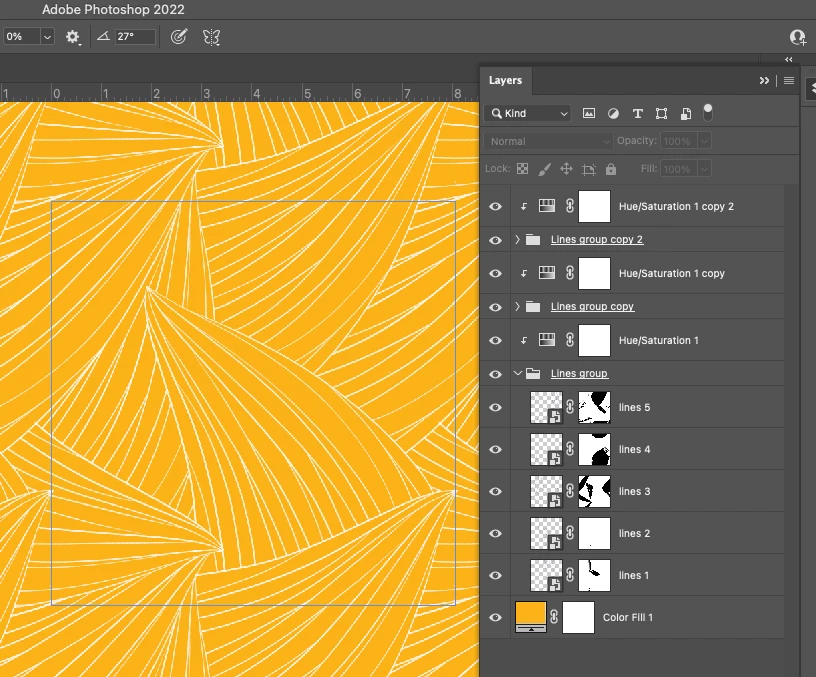
"A smart object that is crossing the doc bounds with pattern preview on will repeat and wrap to the other side, when it's off, the repeated drawing will not show - there is only one smart object, not two. If you open the file, select the Move tool with Show Transform Controls enabled, and select each layer, you'll see the one that doesn't repeat with PP off is in one corner.  All the other layers expand beyond the canvas bounds"


"There is only one smart object graphic, but in Pattern Preview mode it may need to be “stamped” 1 or 3 additional times, when the graphic straddles the image bounds, in order to produce the needed wrap-around effect. When Pattern Preview mode is then turned off again, those additional stamps disappear because they are no longer needed (and, in fact, keeping them around would no longer make sense and be incorrect). It might be easier to see if the “lines 5" graphics are isolated (hide the lines 1 - 4 graphics)."

3 replies

J453Correct answer
Legend
January 11, 2022

From the engineers, this is not a bug, but expected behavior. 


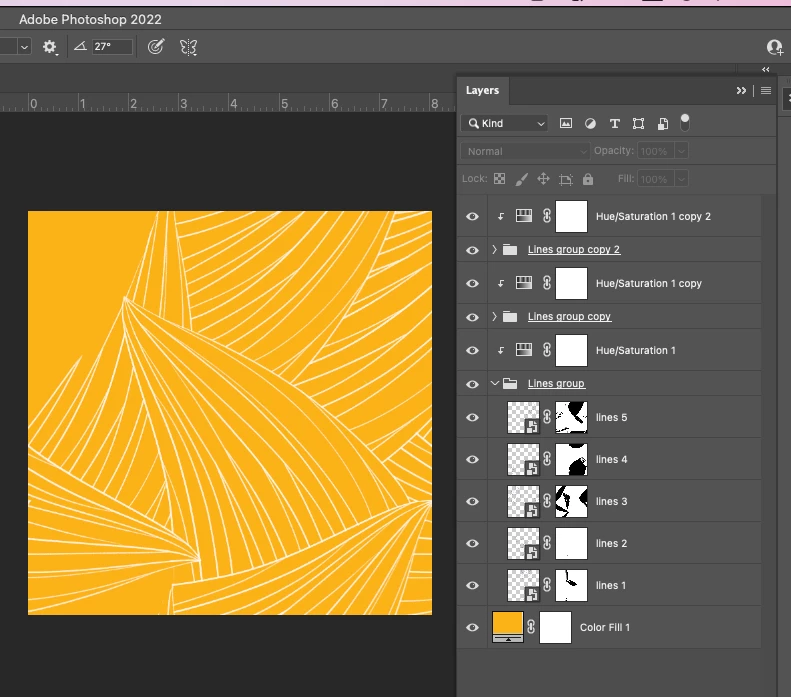
"A smart object that is crossing the doc bounds with pattern preview on will repeat and wrap to the other side, when it's off, the repeated drawing will not show - there is only one smart object, not two. If you open the file, select the Move tool with Show Transform Controls enabled, and select each layer, you'll see the one that doesn't repeat with PP off is in one corner.  All the other layers expand beyond the canvas bounds"


"There is only one smart object graphic, but in Pattern Preview mode it may need to be “stamped” 1 or 3 additional times, when the graphic straddles the image bounds, in order to produce the needed wrap-around effect. When Pattern Preview mode is then turned off again, those additional stamps disappear because they are no longer needed (and, in fact, keeping them around would no longer make sense and be incorrect). It might be easier to see if the “lines 5" graphics are isolated (hide the lines 1 - 4 graphics)."
Participant
January 11, 2022

Thank you for your response, but how do I fix it? I can't send a PSD with invisible icons to a manufacturer.  

Do I just have to rebuild the entire file with Pattern Preview off?  

Participant
January 11, 2022

Ok, I think I figured it out - basically you just have to copy whatever icon you are missing, and then move it to the other side without using Pattern Preview, then test by making a pattern. It's a little bit better than the old school method of making patterns but it's not perfect.


Thanks for your help!

Participant
January 10, 2022
Legend
January 10, 2022

Would it be possible to post this PSD? (via link to CC files or Dropbox)