
Smart objects with background transparency
First, I hope this makes sense. I can't figure out how another designer created a file and I need to make edits and extract assets from it.
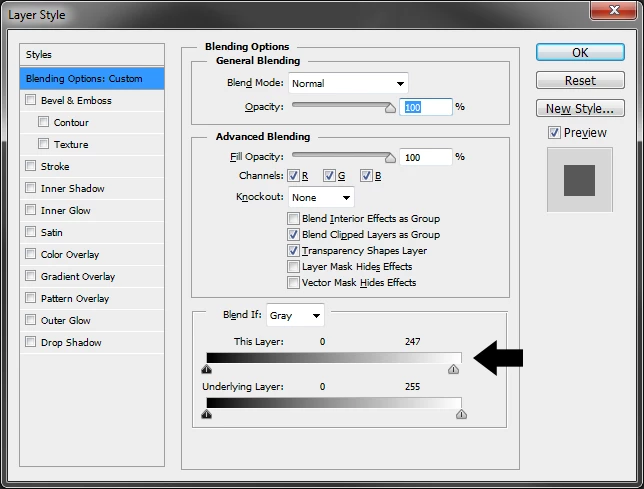
I was given a psd file from which I need to extract some logos with transparent backgrounds. In the PSD file each logo is a smart object and they have transparent backgrounds in their layer. I set them to export as assets using .png format. A few of these logos apparently are originally jpgs on white backgrounds. When I generate assets they save with the white background. I open the smart object and they load as jpg, I usually have them open as .psb files. I cannot make the background transparent and save them to update the original PSD. I don't see any layer effect the original designer used and I have no idea how he got them transparent in the PSD I was provided. I'd rather not have to remake all of these so I was wondering if there is a workaround. I just don' see how he got these jpgs to have transparent backgrounds in the PSD file.
Thanks
rl
 AdChoices