Exit
  • Global community
    • Language:
      • Deutsch
      • English
      • Español
      • Français
      • Português
  • 日本語コミュニティ
  • 한국 커뮤니티
0

Smooth Edges

Participant ,
Jan 23, 2017 Jan 23, 2017

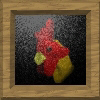
When I draw shapes with the Pencil or Brush tool, the edges come out jagged.

hand written e magnified.png

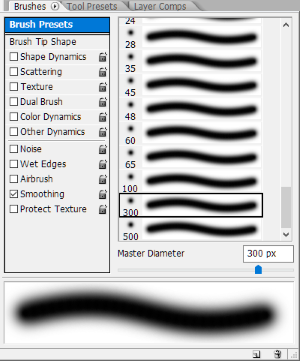
Is the Brush Tool's "Brush Presets" the *only* way to get smooth edges?

brush preset example.pngbrush presets.png

1.0K
Translate
Report
Community guidelines
Be kind and respectful, give credit to the original source of content, and search for duplicates before posting. Learn more
community guidelines

correct answers 1 Correct answer

LEGEND , Jan 23, 2017 Jan 23, 2017

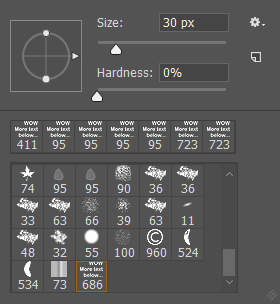
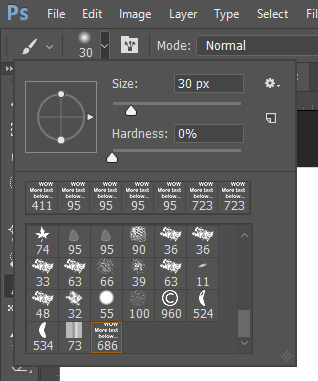
In windows you can also right click document to access the hardness.

or

In the top tool bar you can click the down arrow next to the brush icon to bring up the same panel.

Translate
Adobe
LEGEND ,
Jan 23, 2017 Jan 23, 2017

The preset is adjusting the Hardness value.

Translate
Report
Community guidelines
Be kind and respectful, give credit to the original source of content, and search for duplicates before posting. Learn more
community guidelines
LEGEND ,
Jan 23, 2017 Jan 23, 2017

In windows you can also right click document to access the hardness.

or

In the top tool bar you can click the down arrow next to the brush icon to bring up the same panel.

Translate
Report
Community guidelines
Be kind and respectful, give credit to the original source of content, and search for duplicates before posting. Learn more
community guidelines
Participant ,
Jan 24, 2017 Jan 24, 2017
LATEST

Thanks, Silkrooster ~

That's just what I needed to know — mission accomplished

Translate
Report
Community guidelines
Be kind and respectful, give credit to the original source of content, and search for duplicates before posting. Learn more
community guidelines