
Asillett
Participant
July 14, 2019
Answered

Smooth 'fat stomach' under clothing from the front

  • July 14, 2019
  • 2 replies
  • 22345 views

Hi,

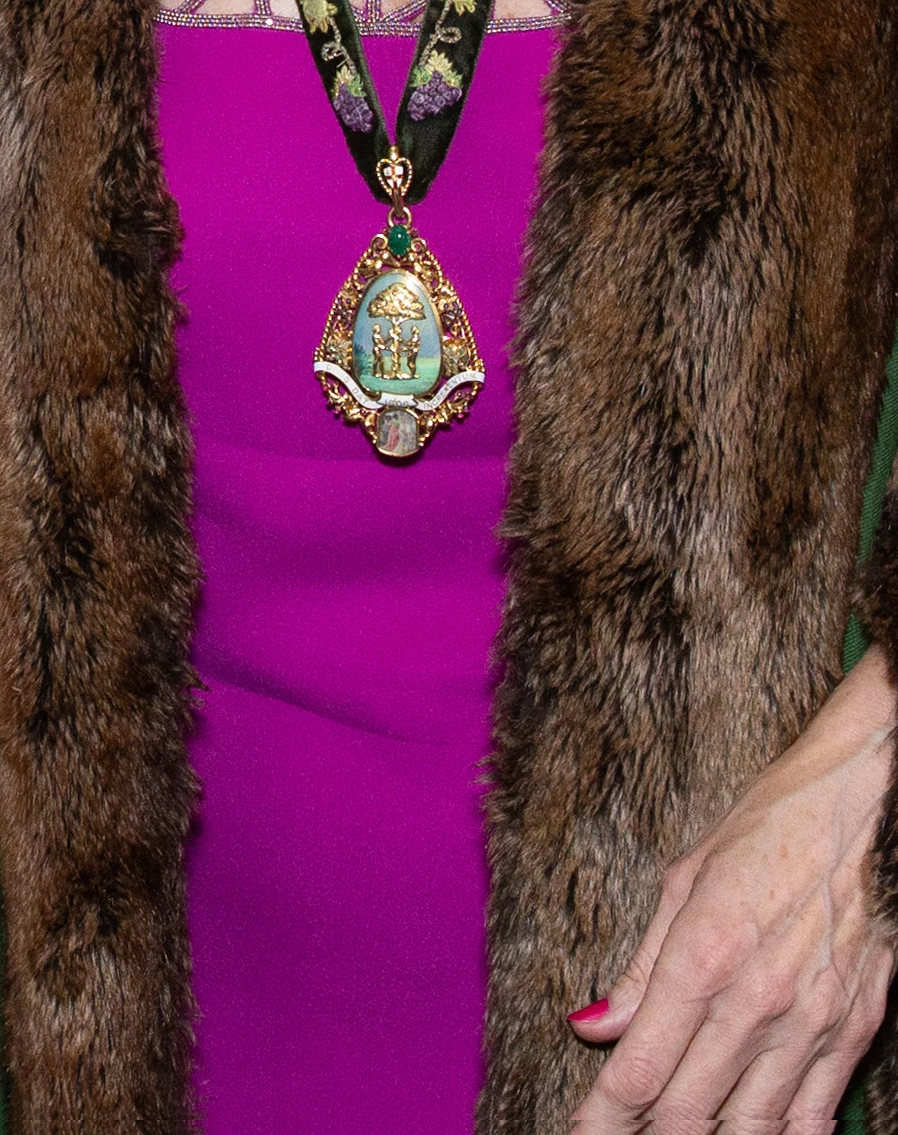
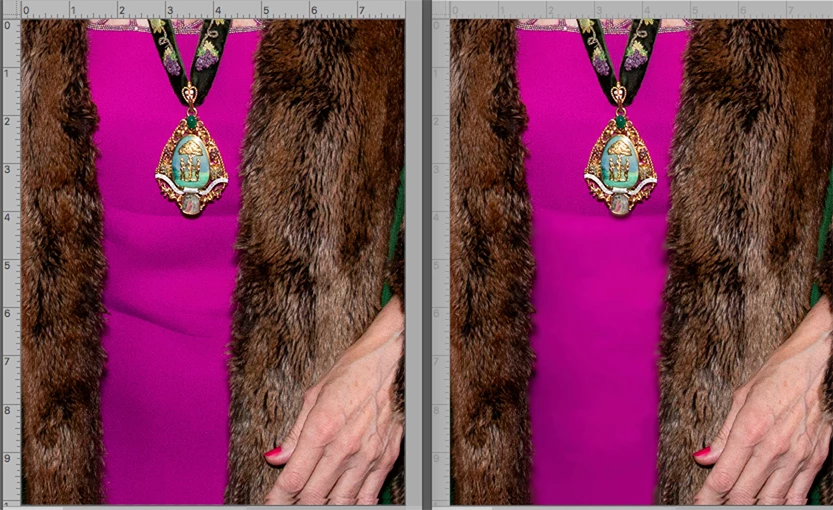
How do I remove signs of a fat stomach under clothing. You can see smalls folds in the attached image.

I've tried removing the lines using the healing brush, but it leaves marks and the swelling of the belly is still visible.

thanks in advance,

Andy
    This topic has been closed for replies.
    Correct answer Norman Sanders

    I suggest the Patch Tool to remove the shadow-modeling followed by the Quick Selection tool selection to the area from the line below the pendant to the bottom of the image. Then a alight Gaussian blur to smooth the area, if desired.

    2 replies

    Norman Sanders
    Norman SandersCorrect answer
    Legend
    July 14, 2019

    I suggest the Patch Tool to remove the shadow-modeling followed by the Quick Selection tool selection to the area from the line below the pendant to the bottom of the image. Then a alight Gaussian blur to smooth the area, if desired.

    Norman Sanders
    Legend
    July 14, 2019

    A small kindness.

    You might also consider a gentle Filter > Blur > Surface Blur of the hand.

    Asillett
    AsillettAuthor
    Participant
    July 14, 2019

    Thank you Norman and everyone else who replied so promptly to my query.  I tried using Chuck's method but got rather lost due to my own lack of experience. I opted for the patch and then 3.5 pixel gaussian blur and clean up using clone and healing brush.

    That surface blur tool for the hand is also v. useful to know. Previously I softened skin using the high pass, which I am not entirely happy with

    Chuck Uebele
    Community Expert
    Community Expert
    July 14, 2019

    I think the best approach would be to use frequency separation to balance out the color/shades, mainly using the low frequency layer. Next might be the clone stamp tool, or a curves adjustment layer to balance the shades.