
Participating Frequently
January 12, 2018
Answered

Smoothing/blending edges of a placed image

  • January 12, 2018
  • 1 reply
  • 2279 views

Probably a very amateur question but iv tried the healing tool and spot healing and can't seem to get their to work.
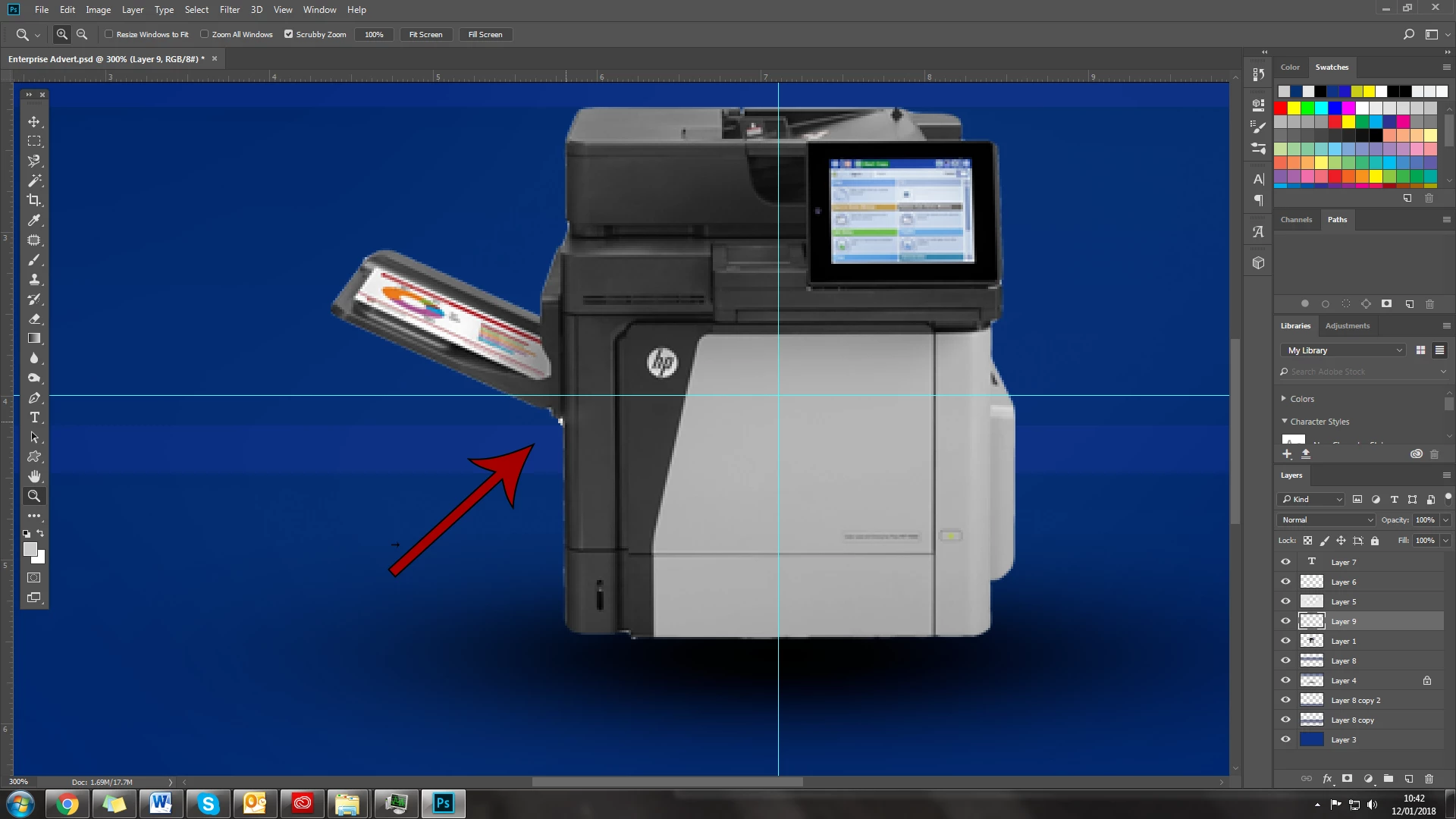
Just want to blend/smooth the edges off around the image that I have placed into my project, remove the white and slightly blend it into the background so it sits better.

Im not 100% sure what the tool is that I want to use so you tube hasn't helped and can't search the forums because I don't know what the term is im looking for.

Thanks in advance and have a great Friday everyone!


c.pfaffenbichler
You seem like the go to man of the forum aha, any advice?

This topic has been closed for replies.
Correct answer c.pfaffenbichler

I discourage Healing on additional Layers above the object’s Layer because then changing the background becomes troublesome.

Was the image clipped already when you got it?

If so I would recommend:

• Layer > Layer Mask > From Transparency

• then you can paint (black to hide, white to show) to improve the Mask

• or load it as a Selection, disable it and use Select > Select and Mask to improve it and set »Output« to »New Layer with Layer Mask«

1 reply

c.pfaffenbichler
Community Expert
c.pfaffenbichlerCommunity ExpertCorrect answer
Community Expert
January 12, 2018

I discourage Healing on additional Layers above the object’s Layer because then changing the background becomes troublesome.

Was the image clipped already when you got it?

If so I would recommend:

• Layer > Layer Mask > From Transparency

• then you can paint (black to hide, white to show) to improve the Mask

• or load it as a Selection, disable it and use Select > Select and Mask to improve it and set »Output« to »New Layer with Layer Mask«

HinesMCRAuthor
Participating Frequently
January 12, 2018

I have gotten into the bad habit of using the magnetic lasso tool to drag and drop objects instead of Clipping mask > Magic wand the background > Invert.

I just reclipped the imagine and its near perfect now.

Rookie mistake, need to relearn good habits aha.


c.pfaffenbichler

That would have done the trick though, are there any online tutorials that you can recommend to getting a better understanding/develop my knowledge of masking, I hardly use it and would like to utilise the feature as much as possible as its such a capable tool.

c.pfaffenbichler
Community Expert
Community Expert
January 12, 2018

Sorry, I have no current knowledge about good tutorials.

Lynda.com has a good reputation and, I I remember correctly, offers a free trial.

One thing I forgot to mention: If you have to scale the image it might be beneficial to mask it at full resolution, convert it to a Smart Object and scale that.

That way scaling or otherwise transforming it will not increase the image degradation as it always is being calculated based on the original.