

Answered
Soft brush visual glitch
Hi,
I'm having a glitch when using a soft brush, I don't know how to explain it so I'll just show you with pictures. Basically I'm just using the round brush with hardness to 0% and when painting I just get this visual glitch :
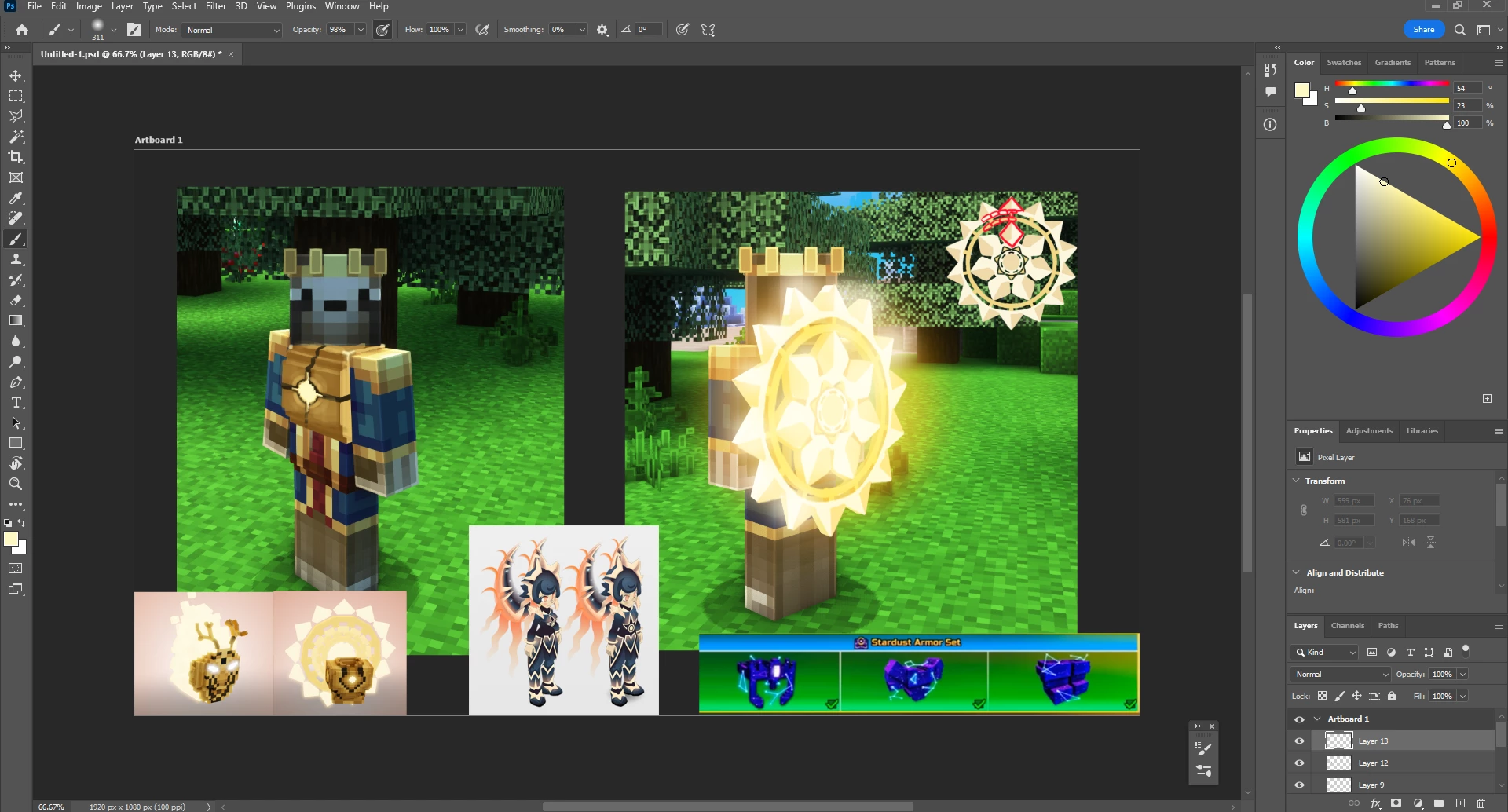 Before using the brush
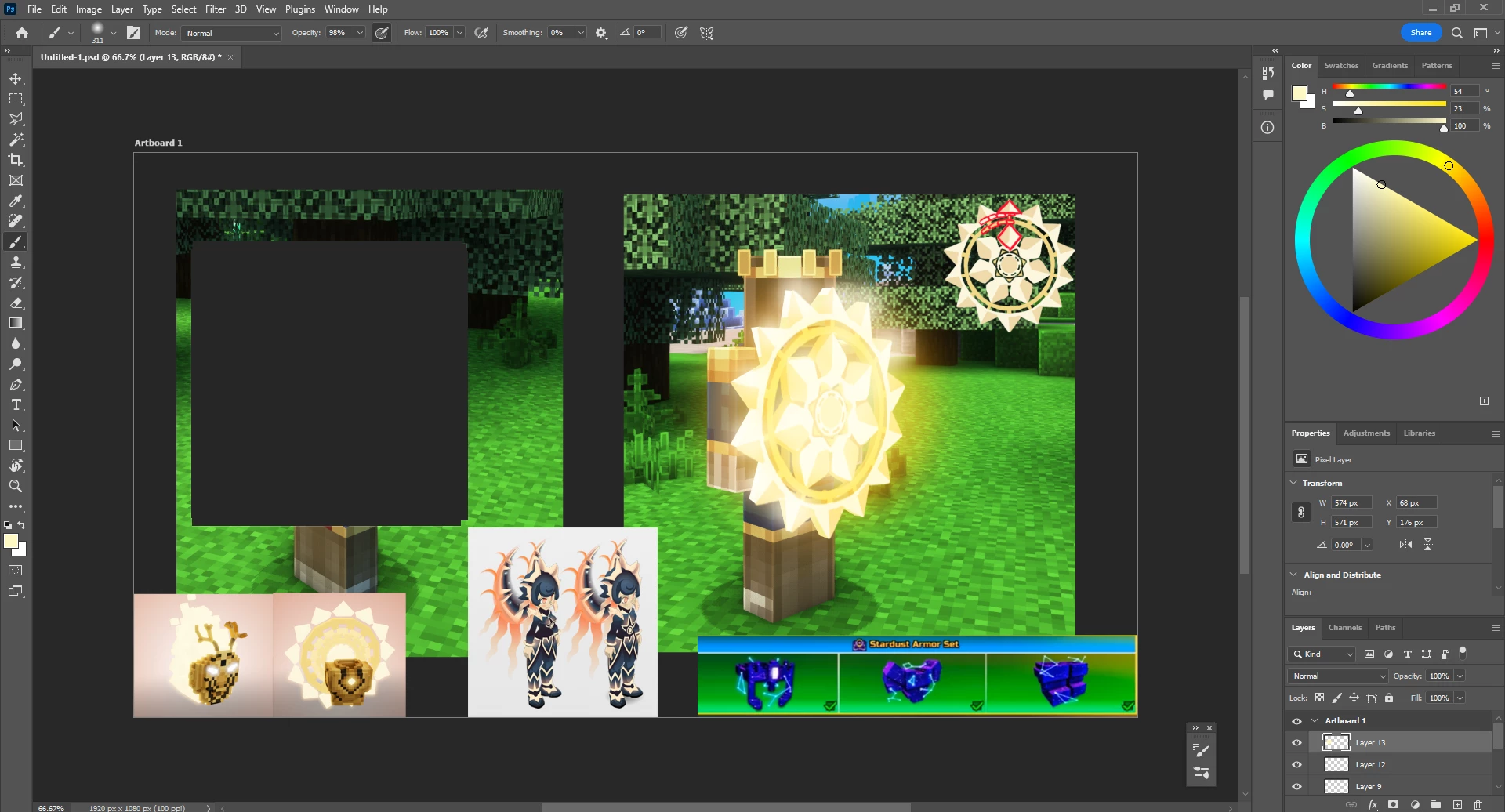 After one stroke
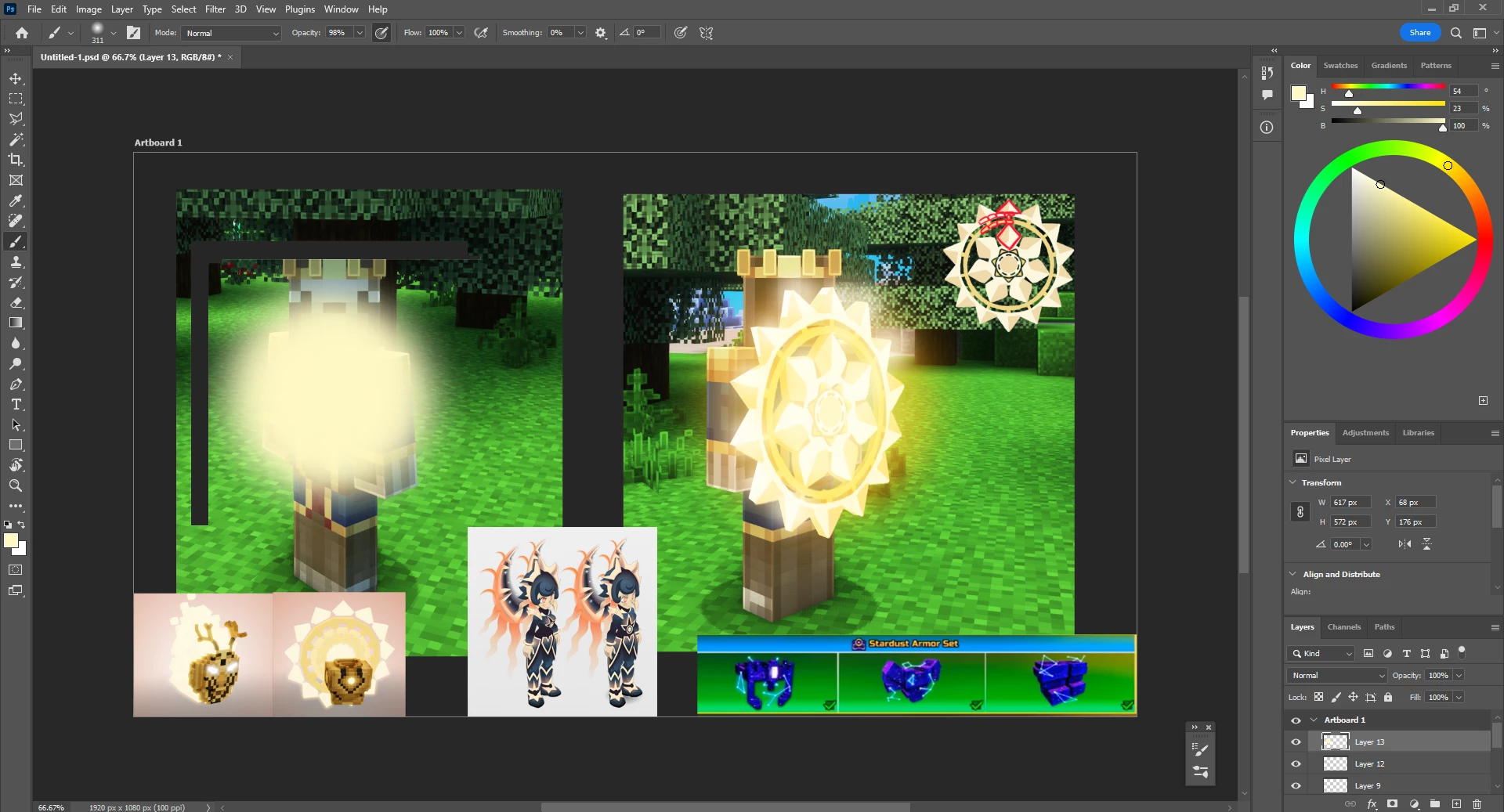 Another stroke
And it goes on and on like that.
I already tried :
-Closing and launching back photoshop
-To reboot my pc
-Painting with a soft brush on another file and everything is fine
-If I hide then unhide the layer the bug isn't there anymore
-Trying on different layers on this same file but it doesn't change anything
-Change the screen I'm using photoshop on (I have a dual screen) nothing changes
Windows 10 PRO
AMD Ryzen 5 2600X
AMD RADEON RX 6600
32GO RAM
Thanks for helping !
 AdChoices