leeholland
Known Participant
January 29, 2020
Question

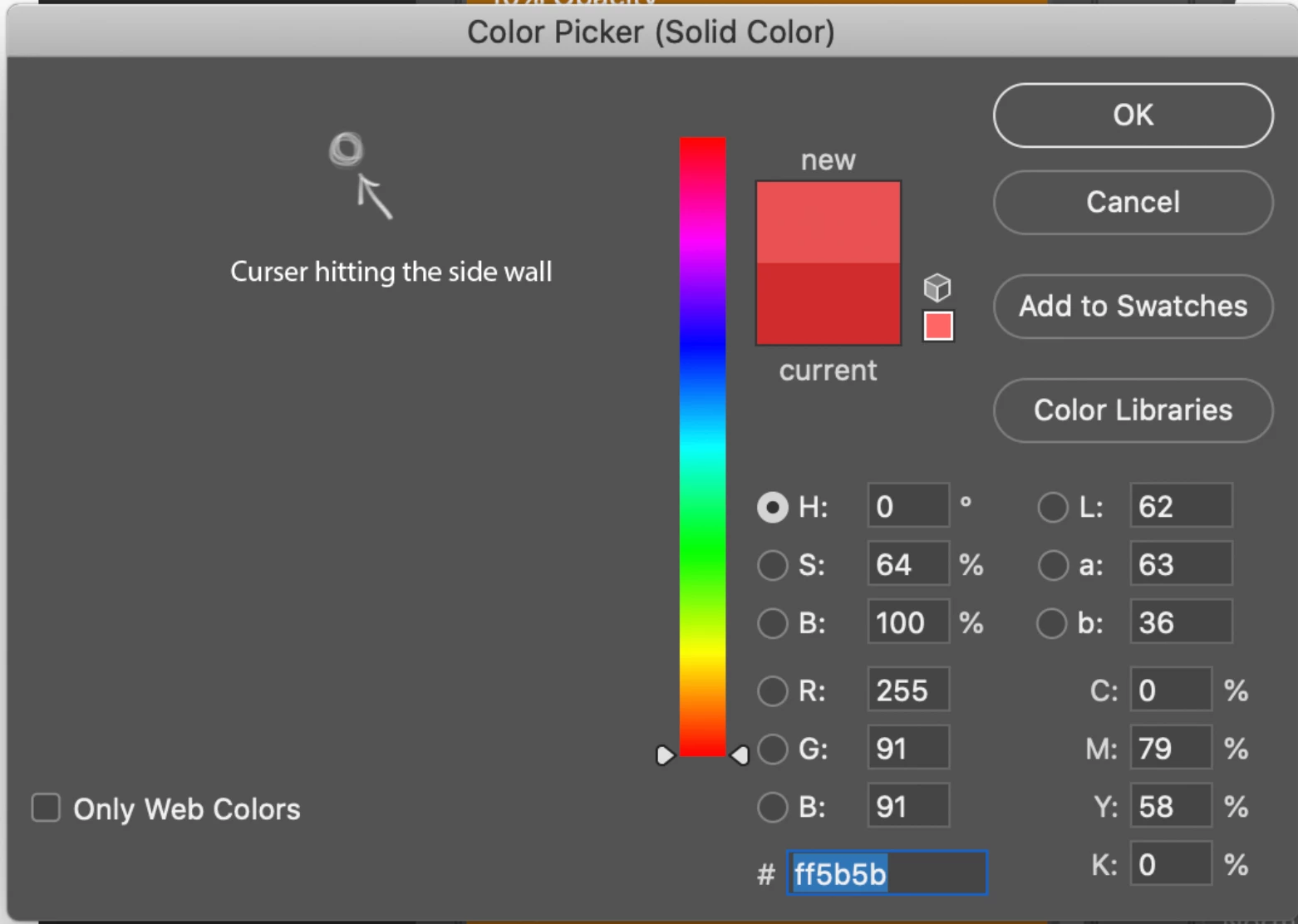
solid Colour fill picker goes Grey When I hit the side (Action Button Used)

  • January 29, 2020
  • 1 reply
  • 1248 views

When i use actions to open the solid fill colour picker this happens. The colours disappear. 


Any help Thank you

This topic has been closed for replies.

1 reply

c.pfaffenbichler
Community Expert
Community Expert
January 29, 2020

Does turning off »Use Graphics Processor« in the Performance Preferences (Photoshop > Preferences > Performance > Graphic Processor Settings) and restarting Photoshop have any bearing on the issue? 

leeholland
Known Participant
January 29, 2020

I turned off Use graphic prossesor and it still does it. Only when i hit the side wall.

c.pfaffenbichler
Community Expert
Community Expert
January 29, 2020

What have you done for trouble-shooting so far? 

Restoring Preferences after making sure all customized presets like Actions, Patterns, Brushes etc. have been saved might be a good starting point:

https://helpx.adobe.com/photoshop/kb/basic-trouble-shooting-steps.html