Known Participant
October 17, 2018
Question

Solving files association with the cc2019 update, my solution and it finally worked.

  • October 17, 2018
  • 4 replies
  • 4071 views

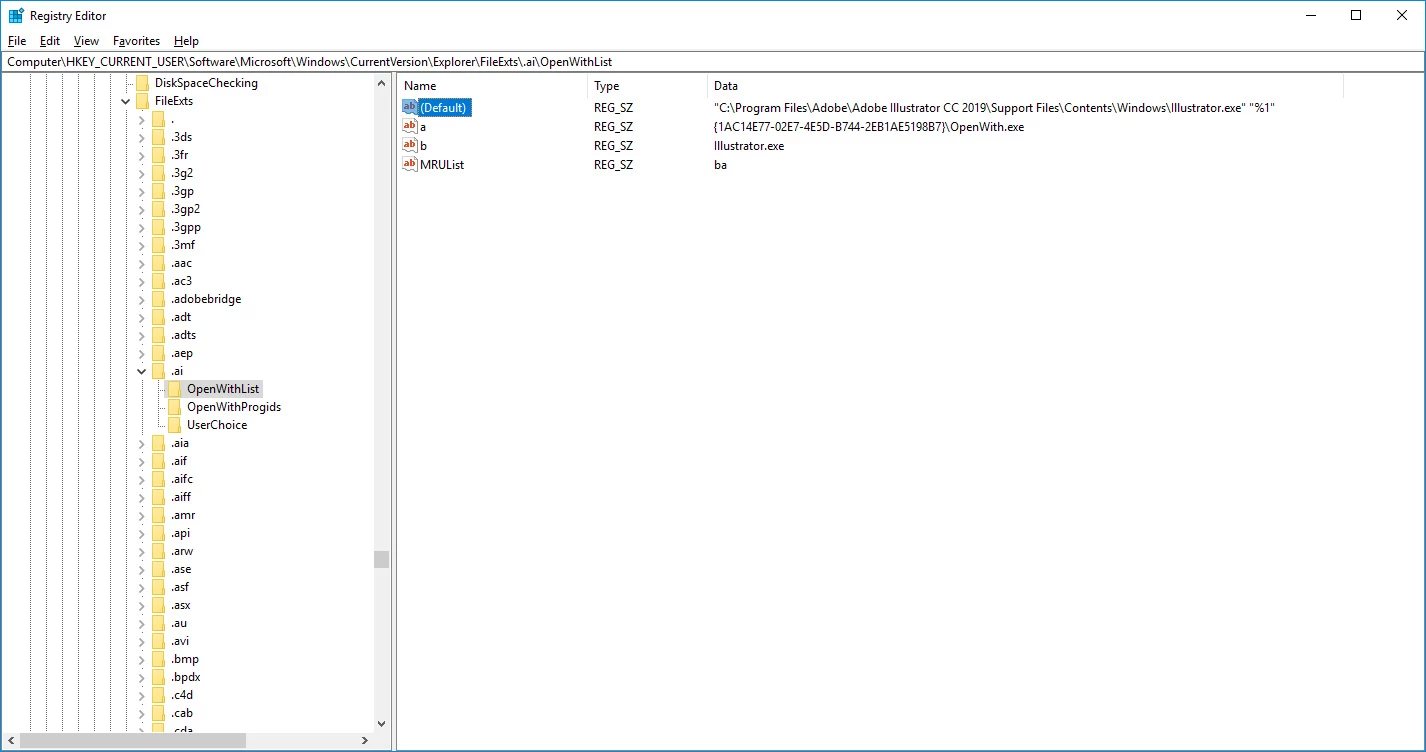
so regedit for associating ai and psd files to cc2019 and not XD or anything else :

Computer\HKEY_CURRENT_USER\Software\Microsoft\Windows\CurrentVersion\Explorer\FileExts\.ai\OpenWithList

Computer\HKEY_CURRENT_USER\Software\Microsoft\Windows\CurrentVersion\Explorer\FileExts\.psd\OpenWithList

for both double click the default (mine were just blank), of course before doing this check that the paths to the exe are the same than mine.

in the value data for illustrator copy paste this : "C:\Program Files\Adobe\Adobe Illustrator CC 2019\Support Files\Contents\Windows\Illustrator.exe" "%1"

in the value data for photoshop copy paste this : "C:\Program Files\Adobe\Adobe Photoshop CC 2019\Photoshop.exe" "%1"

see images underneath :
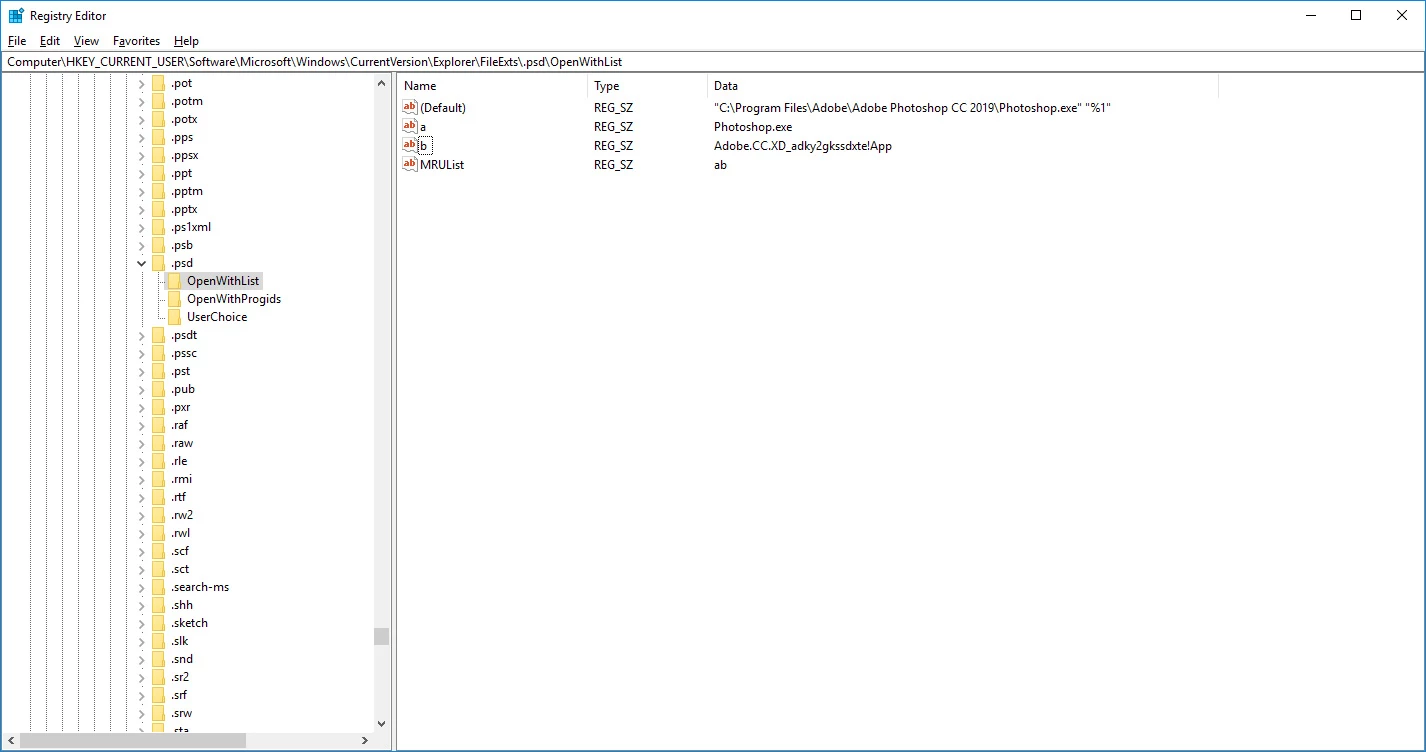
and now my psd and ai files are associated with cc2019 hope this will help.

    This topic has been closed for replies.

    4 replies

    D Fosse
    Community Expert
    Community Expert
    October 23, 2018

    This is being investigated by Adobe engineers now. In the meantime, try this: https://helpx.adobe.com/photoshop/kb/file-association-broken-psd-after-photoshop-cc-2015-on-windows.html

    andystock
    Inspiring
    October 18, 2018

    What is the %1 for?

    gener7
    Community Expert
    Community Expert
    October 18, 2018
    ClaireAnna
    Known Participant
    October 17, 2018

    Hey All!

    SOLUTION HERE, yayyyy


    Hi everyone,

    In the registry, find the address: HKEY_CURRENT_USER\Software\Classes\.psd and change the default value to Photoshop.Image.20 (mine was Photoshop.Image.19)

    Just need to figure out how to change it for a .psb file as well

    andystock
    Inspiring
    October 18, 2018

    That worked.

    nenimeAuthor
    Known Participant
    October 17, 2018

    and for the record :

    TL321
    Participating Frequently
    October 17, 2018

    This didn't seem to work for me, but thanks anyway.