Question
Some graphics processor settings are missing
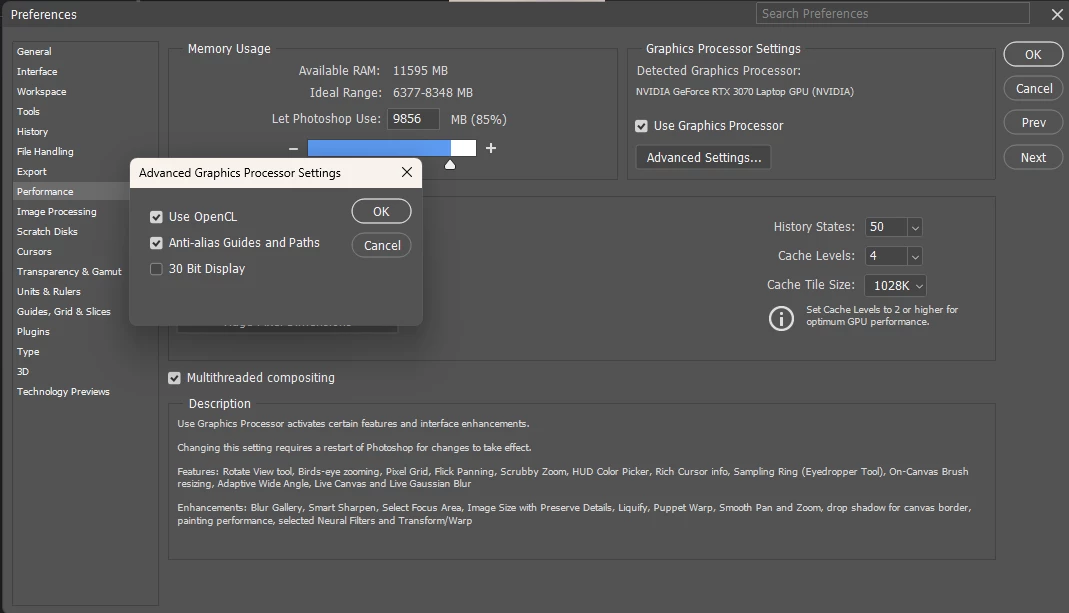
I was trying to use the perspective warp edit option when I noticed it was grayed out. After looking up how to fix this online, I found out that I needed to turn on the Use Graphics Processor to Accelerate Computation option, which is supposed to be located under the advanced settings in the performence menu. Upon navigating there, however, the option to turn this on appears to be missing, and I can't find anything online that says what the cause of this might be. Thanks in advance for any help!
 AdChoices