Known Participant
December 22, 2021
Question

Some layers are merged when exporting from Illustrator to PSD files

  • December 22, 2021
  • 5 replies
  • 4195 views

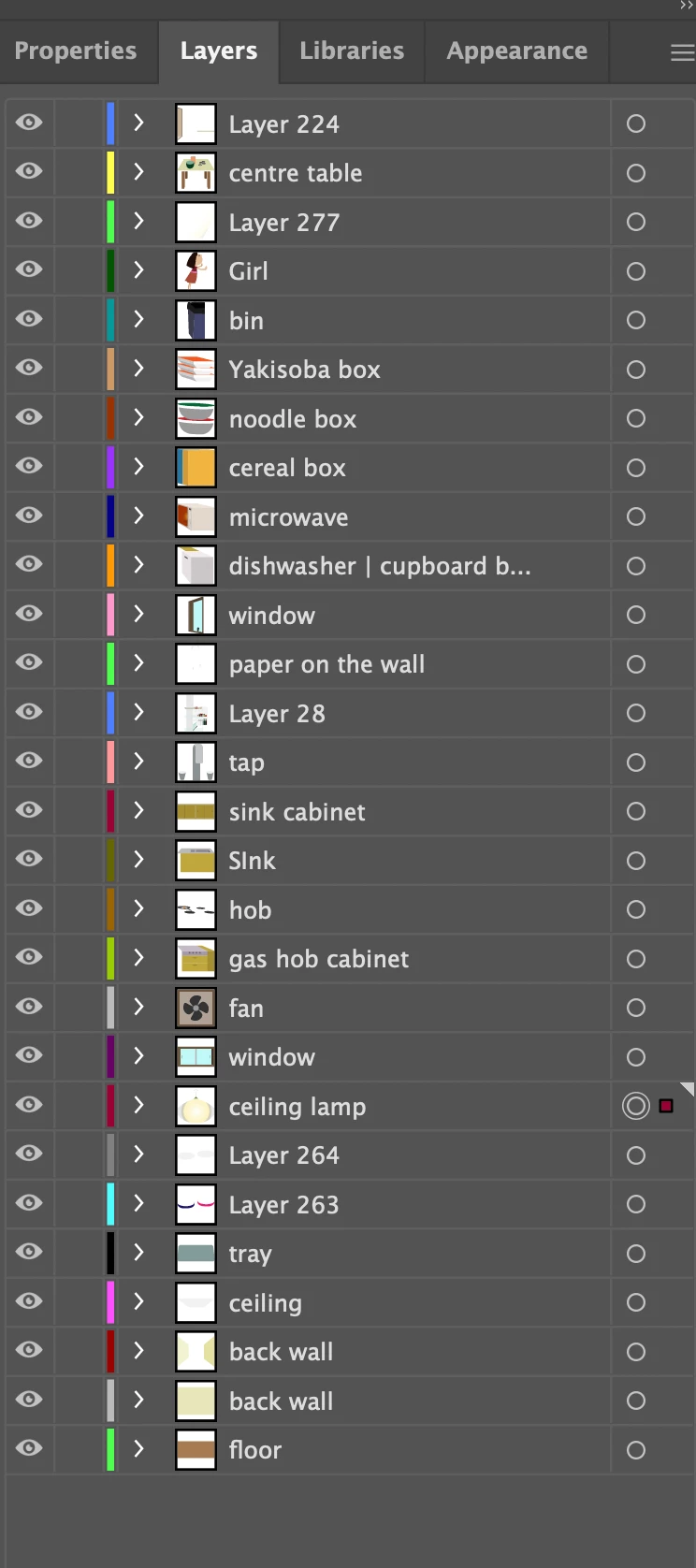
I have created an illustration with Illustrator. I have put all the elements as individual layers (some are collected in layers).

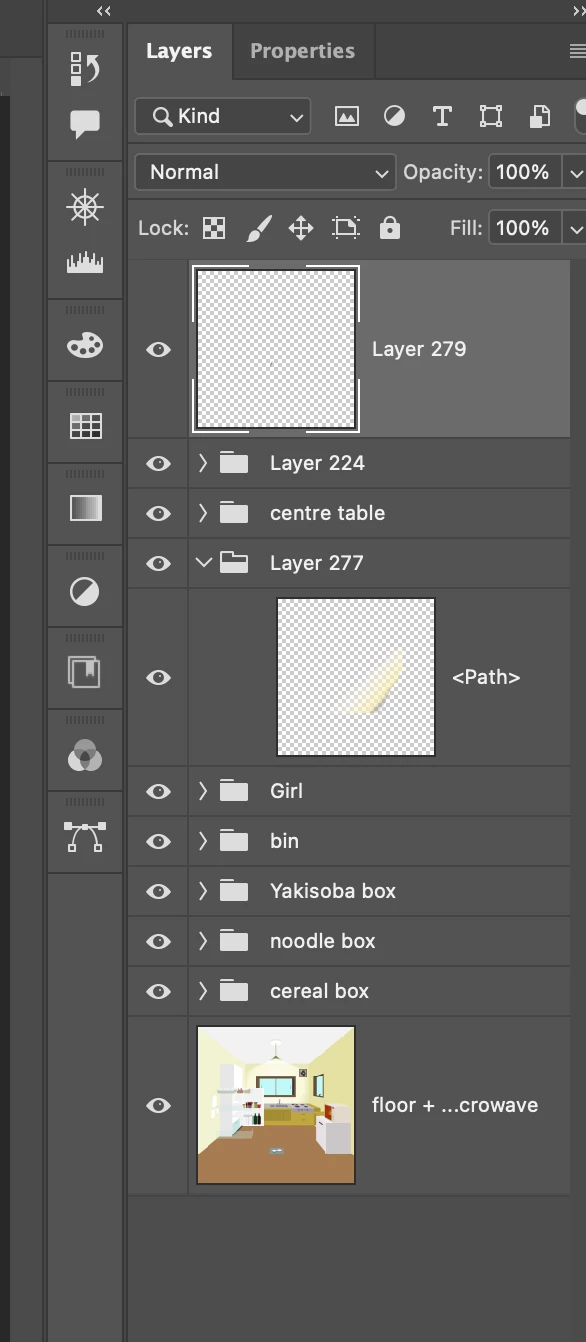
Upon exporting the file as PSD (write layers, 72ppi, max editability), some of the layers are merged.

Some of the sublayers are absolutely fine and others are merged.


Is there any ways I can export all the layers without merging some of them?


Image below is how it looks on Illustrator. All elements are organised in layers and sublayers.
The above image is in Photoshop. You can see that right at the bottom, some layers are merged (floor + microwave etc. -  these were layers and sublayers but bundled together.)

This topic has been closed for replies.

5 replies

Participant
May 28, 2024

I have been experiencing this too but it is kind of random, sometimes the file would export perfectly and others it merges elements into a specifi layer. Unfortunately, I couldn't fix it but i found away around it. You can just copy the elements after seperating them in their layers inside illustrator and then (cntrl + shift + v) them in photoshop, a small window will pop up with pase options, pic layers and it'll paste almost perfectly. Same window can be reached through edite > pase special > paste in place. 

Inspiring
February 6, 2023

Same here. All of a sudden. One day, I got all layers, next day some layers are merged on export.

Kyoko5CD0Author
Known Participant
December 22, 2021

Thank you for the replies.
I updated now and Paste As worked like a treat!


D Fosse
Community Expert
Community Expert
December 22, 2021

You have somewhat unrealistic expectations.


A layer in Illustrator (a vector application) is not the same thing as a layer in Photoshop (a pixel editor).Same name, but different things.


Only those parts of the Illustrator layer structure that actually can be translated will open as Photoshop layers. All the vector graphics will open as rasterized pixel data in Photoshop.

Inspiring
February 6, 2023

True, but Layers don't have anything to do with vector or pixel nature.

When exporting an .ai to .psd, with Write Layers active, the .psd should have the same number of Layers, with the same names and the same visual content (vectors rasterized to pixels).

D Fosse
Community Expert
Community Expert
February 6, 2023

No, you misunderstand. Layers have everything to do with pixel or vector structure. Again - a layer in Illustrator is not the same thing as a layer in Photoshop. Pixels or vector isn't some add-on property. It's the fundamental anatomy of the data, how it's built from the ground up.


The new "Paste as Layers" feature from Illustrator to Photoshop is a translation feature. It works within the limits of Photoshop's vector capabilities, which are a very small subset of Illustrator's. Some things still can't be translated.

JJMack
Community Expert
Community Expert
December 22, 2021

I do not install  Illustrator.  However in the latest  Illustrator version 2022 there us a new Option Paste As layers into Photoshop. So Shape and Raster layer willl be pasted into Photoshop. Photoshop has limited Vector support. I'm sure some AI layer need to be rendered as Raster Pixel Layer in Photoshop.  Is it Photoshop or AI merging the AI layers.  IMO it would  have to be AI  for Photoshop  does not have the  vector support to render a Raster pixel version of AI layers. I think your need to address this issue in AI.

The Paste As > Layers option is the new addition to the Illustrator-Photoshop interoperability workflows 

JJMack