
Participant
March 14, 2023
Answered

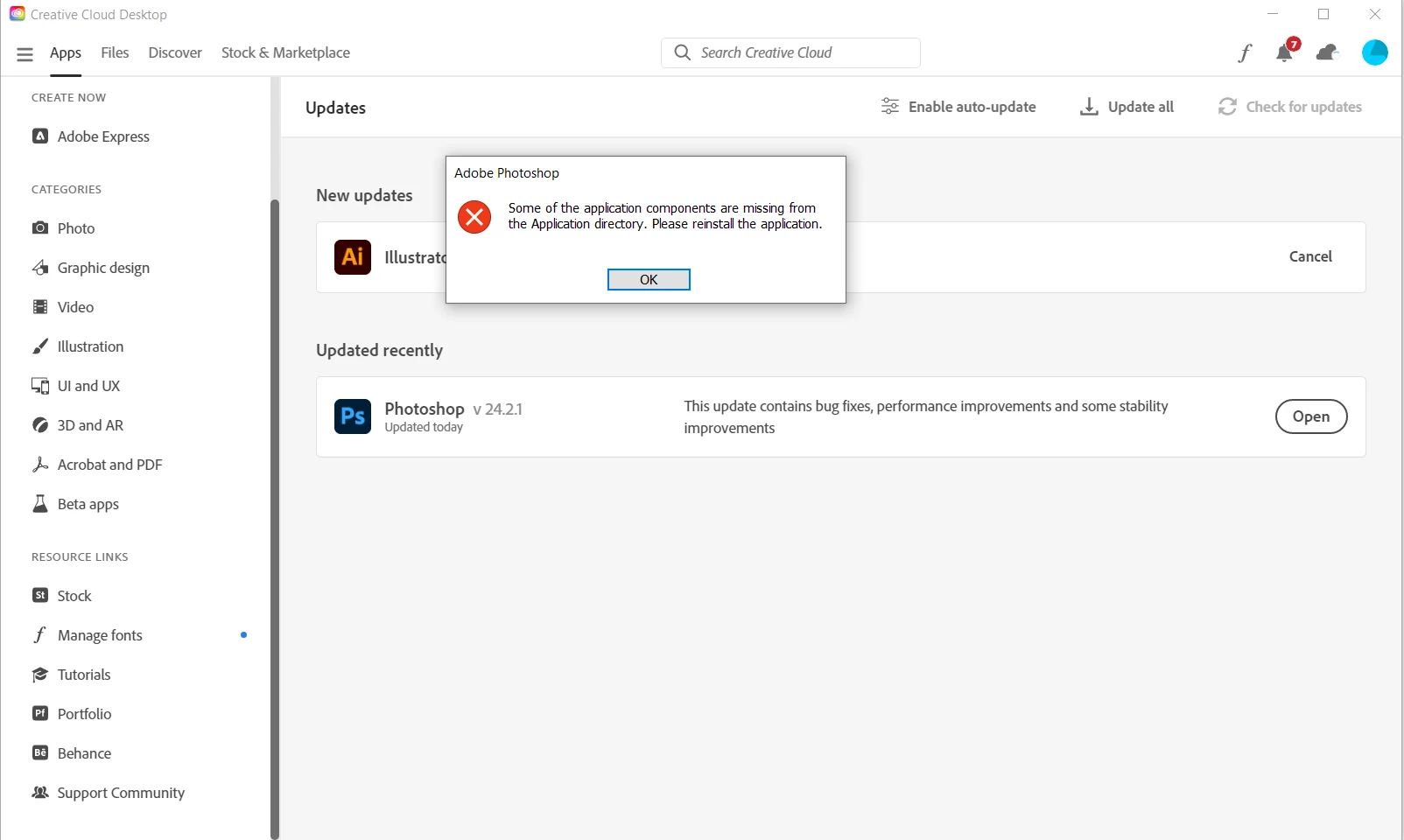
Some of the applications components are missing from the Application directory. Please reinstall...

  • March 14, 2023
  • 25 replies
  • 33092 views

Hello,


I wouldn't be posting another post about this issue, but everything I have tried so far, nothing worked. I still get the same error message. I am hoping there is an easy fix.


It works on my laptop, but not on my PC, which runs on Windows 10.


I tried reinstalling and removing everything connected to photoshop several times and in different ways. Nothing works.


Best,

Luka


Correct answer Vaishagh5FDE

Please change the Install language to English on the Creative cloud > Preferences. 

Reinstall the Photoshop and reset the preferences of the Photoshop from the location mentioned below. 
C:\Users\user name\AppData\Roaming\Adobe\Adobe Photoshop 2024\Photoshop 2024 settings to Photoshop 2024 settings.old

25 replies

Participant
January 13, 2025

Hi,

Thx. It works.

Participant
November 28, 2024

I cant open photoshop. When I try to it just says: "Some of the application components are missing from the application directory. Please reinstall the application". And I did just that, I reinstalled it many times and everytime i try to open it, the same thing happens.


Thank you for help

barbzzz
Participant
July 27, 2024

Hi, this worked for me:  Install language to English on the Creative cloud > Preferences.

that's it.

Vaishagh5FDECorrect answer
Adobe Employee
April 3, 2024

Please change the Install language to English on the Creative cloud > Preferences. 

Reinstall the Photoshop and reset the preferences of the Photoshop from the location mentioned below. 
C:\Users\user name\AppData\Roaming\Adobe\Adobe Photoshop 2024\Photoshop 2024 settings to Photoshop 2024 settings.old

Participant
November 23, 2024

This did not work for me as i don't have the AppData folder in my user folder, nor can I find it anywhere else.

However installing English in preferences did work

Participant
March 19, 2024

Živijo Matjaž!


Hvala za tale napotek ... je pomagalo tudi v mojem primeru.

Lp, Jože

Rainy雨の
Participant
March 15, 2024

Hii! I had the same issue and the solution to this is;

-> click on your profile in CCD app ( The Creative Cloud Desktop app where you have your programs installed ).

-> then you click on prefrences and click on apps, there if you scroll down you will see 'default install language' and change it to English International!
Make sure that you save your files and projects before doing this, because it will reinstall all of your programs!

The reason this problem occurs is because the program isn't supported in your language!

Hope this helped! ⋆。‧˚ʚ♡ɞ˚‧。⋆

Participant
February 6, 2024

Confirming, that this solution works. I'm using Photoshop version 25.4.

Participant
December 28, 2023

Well, i just came to the solution, thanks to @nina.slanina. The problem is indeed the Locales folder missing. I did change the language settings to english, but it did't help for me. So i copy/pasted the folder from my old Mac with Ps 2021 and ta daaa! Ps 2024 is running on my Mac Mini. So the problem is pure due to the Locales folder missing at instalation! 

Participant
December 27, 2023

I'm having the same problem on Mac Mini M2, macOS Sonoma 14.2.1. Tried to uninstall - didn't work. Tried to instal older versions - didn't work. Same error:

"Some of the application components are missing from the Application directory. Please reinstall the application."

PECourtejoie
Community Expert
Community Expert
December 14, 2023

Good morning.

So it sounds like a problem when installing a localized version from the CC app, @CShubert  @Pete.Green 

It seems thatthe installer llows users to try to install Ps in Languages not listed here: https://helpx.adobe.com/photoshop/system-requirements.html

Photoshop is available in the following languages:

Dansk

Deutsch

English

Español

Français

Français*

Hebrew*

Hungarian

Italiano

Nederlands

Norwegian

Polish

Português (Brasil)

Suomi

Svenska

Turkish

Ukrainian

čeština

Русский 

عربي*

日本語

简体中文

繁體中文

한국어


USERS: Could you check if the issue happened in languages not listed above?
Please refer to this helpx page to install in english, or in a language listed before: https://helpx.adobe.com/creative-cloud/help/change-install-language.html

Changing the discussion to a Bug, please vote on the top post if you are affected.