
alexSanate
Participant
May 25, 2019
Answered

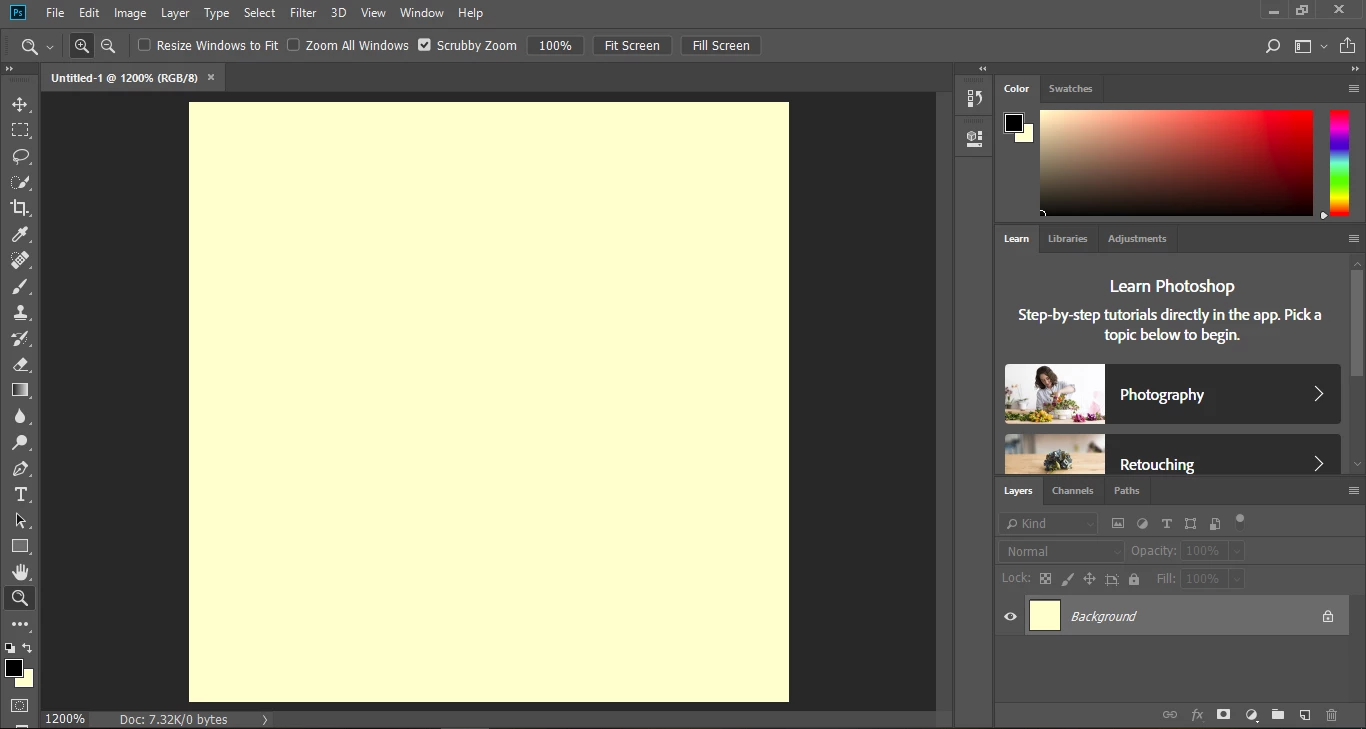
Something is wrong with color,white looks yellowish.

  • May 25, 2019
  • 3 replies
  • 1984 views

this problem is only in photoshop , the monitor is fine.The only work I did before on Photoshop was editing a few images to black and white.I tried resetting the preferences but nothing worked.
    This topic has been closed for replies.
    Correct answer c.pfaffenbichler

    See post 11 by D Fosse

    Re: Suddenly, Canvas background is yellow, not white!

    Does applying the advice make a difference?

    3 replies

    Omar.Fathy
    Community Expert
    Community Expert
    May 25, 2019

    If nothing of the above working with you, try to reset your Photoshop.

    To restore preferences quickly using a keyboard shortcut:

    Press and hold Alt+Control+Shift (Windows) or Option+Command+Shift (Mac OS) as you start Photoshop. You are prompted to delete the current settings. The new preferences files are created the next time you start Photoshop.

    Derek Cross
    Community Expert
    Community Expert
    May 25, 2019

    What happens the you click on the two little squares (above the larger squares) to reset the black and white?

    D Fosse
    Community Expert
    Community Expert
    May 25, 2019

    Nothing will happen, Derek. It's a broken monitor profile, with the wrong white point.

    Derek Cross
    Community Expert
    Community Expert
    May 25, 2019

    The OP said it only happens in Photoshop ...

    c.pfaffenbichler
    Community Expert
    c.pfaffenbichlerCommunity ExpertCorrect answer
    Community Expert
    May 25, 2019

    See post 11 by D Fosse

    Re: Suddenly, Canvas background is yellow, not white!

    Does applying the advice make a difference?