
PhotoBoy
Inspiring
December 8, 2021
Answered

Space Bar no longer works after Photoshop update?

  • December 8, 2021
  • 3 replies
  • 4705 views

22.5.3 & 23.0.2, neither versions of updated Phtoshop will function using the space bar? Why? I have to use Option+SpaceBar to insert space in text. Why?

This topic has been closed for replies.
Correct answer PhotoBoy

I have a wired keyboard and a bluetooth keyboard, neither give me space bar in Photoshop. I have spent 4 days trying to get various versions of Photoshop that will allow me to type text using the space bar separating words. I have wiped my SSD, reinstalled Monterey +Photohop ONLY (various versions). Various versions of Photoshop will not recognize the space bar any longer. This started when I updated to 2022 Photoshop. My iMac has a clean install of Monterey+Photohsop+Creative Cloud, alone, nothing else. Space bar works in everything except Photoshop. I cannot add space between words I type in Photoshop. I'm giving up. There are other alternatives. Apparently Adobe could care less as there is no support. Thanks for your previous responses.


5 days, solved.
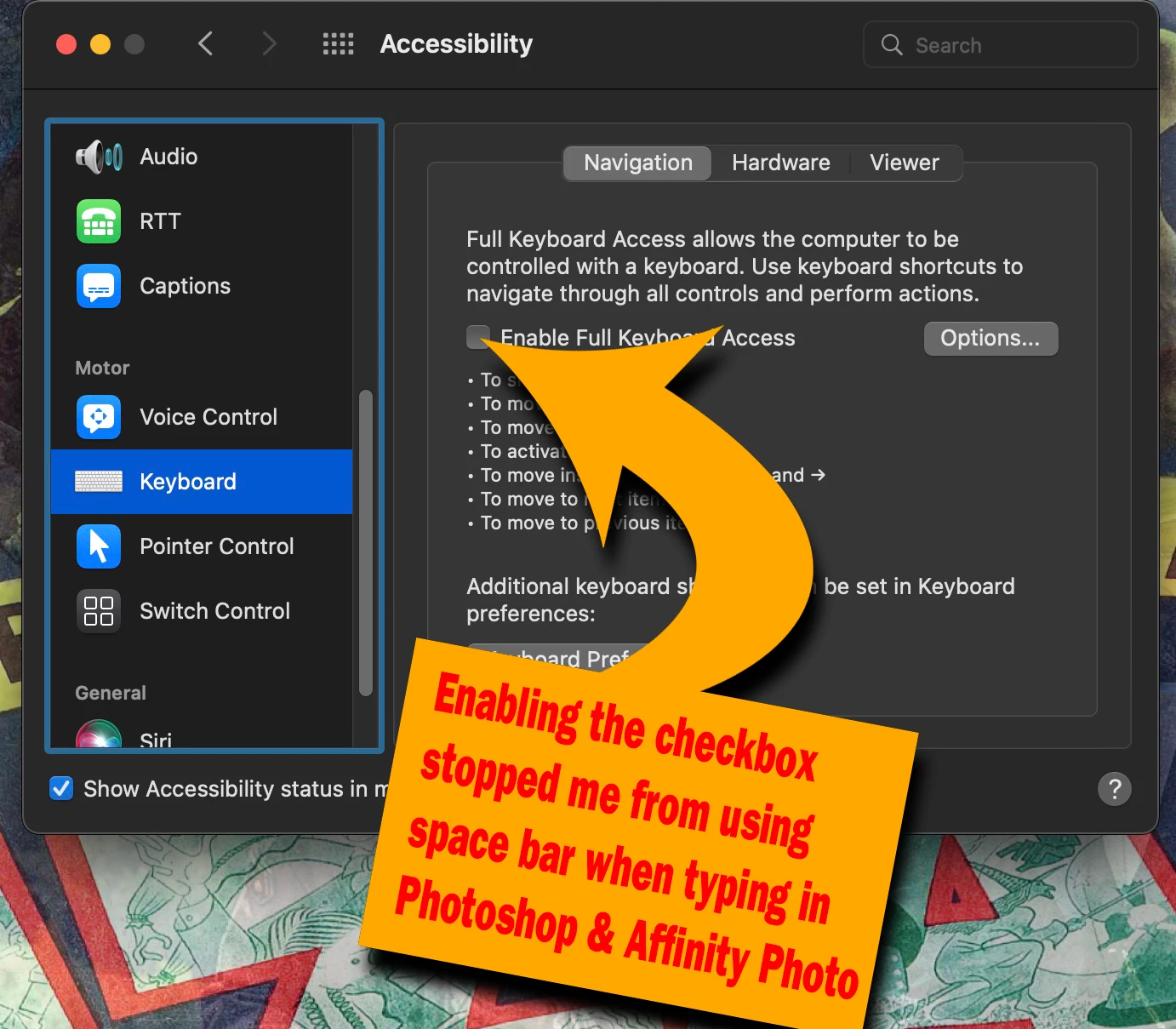


3 replies

jane-e
Community Expert
Community Expert
December 9, 2021

@PhotoBoy wrote:

"Where is Photoshop support? They say we can chat but they hide the stupid chat window."


This link has trouble-shooting for the Chat window when it doesn't appear for you:
https://community.adobe.com/t5/creative-cloud-services/how-to-contact-adobe-support/td-p/11875703 


You can also send a tweet to @AdobeCare for support.


Since this has happened to you on two versions, one strong possibility is that another application has taken over your shortcuts — this could be your browser (most often it's Chrome). Reboot without other applications running to see if it works again.


Jane

~ Jane

PhotoBoy
PhotoBoyAuthor
Inspiring
December 9, 2021

I can't get to Adobe. Safari just sits and never opens Adobe.com.

I cant see a chat window at your links, nor can I get a chat window by following your links.

This is one  [cursing removed by moderator] app.


Trying to Live Simply
PhotoBoy
PhotoBoyAuthor
Inspiring
December 9, 2021

I uninstalled all Photoshop applications.

Installed only the latest Photoshop.

Removed the User/Library/Pref/Photoshop 2022 Settings.

Quit Photoshop 2022.

Restarted 2022.

I can't get the tools to work.  I only see a hand for the type tool when selected.

Theygave us updated  [cursing removed by moderator] software.


Trying to Live Simply
Legend
December 9, 2021

If you restore your preferences using this manual method does it work correctly?
https://helpx.adobe.com/photoshop/using/preferences.html#Manually
If that doesn't solve it, you can quit Photoshop and put the Settings folder back.


The other thing to do is try booting in safemode to disable system utilities: https://helpx.adobe.com/photoshop/kb/basic-troubleshooting.html#safemode


Legend
December 9, 2021

I cannot reproduce on macOS 10.15.7. Have you tried a different keyboard?

PhotoBoy
PhotoBoyAuthor
Inspiring
December 9, 2021

I have tried both tonite again. I have reset the workspace to my original before update. Neither of Photoshops updates work w the space bar. None of any other applications have stopped the space bar, only Photoshop, BOTH versions. You see in my typing this thread that there is nothing wrong w the keyboard, ONLY both versions of Photoshop. Do I trash them and re-download?

Trying to Live Simply
PhotoBoy
PhotoBoyAuthor
Inspiring
December 9, 2021

Is no one else reporting the space bar issue?

Trying to Live Simply