Known Participant
October 16, 2017
Question

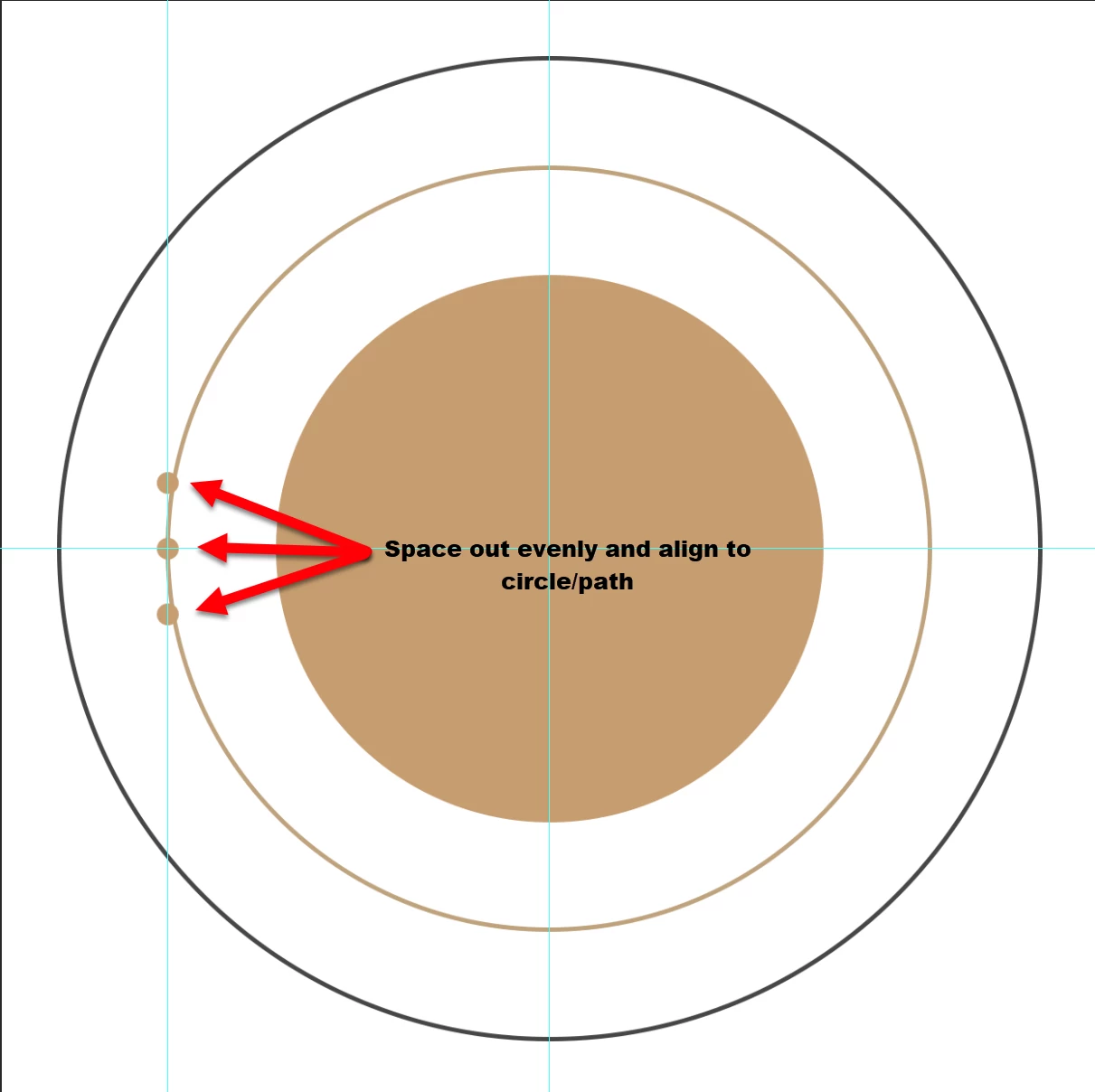
space out and align multiple objects on circle (path)

  • October 16, 2017
  • 5 replies
  • 20411 views

Sure there has to be an easy way to do this (in Photoshop)??
5 replies

HambergAuthor
Known Participant
October 16, 2017

OMG - I'm having issues lining up 6 circles, let alone what you have above.

check my math... if my circle is 1,750px and my little circles are 50px I'd need a 35 sided polygon

problem is the left side - in my pic above - the point point do not line up. How would you line the guides up?

davescm
Community Expert
Community Expert
October 16, 2017

Hi with that many points do the following

1. Make a circle shape encompassing all the shapes to be made (blue below)

2. Add you polygon with points at the centre of your circles

3. Add guides at top centre point

4. Add your first small circle

5.In the layers panel - highlight the large circle , the polygon and the small shape layers. Rotate them together so the next polygon point is now at the top. The rotation will be  around the centre of the large outer circle

6. Repeat until done

align guides to one point only. Then add your shape. Highlight the shape layer and the polygon and use the move tool to rotate both together. Add new small shape and repeat.....etc

Dave

HambergAuthor
Known Participant
October 16, 2017

Understood, so how did you accomplish it in photoshop?

JJMack
Community Expert
Community Expert
October 16, 2017

Layer rotation

JJMack
Participant
November 16, 2018

How did you get to be an MVP by being so unhelpful???

Posting answers like that simply lower the overall quality of this forum. If you're going to post an answer please add an explanation of how you got there. As you would in any basic school maths test as you so arrogantly pointed out.

JJMack
Community Expert
Community Expert
October 16, 2017

Degree = 360/no. of Objects  A grade school answer that is not vague.

With 50px with this radius 22 will be the number where the circles will start to overlap

JJMack
HambergAuthor
Known Participant
October 16, 2017

(was trying to be vague on purpose JJMack​)

On this one they are 50px circles - just not sure how many I will need but what you have would work if they could be spaced out evenly (assuming there were only 6 in your example

davescm
Community Expert
Community Expert
October 16, 2017

Hi

This is much easier in Illustrator but - in Photoshop

Draw your circle:

Use the polygon shape tool and set the number of sides to match how many objects you want ( I used 6 in the example below ) and draw a polygon shape centred on the circle and with the points on the circle path.

Pull down guides to the polygon corner points

Add your circle shapes using the smart guides to snap

Turn off the temp polygon shape and guides

Dave

JJMack
Community Expert
Community Expert
October 16, 2017

What do you know about the objects.  Are there big ones and small ones and some as big as you head.  Will they fit on the circle and fit within in the document canvas.  Can object overlap.   Aligned how to the circle inside outside  object center in circle. Should the object be rotated . More information please. For sure some things are possible....

JJMack
