
mikey2222002
Participating Frequently
August 19, 2019
Question

Spell Check Stays in Italian

  • August 19, 2019
  • 2 replies
  • 1276 views

I've looked through all the discussions on this and have followed every solution's directions and I still can't get my spell checker to check in English (it defaults to Italian every time).

1. I've switched the language in the Character panel dropdown to English (USA)

2. I've reset my PS Preferences.

3. I've signed out of everything, every single Adobe app (including Acrobat), signed out of Creative Cloud, then signed back in again.

4. I've completely deleted and reinstalled PS.

NOTHING WORKS! Please PLEASE help me. I'm a terrible speller.
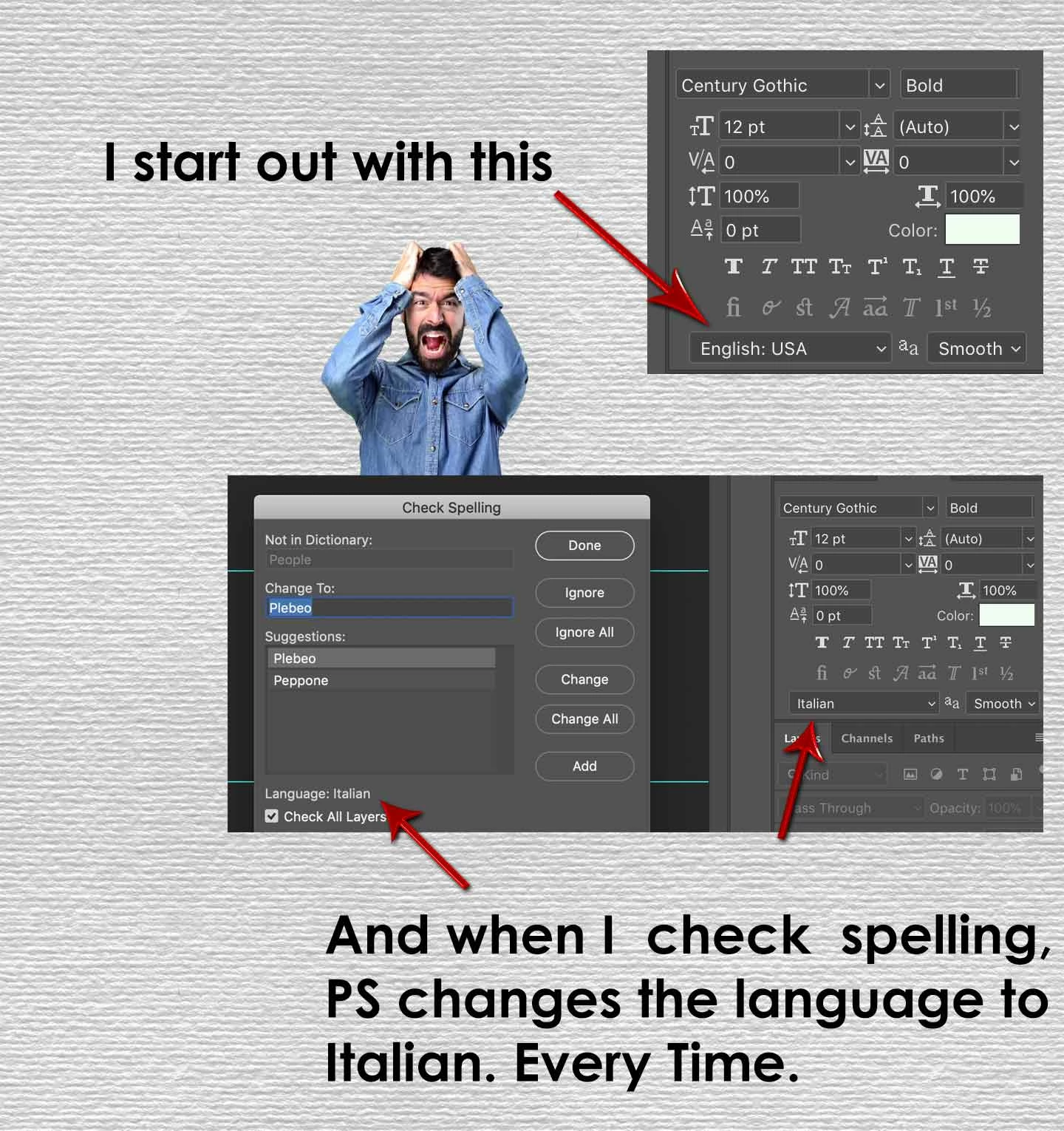
This topic has been closed for replies.

2 replies

JJMack
Community Expert
Community Expert
August 19, 2019

Are you using a Mac or a PC. On Windows 10 changing language in the Character palette seems to work for me?

JJMack
mikey2222002
Participating Frequently
August 19, 2019

I'm using a Mac, and I've tried that several times and it doesn't work. It always changes it back to Italian.

Edit: I appreciate you taking the time to make screen shots for me.

JJMack
Community Expert
Community Expert
August 19, 2019

So it seem to be a issue with CC on a Mac.  Report the problem at Adobe feedback site Photoshop Family Customer Community

JJMack
Peru Bob
Community Expert
Community Expert
August 19, 2019

Try resetting the Preferences:

Preferences in Photoshop

mikey2222002
Participating Frequently
August 19, 2019

I've done that. It doesn't work.