Participant
August 4, 2019
Answered

Split Page In Half

  • August 4, 2019
  • 2 replies
  • 9406 views

How do I split a page in half equally?

    This topic has been closed for replies.
    Correct answer Chuck Uebele

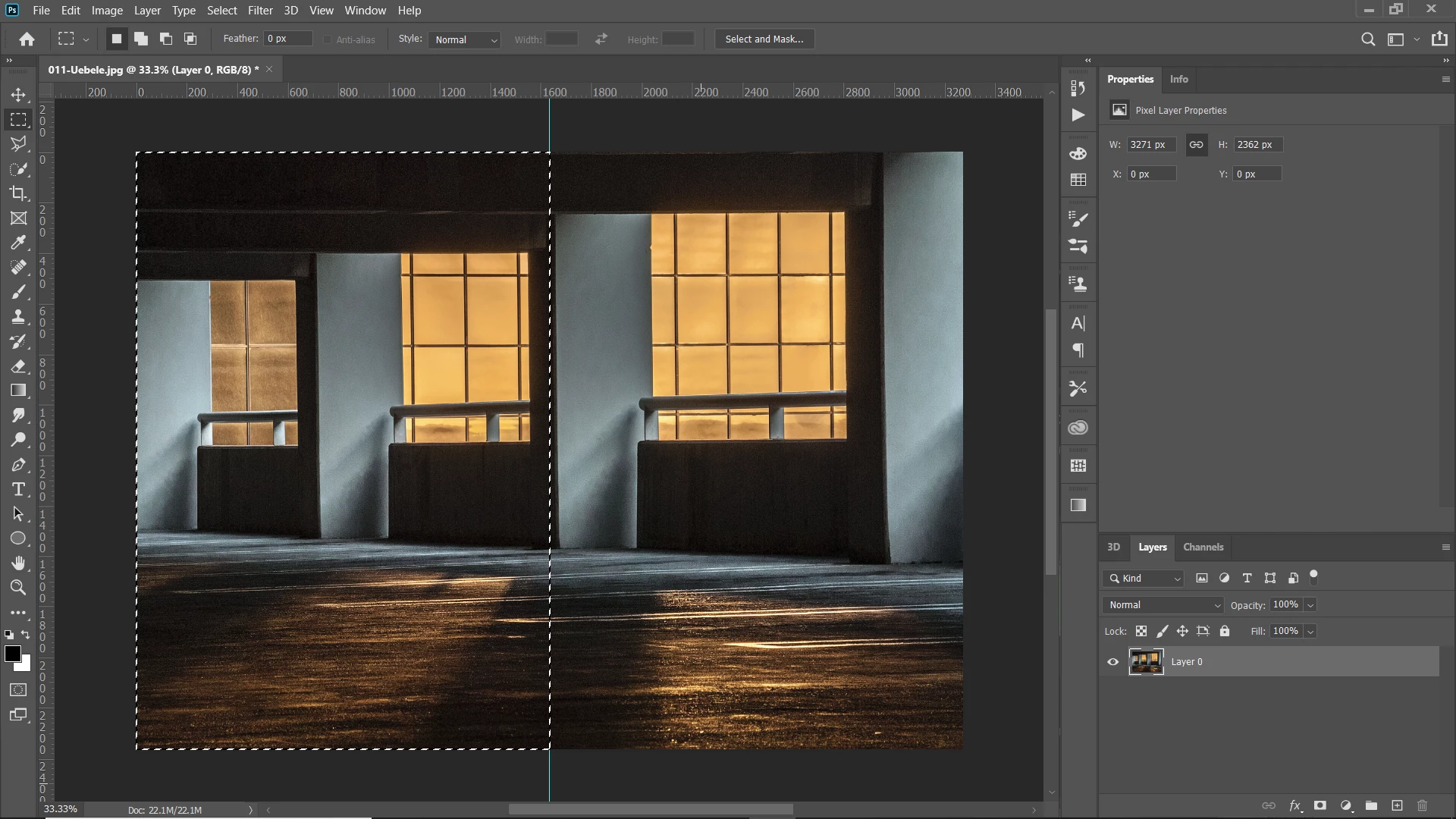
    How do you mean a page? Photoshop doesn't use pages. You can drag a guide out, and normally they will snap at the 50% mark, or you can set a guide using percent and type in 50%. Then you can draw a marquee, snapping to the guide. Assuming that you are trying to split a single layer, you can use ctrl/cmd-shift-J to put the part of the layer in the selection on a new layer.
    2 replies

    Akash Sharma
    Legend
    August 5, 2019

    Hi Shino8oce,

    As you're looking for splitting pages in Photoshop, I found a couple of helpful article that might help you splitting image in Photoshop:

    https://graphicdesign.stackexchange.com/questions/45217/how-do-i-divide-a-canvas-into-9-equal-squares-in-photoshop

    How can I divide my page (in Photoshop) perfectly in to 4 or 5 sections?

    Let us know if that helps.

    Thanks,

    Akash

    Chuck Uebele
    Community Expert
    Chuck UebeleCommunity ExpertCorrect answer
    Community Expert
    August 4, 2019

    How do you mean a page? Photoshop doesn't use pages. You can drag a guide out, and normally they will snap at the 50% mark, or you can set a guide using percent and type in 50%. Then you can draw a marquee, snapping to the guide. Assuming that you are trying to split a single layer, you can use ctrl/cmd-shift-J to put the part of the layer in the selection on a new layer.