
Spot colour on Psd in mock up image and print in Indesign. HELP PLEASE !!!
Hello everyone ,
hope I made this clear for you 🙂
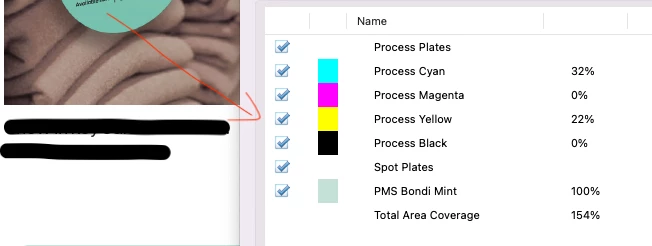
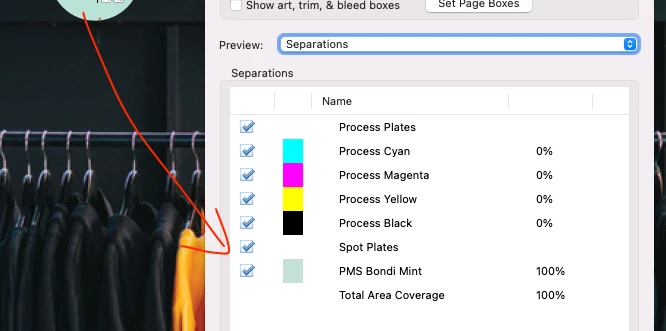
I overlayied assests on psd and they need to be spot colours so I created spot channel. Export as Pdf and linked to Indesign. When I look at the print overview i can see spot colour on embeded image. so I export as print file from indesign and looked at Pdf Print outview and i can see spot colours too.
My problem is both indesign and Pdf output preview, I can see spot colour on embeded image but also I can see CMYK too.
I wanna only see spot colour. First image you can see total area covarage %154 and second one is % 100( which is correct one). How can I make it only %100 , only spot colour for psd mock up?
Is there way to make that? Hope this is clear. Please help me, I have been trying for 2 weeks :((((((
Thank you
 AdChoices