
Step Back working differently
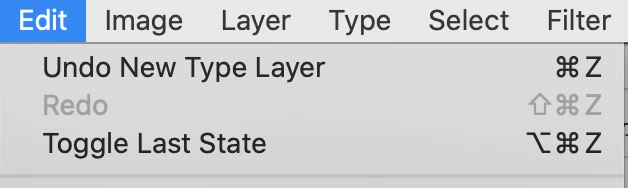
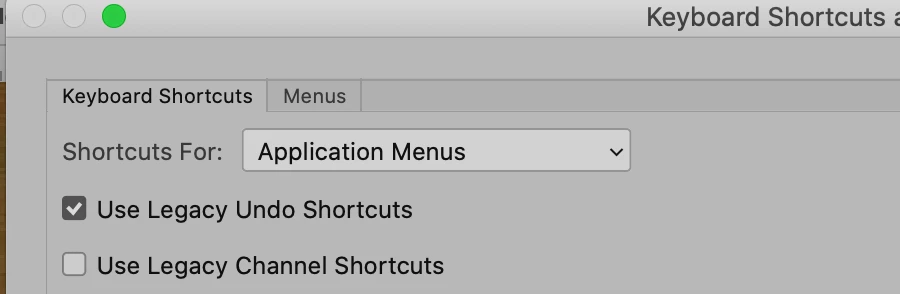
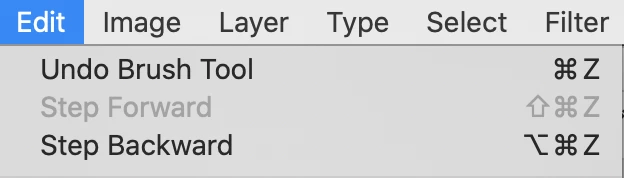
After the most recent upgrade to 21.2.2 Step Back started to behave differently. I have the keyboard shortcut Option Command Z mapped to a button on my wacom pen. The previous behaviour was to step backward through previous actions (drawing a line) and it would INCLUDE the previous undo step to a blank cavnas.
Basically I used to be able to draw a line - step back (remove it to a blank canvas) - then draw another line and remove that line to a blank canvas - over and over until I got the line I liked - ad infinitum. Draw remove draw remove draw remove. The step back history would record the blank canvas each time. Now if I draw a line and undo it - I go back to the previous line I drew - no blank canvas. If I step back again I go to the line before that one and the one before that one. If I want there to be NO line - back to blank canvas - I have to erase it. Incredibly frustrating when it takes me 5 or 10 goes to get the line I want. Something has changed OR I have pushed a button or changed a history or preference setting and I can't work it out. I just want to draw it, remove it, draw it, remove it and so on. I hope this makes sense.
 AdChoices