Inspiring
July 20, 2023
Answered

Stop and skip photoshop action process for images with unequal layer height

  • July 20, 2023
  • 1 reply
  • 1073 views

I will explain my problem quickly

I batch editing high number of images. some of my images are defective. 


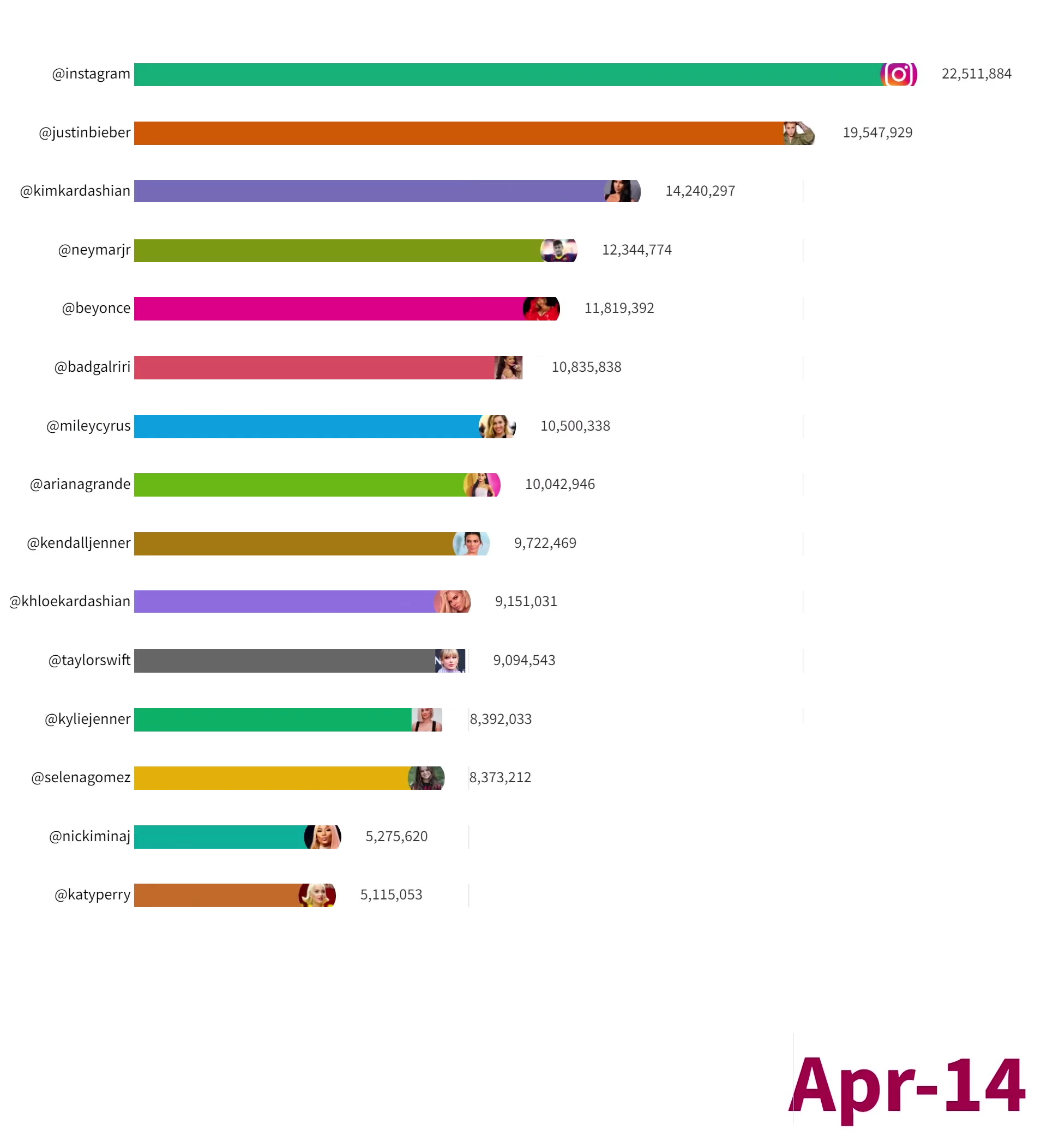
Healthy images are like following. In fact, if we separate the components of the image into different layers, except for the last layer, all the layers have almost the same height. (40,41,42,43,44 pixel). 


Defective images are like following. In fact, if we separate the components of the image into different layers, except for the last layer, all the layers have not the same height. (40,41,52,43,44 pixel). 
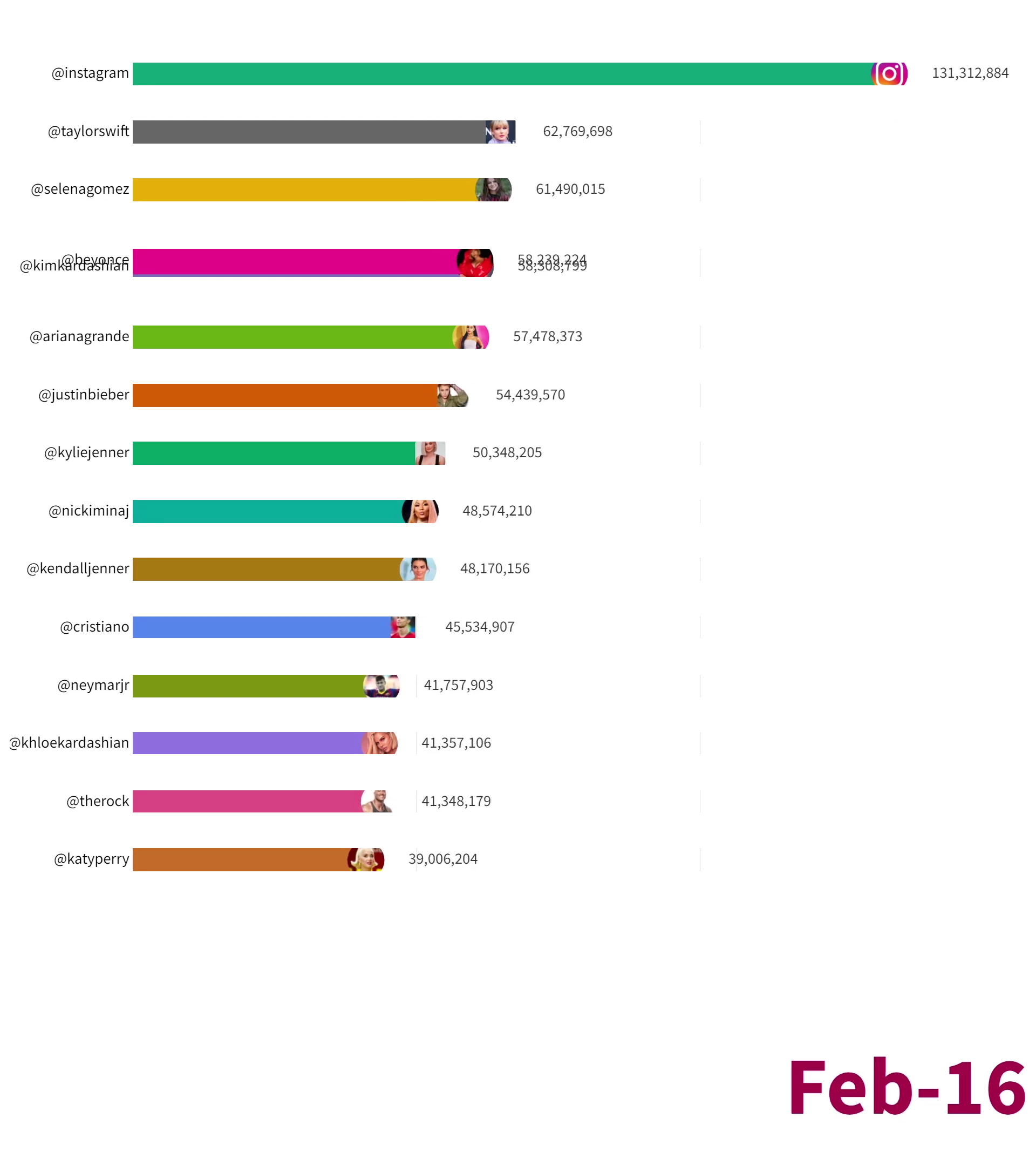
 

If you pay close attention, in the defective image, one of the layers has a height of about 10 pixels more than the others. 

I can't go through all the thousands of images one by one and remove defective or unequal layer height images. 

I need a script that check image separated layers heights and if all the layers except the last layer have almost the same height, the action processing continues, otherwise the image is closed and the next image is executed. 

for example: 

number of layers 7 - height of layers {60,40,42,43,44,39,40} --> script close image and action must excute next image 

number of layers 9 - height of layers {41,40,42,43,44,39,40,39,38} --> script does not create an obstacle and the action continues its work. 


note that script no need to separate layers. script run after action separated layers by another script and only check height of layers except latest layer. script decides whether the action will continue or the image will be closed.  In fact, the job of script in this case is to find images with mismatched layers (except latest layer). 


if have any idea or script please provide here. 

This topic has been closed for replies.
Correct answer c.pfaffenbichler
quote
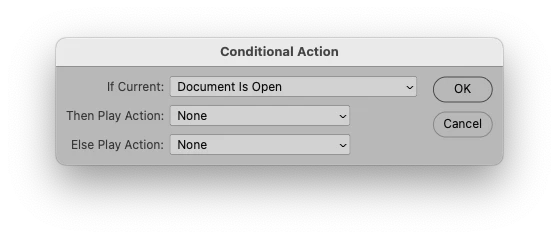
Try inserting a "If the document is open" condition into the action.
 

By @r-bin

Can you tell me how? 


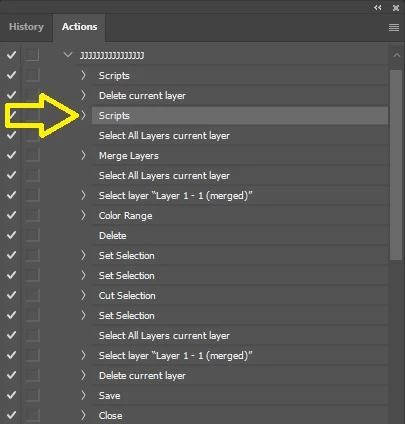
my following script excute in above step 


// Check all layers except the latest layer's height
function checkLayersHeight() {
  try {
    var doc = app.activeDocument;
    var layers = doc.layers;
    var latestLayer = layers[layers.length - 1];
    var latestLayerHeight = latestLayer.bounds[3] - latestLayer.bounds[1];
    var highestHeight = 0;

    // Find the highest height among the shorter layers
    for (var i = 0; i < layers.length - 1; i++) {
      var layer = layers[i];
      var layerHeight = layer.bounds[3] - layer.bounds[1];

      if (layerHeight > highestHeight) {
        highestHeight = layerHeight;
      }
    }

    // Compare the difference between the highest height and each of the shorter layers' heights
    for (var i = 0; i < layers.length - 1; i++) {
      var layer = layers[i];
      var layerHeight = layer.bounds[3] - layer.bounds[1];

      if (Math.abs(highestHeight - layerHeight) > 5) {
        doc.close(SaveOptions.DONOTSAVECHANGES);
        return; // Stop further processing for this image
      }
    }
  } catch (e) {
    alert("Error occurred: " + e);
  }
}

// Call the function to check layers' heights
checkLayersHeight();


In unusual cases it close image but action still continue remain steps 😕😕


quote

In unusual cases it close image but action still continue remain steps 😕😕

That’s what the Action is supposed to do. 


As @r-bin already indicated you can split the Action and insert a conditional (from the Actions Panel’s flyout menu) 

or you could move all the steps after the Script into a new Action and trigger that from the Script (if the images matches the expectations). 

1 reply

Inspiring
July 20, 2023

@c.pfaffenbichler @r-bin @Stephen Marsh  

I get following script from chatGPT that get all layers except latest layer height, now i don't know what changes i must apply to it for this post script. idk what i must ask from chatGPT to complete this script. 

// Save all layers except the latest layer's height to a text file
function saveLayersToTextFile() {
  try {
    var desktopPath = "~/Desktop/followers";
    var textFile = new File(desktopPath + "/layers_height.txt");
    var layers = app.activeDocument.layers;
    var latestLayer = layers[layers.length - 1];
    
    var textData = "";
    
    for (var i = 0; i < layers.length - 1; i++) {
      var layer = layers[i];
      var layerName = layer.name;
      var layerHeight = layer.bounds[3] - layer.bounds[1];
      
      textData += layerName + ": " + layerHeight + " px\r\n";
    }
    
    textFile.open("w");
    textFile.write(textData);
    textFile.close();
    alert("Layers' heights have been saved to: " + textFile.fsName);
  } catch (e) {
    alert("Error occurred: " + e);
  }
}

// Call the function to save layers to a text file
saveLayersToTextFile();
Inspiring
July 20, 2023

I written following script that working good but it have a problem: 

// Check all layers except the latest layer's height
function checkLayersHeight() {
  try {
    var doc = app.activeDocument;
    var layers = doc.layers;
    var latestLayer = layers[layers.length - 1];
    var latestLayerHeight = latestLayer.bounds[3] - latestLayer.bounds[1];
    var highestHeight = 0;

    // Find the highest height among the shorter layers
    for (var i = 0; i < layers.length - 1; i++) {
      var layer = layers[i];
      var layerHeight = layer.bounds[3] - layer.bounds[1];

      if (layerHeight > highestHeight) {
        highestHeight = layerHeight;
      }
    }

    // Compare the difference between the highest height and each of the shorter layers' heights
    for (var i = 0; i < layers.length - 1; i++) {
      var layer = layers[i];
      var layerHeight = layer.bounds[3] - layer.bounds[1];

      if (Math.abs(highestHeight - layerHeight) > 5) {
        doc.close(SaveOptions.DONOTSAVECHANGES);
        return; // Stop further processing for this image
      }
    }
  } catch (e) {
    alert("Error occurred: " + e);
  }
}

// Call the function to check layers' heights
checkLayersHeight();


this script can only close defective images and can't reset action on next image. then photoshop continue remain action steps on defective images and show following alerts: 


how to fix this?

Legend
July 20, 2023
Try inserting a "If the document is open" condition into the action.