Participant
September 6, 2018
Question

Stop Rounded Corners on Stoke Effect & Selection Expand

  • September 6, 2018
  • 5 replies
  • 8828 views

Hi,

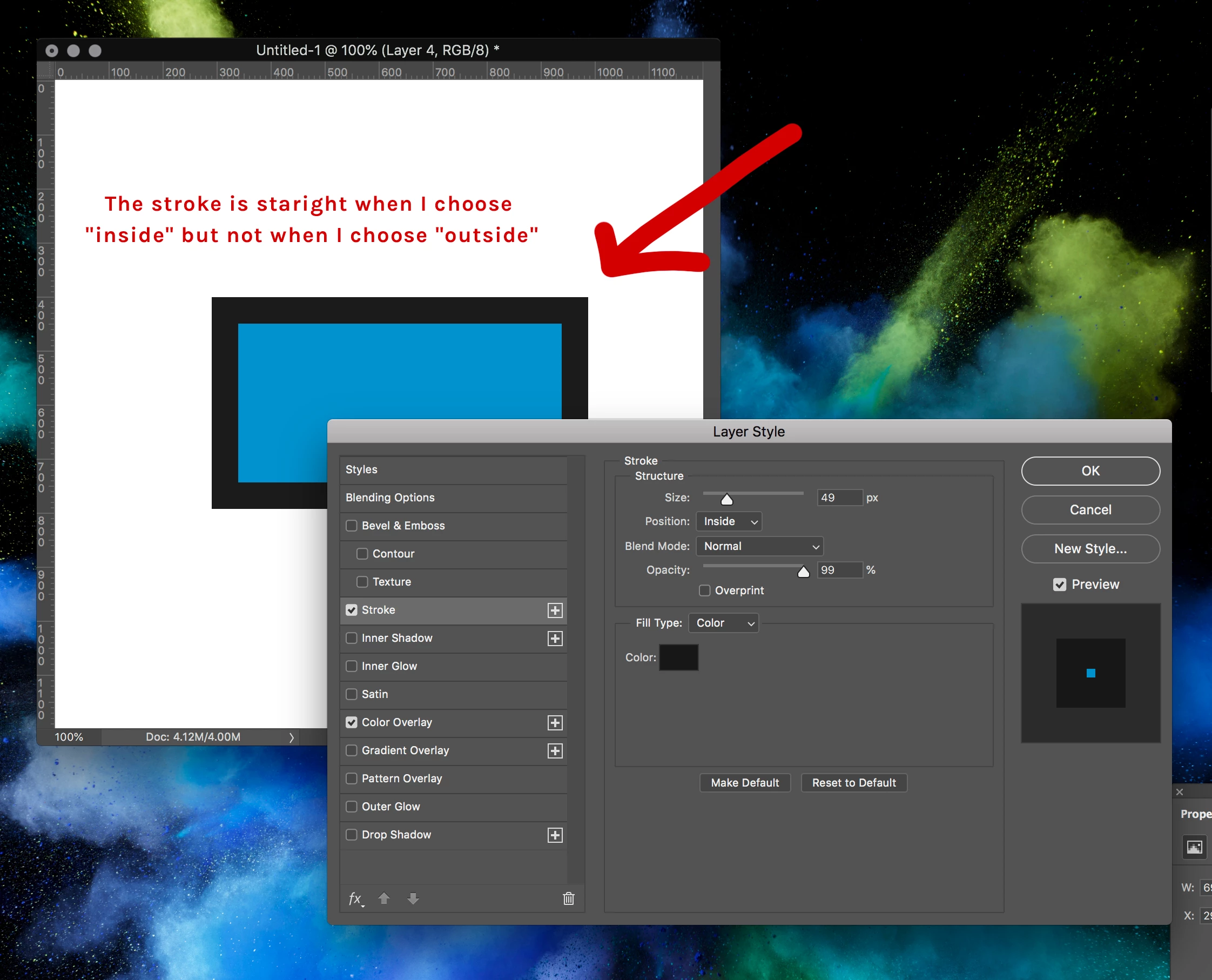
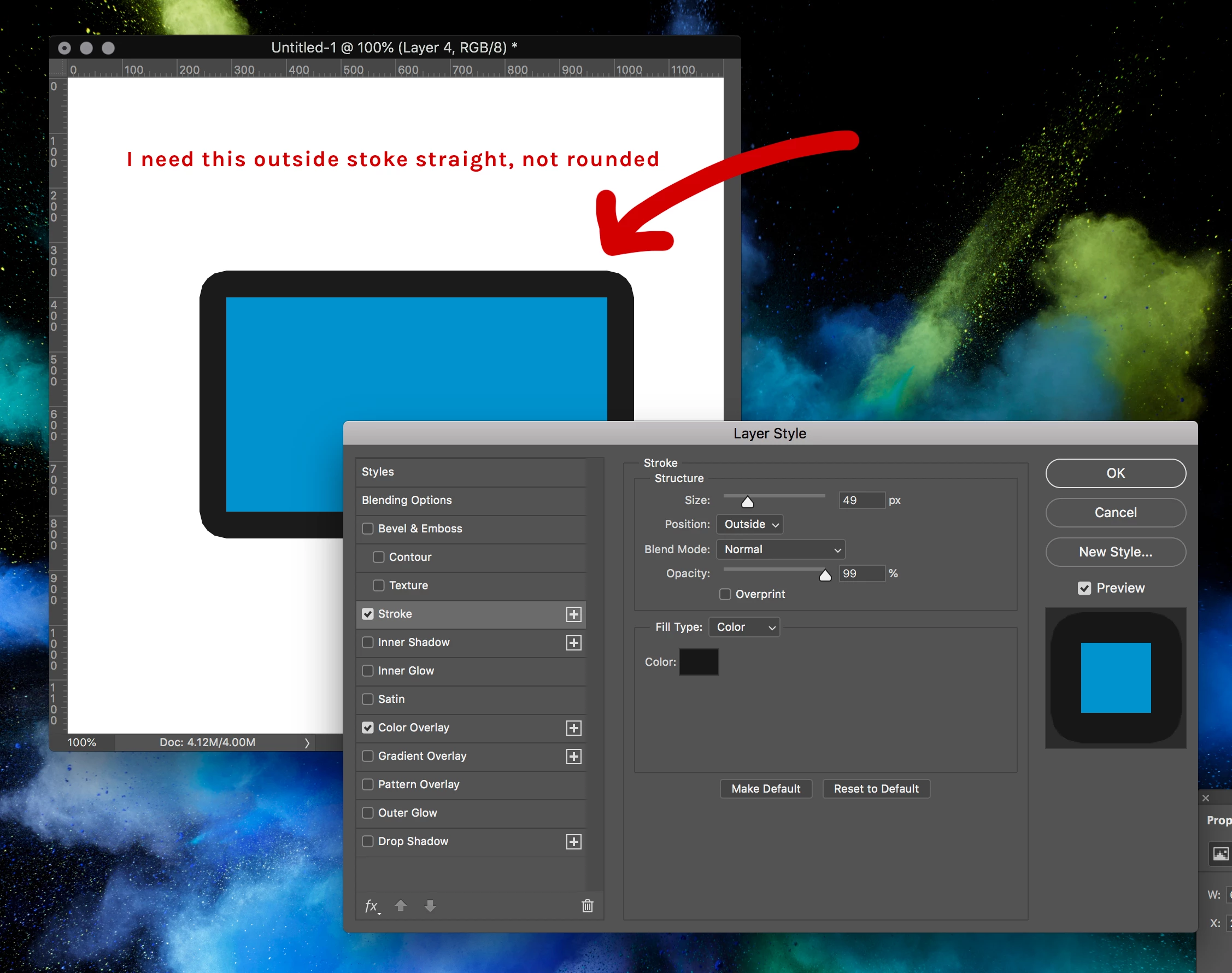
I can not, for the life of me, figure out how to stop the outside layer stroke style going rounded. It's straight when I make the position "inside" and I need it straight for "outside".

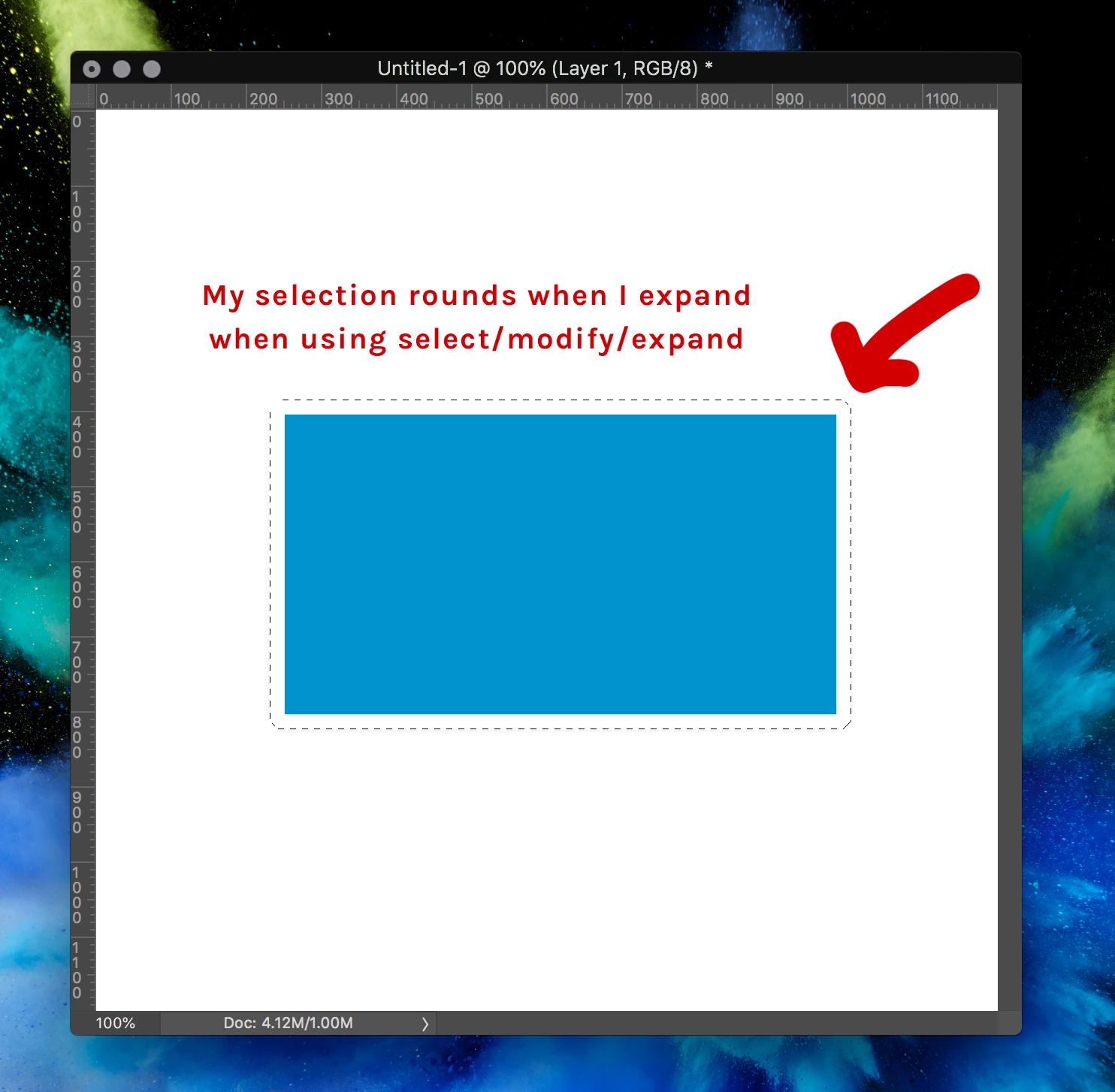
Also... when I expand a square selection it also goes rounded.

I am using Adobe CC on an iMac.

Any help would be greatly appreciated as I've spent too long trying to figure it out. Is this a setting I have somewhere?

Thank you!
    This topic has been closed for replies.

    5 replies

    Participant
    October 20, 2023

    Apologies all, stroke on the outside and centred in 2022 is still rounded. Only an inside stroke picks up the sharp edges.


    philip1587
    Participant
    July 23, 2024

    This is typical of the disaster of a wreck that photoshop has become ever since they moved all the coding out of the USA . Every update seems to try to promise "wonderous new features powered br AI "like adding lighthouses to to the image when basic features like retaining the actual shape of a outline when expanding it have gone . You never know when using this program if a feature or menu you have used for tears will still be there or even work.  

    Participant
    August 14, 2024

    This is just unbelievable that if I want to create ie. a white border outside of a pasted perfectly square image then the corners become rounded.

    Participant
    September 6, 2018

    Thanks everybody! I'm going to try a few of those options... I'm pretty sure in the past it's always been straight, not curved. Not sure what changed. I really appreciate the replies : )

    c.pfaffenbichler
    Community Expert
    Community Expert
    September 7, 2018
    I'm pretty sure in the past it's always been straight, not curved.

    I think you are mistaken and the Layer Style Stroke has been like that for a long time.

    Leslie Moak Murray
    Community Expert
    Community Expert
    May 13, 2022

    Yes, it has always been this way. I just make a ilttle rectangle at each corner and merge them. The stroke takes on the shape of the round brush, and the roundedness is worse the wider the stroke is.

    September 6, 2018

    Hi

    You could try using the Shape Tool to create the shape that way you can add an outside stroke and have better control over it

    c.pfaffenbichler
    Community Expert
    Community Expert
    September 6, 2018

    when I expand a square selection it also goes rounded.

    Work-around:

    • Switch to Quick Mask Mode (Q),

    • Filter > Other > Maximum,

    • set it to preserve »Squareness« instead of »Roundness«,

    • exit Quick Mask Mode (Q).

    c.pfaffenbichler
    Community Expert
    Community Expert
    September 6, 2018

    You seem to be using the wrong »tool« for what you want to achieve.

    The Layer Style Stroke is useless to you, instead create a Shape Layer and apply a vector Stroke from the Options Panel.

    September 6, 2018

    OOP's forgot to hit the refresh again

    c.pfaffenbichler
    Community Expert
    Community Expert
    September 6, 2018

    But you posted a screenshot right away and an image being worth »a thousand words« you probably helped the OP much more.