Known Participant
July 23, 2025
Answered

Straighten multiple layers inside photoshop

  • July 23, 2025
  • 6 replies
  • 2848 views

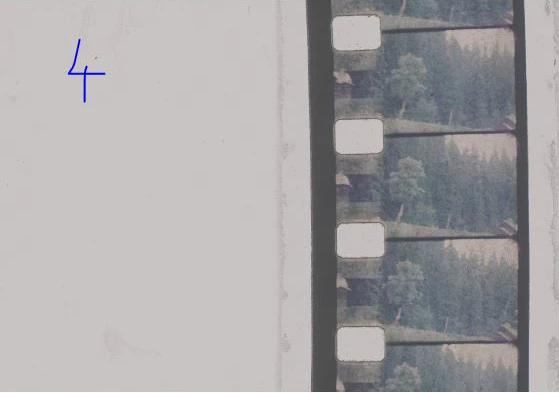
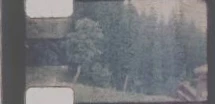
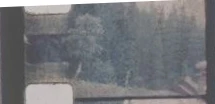
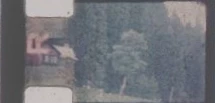
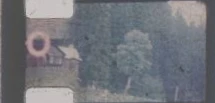
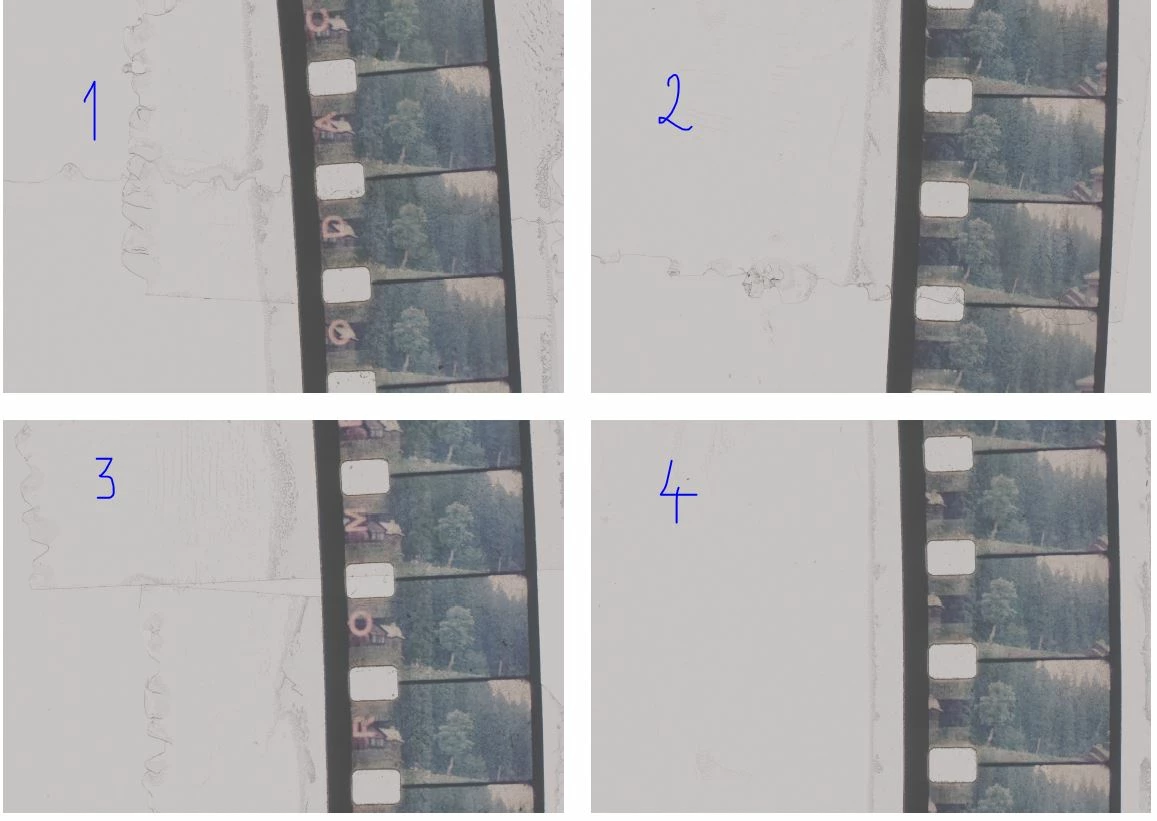
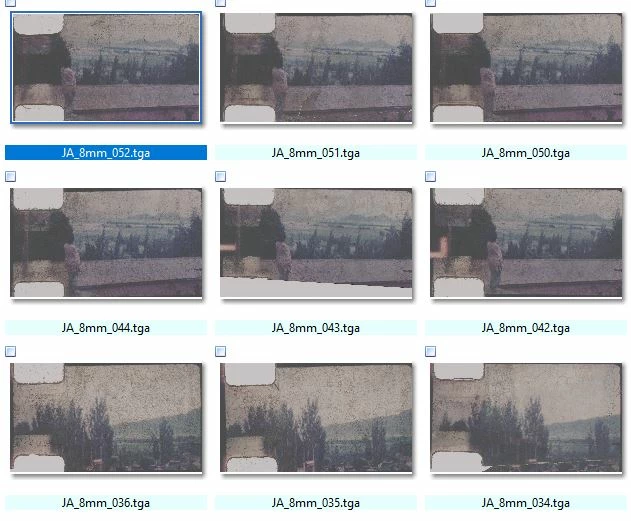
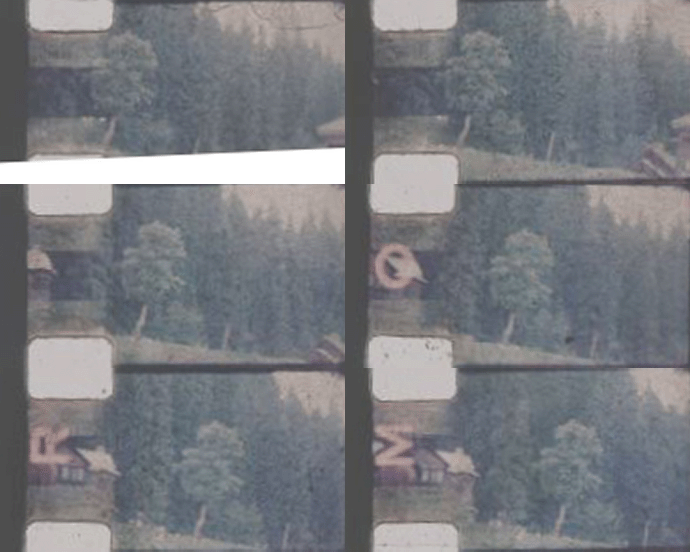
Hi, i am having 900 + images scanned as shown in the attachment. Is there a easy script or action that would just straighten the layers. and also crop single single frames as images or sequence at a desired size or aspect ratio. pFA


Correct answer jazz-y

Let's assume that this is a collage of four scans. The script expects to receive each scan as a separate open documents:
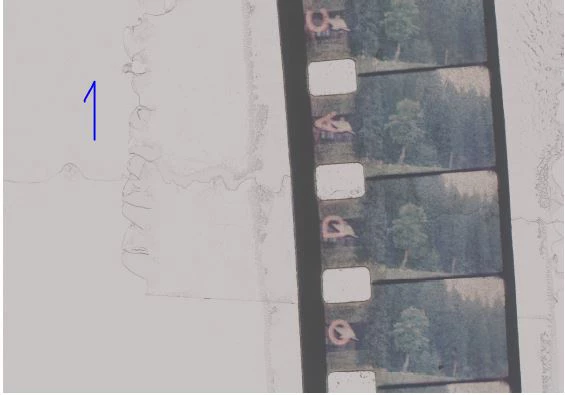
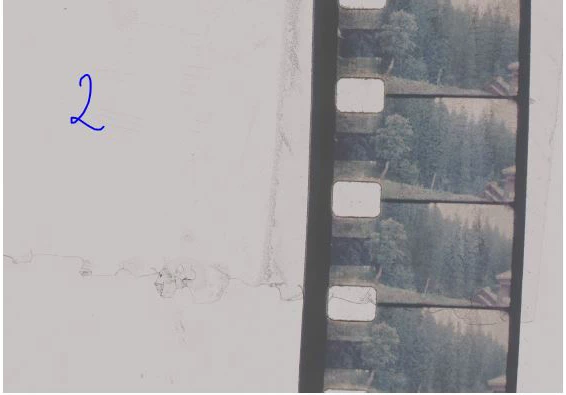
I assume that on each scan the film crosses the frame horizontally (although a small inaccuracy is allowed here). First of all, I apply a threshold to the image to get contrasting edges (BORDER_THRESHOLD = 100). Then I take two narrow stripes from the image at the top and bottom with a small indent from the edge (BORDER_OFFSET = 0.03, i.e. 3% of the frame height):

The script analyzes each strip, expecting to encounter a film border on its way. We consider the border to be the moment when there are at least 10 black pixels in a row on the left (BORDER_LEFT_GAIN = 10), and at least 5 on the right (BORDER_RIGHT_GAIN = 5). The 4 points found allow us to determine the object's borders, as well as the angle of rotation (we ignore the bend).  Accordingly, we crop and rotate the image.

Next we try to find the borders of each frame. I decided to use perforation (since it is clearly visible and clean enough):


To do this, I draw a vertical line 22% of the image width from the left (PERFORATION_OFFSET = 0.22), apply a slightly more aggressive threshold to make them sharper (PERFORATION_THRESHOLD = 165) and move vertically I find closed circles of perforation assuming that its width is more than 20 pixels (PERFORATION_GAIN = 20) and I will not encounter a single black pixel before its border (unfortunately, if the perforation is dirty, this can be a problem)


In this case, you either need to change the PERFORATION_THRESHOLD threshold value, or manually paint over the dirt with a white brush.
If everything went well, then we calculate the distance between the perforation centers and take them as the frame height. All that remains is to split the image vertically into separate frames, taking into account the found size (the script tries to save the extreme upper and extreme lower frames if they are visible at least by 80% (FRAME_OVERLAP = 0.8)). Each frame is saved in the same folder where the original image is located with the addition of a numerical index.

I can't guarantee that the script will work properly on other images (there are too many things that can go wrong), but maybe this will help.

const BORDER_RIGHT_GAIN = 40,
    BORDER_LEFT_GAIN = 70,
    PERFORATION_GAIN = 124,
    NOISE_GAIN = 10,
    BORDER_THRESHOLD = 130,
    PERFORATION_THRESHOLD = 165,
    PERFORATION_OFFSET = 0.22,
    BORDER_OFFSET = 0.1,
    FRAME_OVERLAP = 0.8,
    REVERSE_FRAMES = true;
var apl = new AM('application'),
    doc = new AM('document'),
    lr = new AM('layer');
try {
    if (apl.getProperty('numberOfDocuments')) activeDocument.suspendHistory('Save Frames', 'main()')
}
catch (e) { alert('An error has occurred! Too many things can go wrong') }
function main() {
    var hst = activeDocument.activeHistoryState;
    var bounds = getObjectBounds(BORDER_THRESHOLD);
    doc.makeSelection(bounds[0], bounds[1], bounds[2], bounds[3]);
    doc.crop()
    lr.duplicateLayer()
    lr.convertToSmartObject()
    lr.rotate(bounds[4])
    lr.revealAll();
    lr.selectLayer('backwardEnum')
    lr.fill('white')
    lr.selectLayer('forwardEnum')
    lr.flatten();
    var bounds = getObjectBounds(BORDER_THRESHOLD);
    doc.makeSelection(bounds[0], bounds[1], bounds[2], bounds[3]);
    doc.crop();
    var result = getFramesDimensions(PERFORATION_THRESHOLD);
    var docRes = doc.getProperty('resolution'),
        docW = doc.getProperty('width') * docRes / 72,
        docH = doc.getProperty('height') * docRes / 72,
        height = 0,
        title = doc.getProperty('title').replace(/\..+$/, ''),
        pth = doc.getProperty('fileReference').path;
    for (var i = 0; i < result.length - 2; i++) { height += result[i + 1][0] - result[i][0] }
    height += result[result.length - 1][0] - result[result.length - 2][0];
    height = height / (result.length - 1);
    var offset = (result[result.length - 1][0] + result[result.length - 1][1] / 2 + height) - docH,
        i = result.length - 1;
    if (offset < height - (height * FRAME_OVERLAP)) {
        doc.resizeCanvas(offset, 'top')
        var top = result[i][0] + result[i][1] / 2;
        doc.makeSelection(top, 0, top + height, docW)
        saveLayer(new File(pth + '/' + title + '_' + (REVERSE_FRAMES ? result.length : 0)))
    }
    for (i--; i >= 0; i--) {
        var top = result[i][0] + result[i][1] / 2;
        doc.makeSelection(top, 0, top + height, docW)
        saveLayer(new File(pth + '/' + title + '_' + (REVERSE_FRAMES ? i + 1 : result.length - 1 - i)))
    }
    var offset = -((result[0][0] + result[0][1] / 2) - height);
    if (offset < height - (height * FRAME_OVERLAP)) {
        doc.resizeCanvas(offset, 'bottomEnum')
        doc.makeSelection(0, 0, height, docW)
        saveLayer(new File(pth + '/' + title + '_' + (REVERSE_FRAMES ? 0 : result.length - 1 - i)))
    }
    activeDocument.activeHistoryState = hst;
    return;
    function getObjectBounds(threshold) {
        var docRes = doc.getProperty('resolution'),
            docW = doc.getProperty('width') * docRes / 72,
            docH = doc.getProperty('height') * docRes / 72,
            hst = isolateLayer(threshold),
            line1 = getX(Math.ceil(docH * (BORDER_OFFSET)), hst),
            line2 = getX(Math.ceil(docH * (1 - BORDER_OFFSET)), hst);
        doc.close();
        doc.deleteLayer();
        return [0, Math.min(line1[0], line2[0]), docH, Math.max(line1[1], line2[1]), Math.atan2(line2[0] - line1[0], docH * (1 - BORDER_OFFSET) - docH * (BORDER_OFFSET)) * 180 / Math.PI]
        function getX(top, historyBackup) {
            lr.makeSelection(top, 0, top + 1, docW);
            doc.crop();
            var f = new File(Folder.temp + '/colors.raw');
            doc.saveToRAW(f)
            activeDocument.activeHistoryState = historyBackup;
            var colors = readStrip(f);
            f.remove();
            return [findCoordinate(colors, BORDER_LEFT_GAIN), docW - findCoordinate(colors.reverse(), BORDER_RIGHT_GAIN)];
        }
    }
    function getFramesDimensions(threshold) {
        var docRes = doc.getProperty('resolution'),
            docW = doc.getProperty('width') * docRes / 72,
            docH = doc.getProperty('height') * docRes / 72,
            hst = isolateLayer(threshold),
            sel = Math.ceil(docW * (PERFORATION_OFFSET));
        lr.makeSelection(0, sel, docH, sel + 1)
        doc.crop();
        var f = new File(Folder.temp + '/colors.raw');
        doc.saveToRAW(f)
        var colors = readStrip(f);
        f.remove();
        doc.close();
        lr.deleteLayer();
        return findPerforation(colors, PERFORATION_GAIN);
    }
    function isolateLayer(threshold) {
        lr.flatten();
        lr.duplicateLayer();
        lr.convertToSmartObject();
        lr.editSmartObject();
        lr.threshold(threshold);
        lr.convertToGrayscale();
        return activeDocument.activeHistoryState
    }
    function saveLayer(f) {
        lr.duplicateLayer()
        lr.convertToSmartObject()
        lr.editSmartObject();
        doc.saveACopyToTGA(24, f)
        doc.close()
        doc.deleteLayer()
    }
}
function readStrip(f) {
    var content = '';
    if (f.exists) {
        f.open('r');
        f.encoding = "BINARY";
        content = f.read();
        f.close();
        f.remove();
        var colors = function (s) {
            var m = 0, c = [];
            for (var i = 0; i < s.length; i++) {
                var k = s.charCodeAt(i); m += k; c.push(k)
            };
            return c
        }(content);
        return colors;
    }
}
function findCoordinate(s, threshold) {
    for (var i = 0; i < s.length; i++) {
        if (s[i] > 128) continue;
        if (readWithOffset(s.slice(i), threshold)) return i
    }
    return -1
    function readWithOffset(s, threshold) {
        for (var i = 0; i < s.length; i++) {
            if (i > threshold) return true
            if (s[i] > 128) return false;
        }
    }
}
function findPerforation(s, threshold) {
    s.reverse()
    for (var i = 0; i < s.length; i++) {
        if (s[i] > 128) { s[i] = 0; continue; }
        if (s[i] < 128) break;
    }
    s.reverse()
    for (var i = 0; i < s.length; i++) {
        if (s[i] > 128) continue;
        if (s[i] < 128) break;
    }
    var objects = [];
    for (var i; i < s.length; i++) {
        if (s[i] < 128) continue;
        var result = readWithOffset(s.slice(i));
        if (result > threshold) {
            i = i + result;
            objects.push([i - (result + 1), result])
        }
    }
    return objects
    function readWithOffset(s) {
        for (var i = 0; i < s.length; i++) {
            if (s[i] < 128) {
                if (endOfPerforation(s.slice(i))) {
                    return i
                }
                else {
                    i += (s.length > NOISE_GAIN ? NOISE_GAIN : s.length)
                }
            }
        }
    }
    function endOfPerforation(s) {
        var len = s.length > NOISE_GAIN ? NOISE_GAIN : s.length
        for (var i = 0; i < len; i++) {
            if (s[i] > 128) return false;
        }
        return true;
    }
}
function AM(target) {
    var s2t = stringIDToTypeID,
        t2s = typeIDToStringID;
    target = target ? s2t(target) : null;
    this.getProperty = function (property, id, idxMode) {
        property = s2t(property);
        (r = new ActionReference()).putProperty(s2t('property'), property);
        id != undefined ? (idxMode ? r.putIndex(target, id) : r.putIdentifier(target, id)) :
            r.putEnumerated(target, s2t('ordinal'), s2t('targetEnum'));
        return getDescValue(executeActionGet(r), property)
    }
    this.hasProperty = function (property, id, idxMode) {
        property = s2t(property);
        (r = new ActionReference()).putProperty(s2t('property'), property);
        id ? (idxMode ? r.putIndex(target, id) : r.putIdentifier(target, id))
            : r.putEnumerated(target, s2t('ordinal'), s2t('targetEnum'));
        return executeActionGet(r).hasKey(property)
    }
    this.duplicateLayer = function () {
        executeAction(s2t("copyToLayer"), undefined, DialogModes.NO);
    }
    this.convertToSmartObject = function () {
        executeAction(s2t("newPlacedLayer"), undefined, DialogModes.NO);
    }
    this.editSmartObject = function () {
        executeAction(s2t("placedLayerEditContents"), new ActionDescriptor(), DialogModes.NO);
    }
    this.convertToGrayscale = function () {
        (d = new ActionDescriptor()).putClass(s2t("to"), s2t("grayscaleMode"));
        executeAction(s2t("convertMode"), d, DialogModes.NO);
    }
    this.makeSelection = function (top, left, bottom, right) {
        (r = new ActionReference()).putProperty(s2t("channel"), s2t("selection"));
        (d = new ActionDescriptor()).putReference(s2t("null"), r);
        (d1 = new ActionDescriptor()).putUnitDouble(s2t("top"), s2t("pixelsUnit"), top);
        d1.putUnitDouble(s2t("left"), s2t("pixelsUnit"), left);
        d1.putUnitDouble(s2t("bottom"), s2t("pixelsUnit"), bottom);
        d1.putUnitDouble(s2t("right"), s2t("pixelsUnit"), right);
        d.putObject(s2t("to"), s2t("rectangle"), d1);
        executeAction(s2t("set"), d, DialogModes.NO);
    }
    this.flatten = function () {
        executeAction(s2t("flattenImage"), new ActionDescriptor(), DialogModes.NO);
    }
    this.threshold = function (level) {
        (d = new ActionDescriptor()).putInteger(s2t("level"), level);
        executeAction(s2t("thresholdClassEvent"), d, DialogModes.NO);
    }
    this.crop = function () {
        (d = new ActionDescriptor()).putBoolean(s2t("delete"), true);
        executeAction(s2t("crop"), d, DialogModes.NO);
    }
    this.saveToRAW = function (f) {
        (d = new ActionDescriptor()).putBoolean(s2t('copy'), true);
        (d1 = new ActionDescriptor()).putObject(s2t("as"), s2t("rawFormat"), d);
        d1.putPath(s2t("in"), f);
        executeAction(s2t("save"), d1, DialogModes.NO);
    }
    this.close = function (saving) {
        saving = saving ? saving : 'no';
        (d = new ActionDescriptor()).putEnumerated(s2t("saving"), s2t("yesNo"), s2t(saving));
        executeAction(s2t("close"), d, DialogModes.NO);
    }
    this.selectLayer = function (order) {
        (r = new ActionReference()).putEnumerated(s2t("layer"), s2t("ordinal"), s2t(order));
        (d = new ActionDescriptor()).putReference(s2t("null"), r);
        executeAction(s2t("select"), d, DialogModes.NO);
    }
    this.fill = function (color) {
        (d = new ActionDescriptor()).putEnumerated(s2t("using"), s2t("fillContents"), s2t(color));
        d.putEnumerated(s2t("mode"), s2t("blendMode"), s2t("normal"));
        executeAction(s2t("fill"), d, DialogModes.NO);
    }
    this.revealAll = function () {
        executeAction(s2t("revealAll"), new ActionDescriptor(), DialogModes.NO);
    }
    this.resizeCanvas = function (height, order) {
        (d = new ActionDescriptor()).putBoolean(s2t("relative"), true);
        d.putUnitDouble(s2t("height"), s2t("pixelsUnit"), height);
        d.putEnumerated(s2t("vertical"), s2t("verticalLocation"), s2t(order));
        d.putEnumerated(s2t("canvasExtensionColorType"), s2t("canvasExtensionColorType"), s2t("white"));
        executeAction(s2t("canvasSize"), d, DialogModes.NO);
    }
    this.saveACopyToTGA = function (bitDepth, pth) {
        (d1 = new ActionDescriptor()).putInteger(s2t("bitDepth"), bitDepth);
        (d = new ActionDescriptor()).putObject(s2t("as"), s2t("targaFormat"), d1);
        d.putPath(s2t("in"), pth);
        d.putBoolean(s2t("copy"), true);
        d.putEnumerated(s2t("saveStage"), s2t("saveStageType"), s2t("saveSucceeded"));
        executeAction(s2t("save"), d, DialogModes.NO);
    }
    this.deleteLayer = function () {
        (r = new ActionReference()).putEnumerated(s2t('layer'), s2t('ordinal'), s2t('targetEnum'));
        (d = new ActionDescriptor()).putReference(s2t("null"), r);
        executeAction(s2t("delete"), d, DialogModes.NO);
    }
    this.rotate = function (angle) {
        (r = new ActionReference()).putEnumerated(s2t("layer"), s2t("ordinal"), s2t("targetEnum"));
        (d = new ActionDescriptor()).putReference(s2t("null"), r);
        d.putEnumerated(s2t("freeTransformCenterState"), s2t("quadCenterState"), s2t("QCSAverage"));
        d.putUnitDouble(s2t("angle"), s2t("angleUnit"), angle);
        d.putEnumerated(s2t("interfaceIconFrameDimmed"), s2t("interpolationType"), s2t("bicubic"));
        executeAction(s2t("transform"), d, DialogModes.NO);
    }
    function getDescValue(d, p) {
        switch (d.getType(p)) {
            case DescValueType.OBJECTTYPE: return { type: t2s(d.getObjectType(p)), value: d.getObjectValue(p) };
            case DescValueType.LISTTYPE: return d.getList(p);
            case DescValueType.REFERENCETYPE: return d.getReference(p);
            case DescValueType.BOOLEANTYPE: return d.getBoolean(p);
            case DescValueType.STRINGTYPE: return d.getString(p);
            case DescValueType.INTEGERTYPE: return d.getInteger(p);
            case DescValueType.LARGEINTEGERTYPE: return d.getLargeInteger(p);
            case DescValueType.DOUBLETYPE: return d.getDouble(p);
            case DescValueType.ALIASTYPE: return d.getPath(p);
            case DescValueType.CLASSTYPE: return d.getClass(p);
            case DescValueType.UNITDOUBLE: return (d.getUnitDoubleValue(p));
            case DescValueType.ENUMERATEDTYPE: return { type: t2s(d.getEnumerationType(p)), value: t2s(d.getEnumerationValue(p)) };
            default: break;
        };
    }
}


6 replies

jazz-yCorrect answer
Legend
July 25, 2025

Let's assume that this is a collage of four scans. The script expects to receive each scan as a separate open documents:
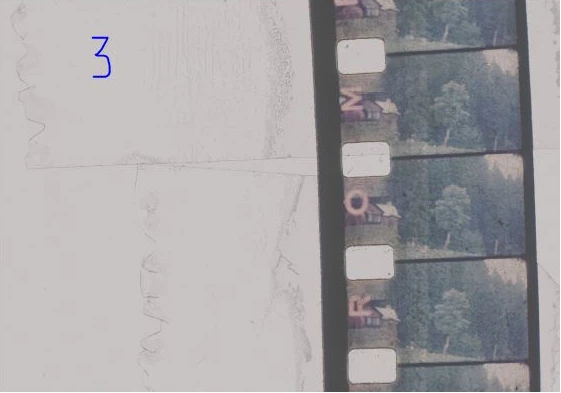
I assume that on each scan the film crosses the frame horizontally (although a small inaccuracy is allowed here). First of all, I apply a threshold to the image to get contrasting edges (BORDER_THRESHOLD = 100). Then I take two narrow stripes from the image at the top and bottom with a small indent from the edge (BORDER_OFFSET = 0.03, i.e. 3% of the frame height):
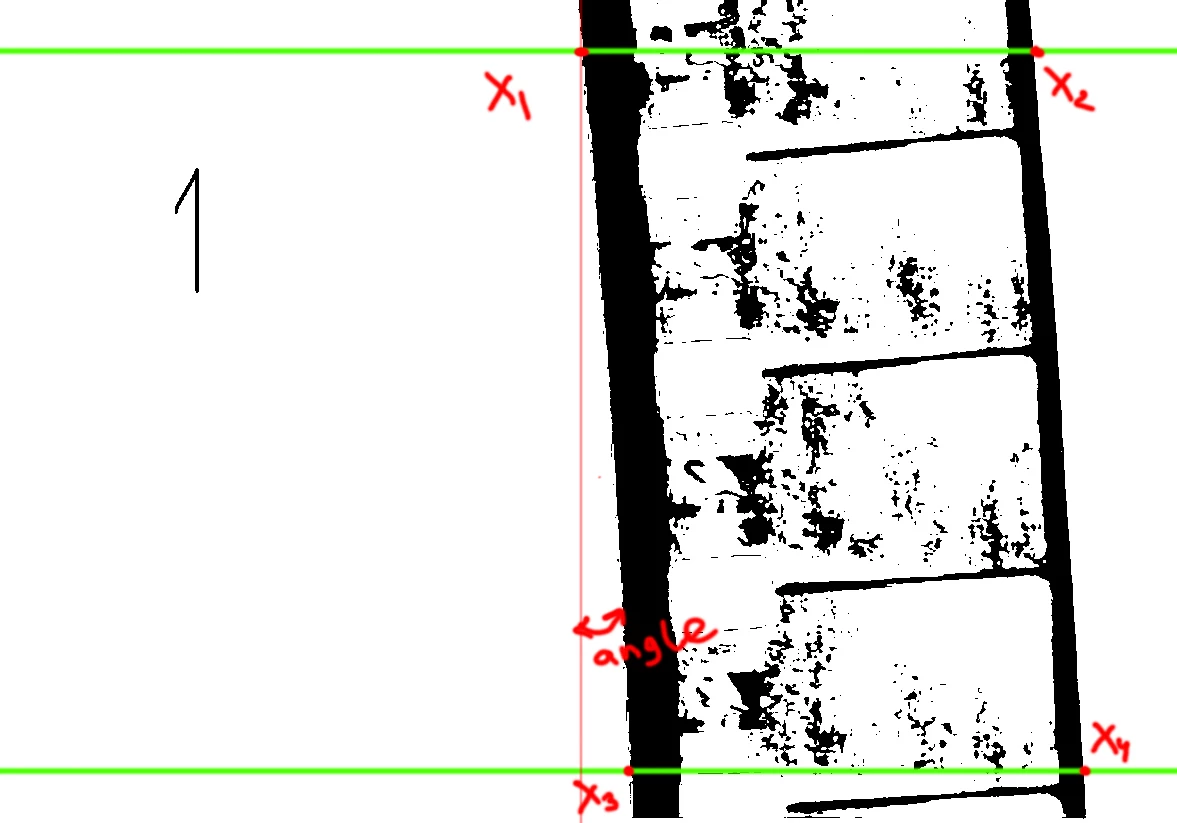
The script analyzes each strip, expecting to encounter a film border on its way. We consider the border to be the moment when there are at least 10 black pixels in a row on the left (BORDER_LEFT_GAIN = 10), and at least 5 on the right (BORDER_RIGHT_GAIN = 5). The 4 points found allow us to determine the object's borders, as well as the angle of rotation (we ignore the bend).  Accordingly, we crop and rotate the image.

Next we try to find the borders of each frame. I decided to use perforation (since it is clearly visible and clean enough):
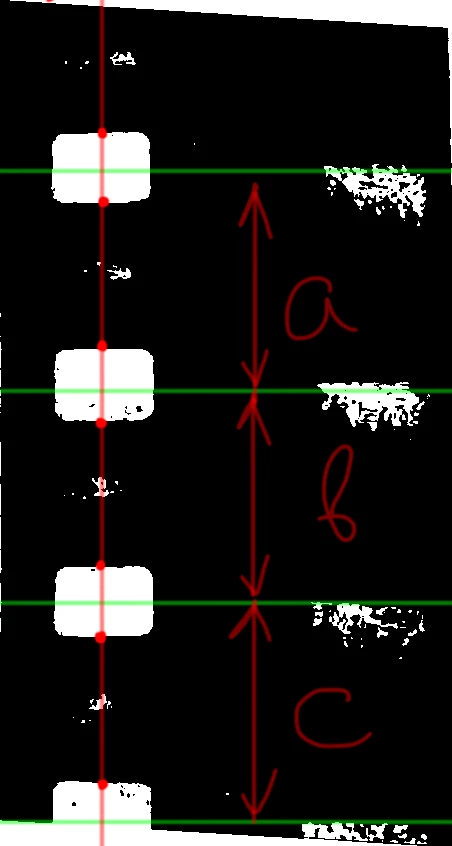
 

To do this, I draw a vertical line 22% of the image width from the left (PERFORATION_OFFSET = 0.22), apply a slightly more aggressive threshold to make them sharper (PERFORATION_THRESHOLD = 165) and move vertically I find closed circles of perforation assuming that its width is more than 20 pixels (PERFORATION_GAIN = 20) and I will not encounter a single black pixel before its border (unfortunately, if the perforation is dirty, this can be a problem)
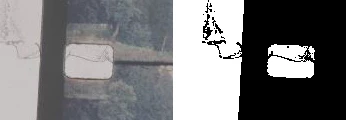
 

In this case, you either need to change the PERFORATION_THRESHOLD threshold value, or manually paint over the dirt with a white brush.
If everything went well, then we calculate the distance between the perforation centers and take them as the frame height. All that remains is to split the image vertically into separate frames, taking into account the found size (the script tries to save the extreme upper and extreme lower frames if they are visible at least by 80% (FRAME_OVERLAP = 0.8)). Each frame is saved in the same folder where the original image is located with the addition of a numerical index.

I can't guarantee that the script will work properly on other images (there are too many things that can go wrong), but maybe this will help.

const BORDER_RIGHT_GAIN = 40,
    BORDER_LEFT_GAIN = 70,
    PERFORATION_GAIN = 124,
    NOISE_GAIN = 10,
    BORDER_THRESHOLD = 130,
    PERFORATION_THRESHOLD = 165,
    PERFORATION_OFFSET = 0.22,
    BORDER_OFFSET = 0.1,
    FRAME_OVERLAP = 0.8,
    REVERSE_FRAMES = true;
var apl = new AM('application'),
    doc = new AM('document'),
    lr = new AM('layer');
try {
    if (apl.getProperty('numberOfDocuments')) activeDocument.suspendHistory('Save Frames', 'main()')
}
catch (e) { alert('An error has occurred! Too many things can go wrong') }
function main() {
    var hst = activeDocument.activeHistoryState;
    var bounds = getObjectBounds(BORDER_THRESHOLD);
    doc.makeSelection(bounds[0], bounds[1], bounds[2], bounds[3]);
    doc.crop()
    lr.duplicateLayer()
    lr.convertToSmartObject()
    lr.rotate(bounds[4])
    lr.revealAll();
    lr.selectLayer('backwardEnum')
    lr.fill('white')
    lr.selectLayer('forwardEnum')
    lr.flatten();
    var bounds = getObjectBounds(BORDER_THRESHOLD);
    doc.makeSelection(bounds[0], bounds[1], bounds[2], bounds[3]);
    doc.crop();
    var result = getFramesDimensions(PERFORATION_THRESHOLD);
    var docRes = doc.getProperty('resolution'),
        docW = doc.getProperty('width') * docRes / 72,
        docH = doc.getProperty('height') * docRes / 72,
        height = 0,
        title = doc.getProperty('title').replace(/\..+$/, ''),
        pth = doc.getProperty('fileReference').path;
    for (var i = 0; i < result.length - 2; i++) { height += result[i + 1][0] - result[i][0] }
    height += result[result.length - 1][0] - result[result.length - 2][0];
    height = height / (result.length - 1);
    var offset = (result[result.length - 1][0] + result[result.length - 1][1] / 2 + height) - docH,
        i = result.length - 1;
    if (offset < height - (height * FRAME_OVERLAP)) {
        doc.resizeCanvas(offset, 'top')
        var top = result[i][0] + result[i][1] / 2;
        doc.makeSelection(top, 0, top + height, docW)
        saveLayer(new File(pth + '/' + title + '_' + (REVERSE_FRAMES ? result.length : 0)))
    }
    for (i--; i >= 0; i--) {
        var top = result[i][0] + result[i][1] / 2;
        doc.makeSelection(top, 0, top + height, docW)
        saveLayer(new File(pth + '/' + title + '_' + (REVERSE_FRAMES ? i + 1 : result.length - 1 - i)))
    }
    var offset = -((result[0][0] + result[0][1] / 2) - height);
    if (offset < height - (height * FRAME_OVERLAP)) {
        doc.resizeCanvas(offset, 'bottomEnum')
        doc.makeSelection(0, 0, height, docW)
        saveLayer(new File(pth + '/' + title + '_' + (REVERSE_FRAMES ? 0 : result.length - 1 - i)))
    }
    activeDocument.activeHistoryState = hst;
    return;
    function getObjectBounds(threshold) {
        var docRes = doc.getProperty('resolution'),
            docW = doc.getProperty('width') * docRes / 72,
            docH = doc.getProperty('height') * docRes / 72,
            hst = isolateLayer(threshold),
            line1 = getX(Math.ceil(docH * (BORDER_OFFSET)), hst),
            line2 = getX(Math.ceil(docH * (1 - BORDER_OFFSET)), hst);
        doc.close();
        doc.deleteLayer();
        return [0, Math.min(line1[0], line2[0]), docH, Math.max(line1[1], line2[1]), Math.atan2(line2[0] - line1[0], docH * (1 - BORDER_OFFSET) - docH * (BORDER_OFFSET)) * 180 / Math.PI]
        function getX(top, historyBackup) {
            lr.makeSelection(top, 0, top + 1, docW);
            doc.crop();
            var f = new File(Folder.temp + '/colors.raw');
            doc.saveToRAW(f)
            activeDocument.activeHistoryState = historyBackup;
            var colors = readStrip(f);
            f.remove();
            return [findCoordinate(colors, BORDER_LEFT_GAIN), docW - findCoordinate(colors.reverse(), BORDER_RIGHT_GAIN)];
        }
    }
    function getFramesDimensions(threshold) {
        var docRes = doc.getProperty('resolution'),
            docW = doc.getProperty('width') * docRes / 72,
            docH = doc.getProperty('height') * docRes / 72,
            hst = isolateLayer(threshold),
            sel = Math.ceil(docW * (PERFORATION_OFFSET));
        lr.makeSelection(0, sel, docH, sel + 1)
        doc.crop();
        var f = new File(Folder.temp + '/colors.raw');
        doc.saveToRAW(f)
        var colors = readStrip(f);
        f.remove();
        doc.close();
        lr.deleteLayer();
        return findPerforation(colors, PERFORATION_GAIN);
    }
    function isolateLayer(threshold) {
        lr.flatten();
        lr.duplicateLayer();
        lr.convertToSmartObject();
        lr.editSmartObject();
        lr.threshold(threshold);
        lr.convertToGrayscale();
        return activeDocument.activeHistoryState
    }
    function saveLayer(f) {
        lr.duplicateLayer()
        lr.convertToSmartObject()
        lr.editSmartObject();
        doc.saveACopyToTGA(24, f)
        doc.close()
        doc.deleteLayer()
    }
}
function readStrip(f) {
    var content = '';
    if (f.exists) {
        f.open('r');
        f.encoding = "BINARY";
        content = f.read();
        f.close();
        f.remove();
        var colors = function (s) {
            var m = 0, c = [];
            for (var i = 0; i < s.length; i++) {
                var k = s.charCodeAt(i); m += k; c.push(k)
            };
            return c
        }(content);
        return colors;
    }
}
function findCoordinate(s, threshold) {
    for (var i = 0; i < s.length; i++) {
        if (s[i] > 128) continue;
        if (readWithOffset(s.slice(i), threshold)) return i
    }
    return -1
    function readWithOffset(s, threshold) {
        for (var i = 0; i < s.length; i++) {
            if (i > threshold) return true
            if (s[i] > 128) return false;
        }
    }
}
function findPerforation(s, threshold) {
    s.reverse()
    for (var i = 0; i < s.length; i++) {
        if (s[i] > 128) { s[i] = 0; continue; }
        if (s[i] < 128) break;
    }
    s.reverse()
    for (var i = 0; i < s.length; i++) {
        if (s[i] > 128) continue;
        if (s[i] < 128) break;
    }
    var objects = [];
    for (var i; i < s.length; i++) {
        if (s[i] < 128) continue;
        var result = readWithOffset(s.slice(i));
        if (result > threshold) {
            i = i + result;
            objects.push([i - (result + 1), result])
        }
    }
    return objects
    function readWithOffset(s) {
        for (var i = 0; i < s.length; i++) {
            if (s[i] < 128) {
                if (endOfPerforation(s.slice(i))) {
                    return i
                }
                else {
                    i += (s.length > NOISE_GAIN ? NOISE_GAIN : s.length)
                }
            }
        }
    }
    function endOfPerforation(s) {
        var len = s.length > NOISE_GAIN ? NOISE_GAIN : s.length
        for (var i = 0; i < len; i++) {
            if (s[i] > 128) return false;
        }
        return true;
    }
}
function AM(target) {
    var s2t = stringIDToTypeID,
        t2s = typeIDToStringID;
    target = target ? s2t(target) : null;
    this.getProperty = function (property, id, idxMode) {
        property = s2t(property);
        (r = new ActionReference()).putProperty(s2t('property'), property);
        id != undefined ? (idxMode ? r.putIndex(target, id) : r.putIdentifier(target, id)) :
            r.putEnumerated(target, s2t('ordinal'), s2t('targetEnum'));
        return getDescValue(executeActionGet(r), property)
    }
    this.hasProperty = function (property, id, idxMode) {
        property = s2t(property);
        (r = new ActionReference()).putProperty(s2t('property'), property);
        id ? (idxMode ? r.putIndex(target, id) : r.putIdentifier(target, id))
            : r.putEnumerated(target, s2t('ordinal'), s2t('targetEnum'));
        return executeActionGet(r).hasKey(property)
    }
    this.duplicateLayer = function () {
        executeAction(s2t("copyToLayer"), undefined, DialogModes.NO);
    }
    this.convertToSmartObject = function () {
        executeAction(s2t("newPlacedLayer"), undefined, DialogModes.NO);
    }
    this.editSmartObject = function () {
        executeAction(s2t("placedLayerEditContents"), new ActionDescriptor(), DialogModes.NO);
    }
    this.convertToGrayscale = function () {
        (d = new ActionDescriptor()).putClass(s2t("to"), s2t("grayscaleMode"));
        executeAction(s2t("convertMode"), d, DialogModes.NO);
    }
    this.makeSelection = function (top, left, bottom, right) {
        (r = new ActionReference()).putProperty(s2t("channel"), s2t("selection"));
        (d = new ActionDescriptor()).putReference(s2t("null"), r);
        (d1 = new ActionDescriptor()).putUnitDouble(s2t("top"), s2t("pixelsUnit"), top);
        d1.putUnitDouble(s2t("left"), s2t("pixelsUnit"), left);
        d1.putUnitDouble(s2t("bottom"), s2t("pixelsUnit"), bottom);
        d1.putUnitDouble(s2t("right"), s2t("pixelsUnit"), right);
        d.putObject(s2t("to"), s2t("rectangle"), d1);
        executeAction(s2t("set"), d, DialogModes.NO);
    }
    this.flatten = function () {
        executeAction(s2t("flattenImage"), new ActionDescriptor(), DialogModes.NO);
    }
    this.threshold = function (level) {
        (d = new ActionDescriptor()).putInteger(s2t("level"), level);
        executeAction(s2t("thresholdClassEvent"), d, DialogModes.NO);
    }
    this.crop = function () {
        (d = new ActionDescriptor()).putBoolean(s2t("delete"), true);
        executeAction(s2t("crop"), d, DialogModes.NO);
    }
    this.saveToRAW = function (f) {
        (d = new ActionDescriptor()).putBoolean(s2t('copy'), true);
        (d1 = new ActionDescriptor()).putObject(s2t("as"), s2t("rawFormat"), d);
        d1.putPath(s2t("in"), f);
        executeAction(s2t("save"), d1, DialogModes.NO);
    }
    this.close = function (saving) {
        saving = saving ? saving : 'no';
        (d = new ActionDescriptor()).putEnumerated(s2t("saving"), s2t("yesNo"), s2t(saving));
        executeAction(s2t("close"), d, DialogModes.NO);
    }
    this.selectLayer = function (order) {
        (r = new ActionReference()).putEnumerated(s2t("layer"), s2t("ordinal"), s2t(order));
        (d = new ActionDescriptor()).putReference(s2t("null"), r);
        executeAction(s2t("select"), d, DialogModes.NO);
    }
    this.fill = function (color) {
        (d = new ActionDescriptor()).putEnumerated(s2t("using"), s2t("fillContents"), s2t(color));
        d.putEnumerated(s2t("mode"), s2t("blendMode"), s2t("normal"));
        executeAction(s2t("fill"), d, DialogModes.NO);
    }
    this.revealAll = function () {
        executeAction(s2t("revealAll"), new ActionDescriptor(), DialogModes.NO);
    }
    this.resizeCanvas = function (height, order) {
        (d = new ActionDescriptor()).putBoolean(s2t("relative"), true);
        d.putUnitDouble(s2t("height"), s2t("pixelsUnit"), height);
        d.putEnumerated(s2t("vertical"), s2t("verticalLocation"), s2t(order));
        d.putEnumerated(s2t("canvasExtensionColorType"), s2t("canvasExtensionColorType"), s2t("white"));
        executeAction(s2t("canvasSize"), d, DialogModes.NO);
    }
    this.saveACopyToTGA = function (bitDepth, pth) {
        (d1 = new ActionDescriptor()).putInteger(s2t("bitDepth"), bitDepth);
        (d = new ActionDescriptor()).putObject(s2t("as"), s2t("targaFormat"), d1);
        d.putPath(s2t("in"), pth);
        d.putBoolean(s2t("copy"), true);
        d.putEnumerated(s2t("saveStage"), s2t("saveStageType"), s2t("saveSucceeded"));
        executeAction(s2t("save"), d, DialogModes.NO);
    }
    this.deleteLayer = function () {
        (r = new ActionReference()).putEnumerated(s2t('layer'), s2t('ordinal'), s2t('targetEnum'));
        (d = new ActionDescriptor()).putReference(s2t("null"), r);
        executeAction(s2t("delete"), d, DialogModes.NO);
    }
    this.rotate = function (angle) {
        (r = new ActionReference()).putEnumerated(s2t("layer"), s2t("ordinal"), s2t("targetEnum"));
        (d = new ActionDescriptor()).putReference(s2t("null"), r);
        d.putEnumerated(s2t("freeTransformCenterState"), s2t("quadCenterState"), s2t("QCSAverage"));
        d.putUnitDouble(s2t("angle"), s2t("angleUnit"), angle);
        d.putEnumerated(s2t("interfaceIconFrameDimmed"), s2t("interpolationType"), s2t("bicubic"));
        executeAction(s2t("transform"), d, DialogModes.NO);
    }
    function getDescValue(d, p) {
        switch (d.getType(p)) {
            case DescValueType.OBJECTTYPE: return { type: t2s(d.getObjectType(p)), value: d.getObjectValue(p) };
            case DescValueType.LISTTYPE: return d.getList(p);
            case DescValueType.REFERENCETYPE: return d.getReference(p);
            case DescValueType.BOOLEANTYPE: return d.getBoolean(p);
            case DescValueType.STRINGTYPE: return d.getString(p);
            case DescValueType.INTEGERTYPE: return d.getInteger(p);
            case DescValueType.LARGEINTEGERTYPE: return d.getLargeInteger(p);
            case DescValueType.DOUBLETYPE: return d.getDouble(p);
            case DescValueType.ALIASTYPE: return d.getPath(p);
            case DescValueType.CLASSTYPE: return d.getClass(p);
            case DescValueType.UNITDOUBLE: return (d.getUnitDoubleValue(p));
            case DescValueType.ENUMERATEDTYPE: return { type: t2s(d.getEnumerationType(p)), value: t2s(d.getEnumerationValue(p)) };
            default: break;
        };
    }
}
 

Known Participant
July 28, 2025

Great Job Jazz.... it would be great if you can let me know the step by step process in photoshop to execute the script. I am having files in cineon/dpx format . Would like to have an uncompressed version of each frames. Earlier I actually exported each files as targa files into NLE software and did basic stablization. But this is too tedious.

I am attaching the jpeg version for your reference as dpx takes 78 MB for each frame. Thanks.

Legend
July 28, 2025

These images are larger and have less contrast. I have made changes to the script so that it processes them correctly. I assume that you will need to understand what exactly needs to be corrected and when


First, let's check how well the script can find the film border on the scan and the perforation. Open one of the frames in Photoshop, call the threshold filter (image -> adjustments -> threshold). Select a threshold value so that there is a high contrast between the white scanner base and the film

Accordingly, in the script code, change the value of the constant BORDER_THRESHOLD = 130


Let's check how well the perforation is visible with the value specified in the script PERFORATION_THRESHOLD = 165 (the main thing we should avoid is large white spots on the image above and below the imaginary line in the center of the perforation):

Everything is fine, we can leave 165


The script determines the border and perforation boundaries by counting the number of consecutive pixels of the same color, so let's check their sizes using the ruler tool and the info palette

We got 81 on the right, 142 on the left, and the perforation height is about 256 pixels. Let's make corrections to the constants, writing about 50% of the obtained values in them:
BORDER_RIGHT_GAIN = 40,
BORDER_LEFT_GAIN = 70,
PERFORATION_GAIN = 124

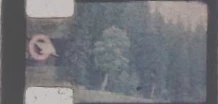
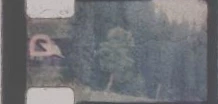
* I made a correction to the script so that it ignores small perforation contamination NOISE_GAIN = 10 (this literally means: if 10 consecutive black pixels are encountered when reading the perforation, then ignore them). Such noise will be processed correctly:

But that noise require manual processing (just cover them with a brush, trying to preserve the perforation boundaries):

I am used to the fact that on film scans the frames go in order from bottom to top, but in this example I see that the horses move correctly when reading from top to bottom. In order not to rewrite the entire script, I added the REVERSE_FRAMES constant. When it = true, the frames are saved from top to bottom, if = false, then from bottom to top.

The video shows an example of processing your frames (both a single script run and batch processing).


you can find out more about how to install scripts at Downloading and Installing Adobe Scripts by @Stephen Marsh


Conrad_C
Community Expert
Community Expert
July 25, 2025

Skew itself isn’t much of a problem. It could easily be corrected in Photoshop using Edit > Transform > Distort or maybe the Perspective Crop tool. But again, for 900 images the challenge is to automatically determine and then correct skew, and rotation, and any other distortions, that are different in every frame.


Again, I would recommend loading all frames at once (as a single video file or a numbered still image sequence) into an application that can keyframe distortions over time, so that you can reverse them precisely. I originally suggested video editing applications…but then I remembered that you might be able to do it all in Photoshop using Timeline keyframes. The great advantage of this method is that you don’t have to adjust all 900 frames individually; you only need to add adjustments at the frames where distortions change direction. That is what led to the demo below.


Here are the steps in the demo.


1. Load frames into Photoshop as a Timeline video group. If you have a folder of numbered still frames, choose File > Open, select the first image in the folder, select Image Sequence, and continue opening. Photoshop combines all of the numbered images in the folder into a single video group that you can play back in the Timeline panel.


2. Expand the video group to reveal the properties you can animate. You want to enable animation for the Transform property. If you don’t see it, convert the layer into a Smart Object. 


3. Make the grid visible (choose View > Show > Grid) to help you with straightening and alignment. 


4. Make corrections for the first frame. I started by correcting skew, by choosing Edit > Transform > Distort and holding down the Option/Alt and Shift keys while dragging a corner handle. Obviously this work will go much faster if you master transformation skills in Photoshop. 


5. Play the timeline until you see a frame where the distortions change. At that frame, make another correction. At 1 second, I correct the rotation angle. This automatically adds a keyframe at 1:00.  


6. Continue finding the next frame where distortions change in a different way, and correct it there to add another keyframe. At 2 seconds, I notice that the rotation changed so I corrected rotation again. This automatically adds a keyframe at 2:00. Continue until you reach the end of the sequence. 


7. Play back the entire timeline work area to verify. My result is a definite improvement, but I’d probably refine some of the keyframe adjustments to take out the remaining shake. You can also see that I should crop out the edges that are visible after the rotation corrections. You can set the Crop tool to the aspect ratio you want.


This was 3 seconds at 30 frames per second, or 90 frames total. But I only had to make three keyframes to correct all 90 frames.

Legend
July 25, 2025

I have made test measurements and I see that the film is not only tilted, but also skewed. In such conditions, it is unlikely that you will be able to get a good result using Photoshop.


@raagav_9457 have you published the images exactly as they were scanned? (100% size and quality) or is this a collage that you made to illustrate the problem? In order to try to solve the problem with scripts, we need exactly the frames that you plan to process. Do you need the lower and upper cropped frames or can they be ignored?


Conrad_C
Community Expert
Community Expert
July 24, 2025

I usually do this kind of thing in Adobe Camera Raw or Lightroom Classic, because they have a panel containing an automatic leveling option. It’s not 100% reliable, but if you want something automatic it’s in there, not in Photoshop.


Both of those can also batch process the Crop tool across a large number of images in seconds, so you could set the Crop tool to your intended aspect ratio and sync it across all selected images. In Photoshop, you might be able to do that with an action or script but because Photoshop would have to open and process each document individually, Photoshop would take much longer.


But I also observe a couple of things about your posted samples:


They are from motion picture film. 

The amount of rotation varies over time.


If I had to correct that, I would consider instead having a service scan the film reel to a digital video file. Then I would load that file into a video editor such as Adobe Premiere Pro or Adobe After Effects. That would make it possible to keyframe the rotation correction to match how it is in the film over time. For example, if the correction angle in frame 1 is 10 degrees and the angle in frame 300 is 20 degrees, then I can place a timeline keyframe at frame 1 set for 10 degrees, another timeline keyframe at frame 300 for 20 degrees, and so the correction angle will animate over time from 10 to 20 degrees over those 300 frames and (hopefully) end up matching up and correcting all of the incremental transitional rotation angles in between. So that when played back, the corrected footage appears level and steady.


Also, some video editing applications can automatically correct rotation using image stabilization features.


And of course it’s no problem to set a frame size in a video editor, which can be to any aspect ratio you want.


At that point the corrected footage is ready to be exported as a sequence of 900 still frames, which should now all be corrected for both rotation angle and aspect ratio. You just tell it what still image file format you want, do the export, and you should end up with a folder of 900 corrected still frames. Or, leave it as a video if you never intended to break it up into still frames in the first place.

Bojan Živković11378569
Community Expert
Community Expert
July 24, 2025

So you have images on layers that need processing? I will tag scripters who can assist you with existing or even custom scripts, but they will require more information, such as: how many layers are in each file, and whether that number is fixed or varies from file to file...

@c.pfaffenbichler @jazz-y @Stephen Marsh 

Known Participant
July 28, 2025

sure.. Thanks

creative explorer
Community Expert
Community Expert
July 24, 2025

@raagav_9457 900 images? I would think if you record an action and do a batch process you could straigten and crop... but honestly I would think and the challenge with scanned images is that each one might have a slightly different rotation or skew. 

m