Participant
April 22, 2025
Question

Strange artifacts

  • April 22, 2025
  • 3 replies
  • 257 views

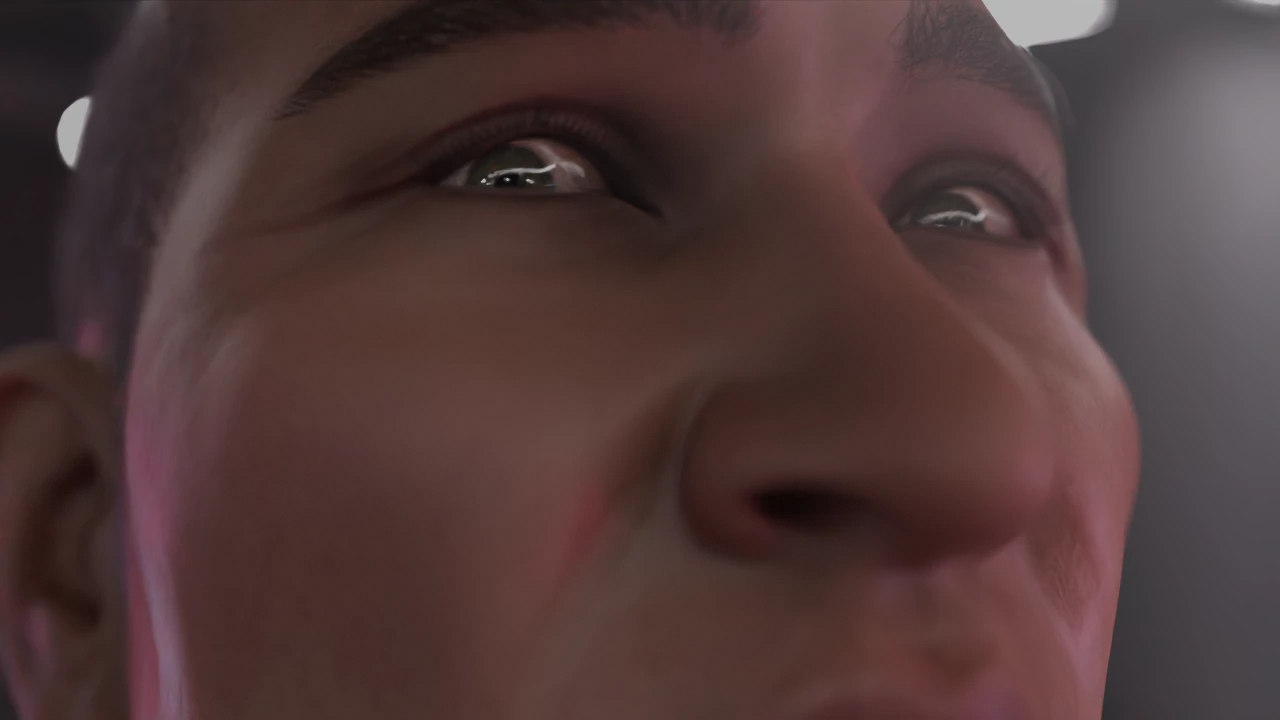
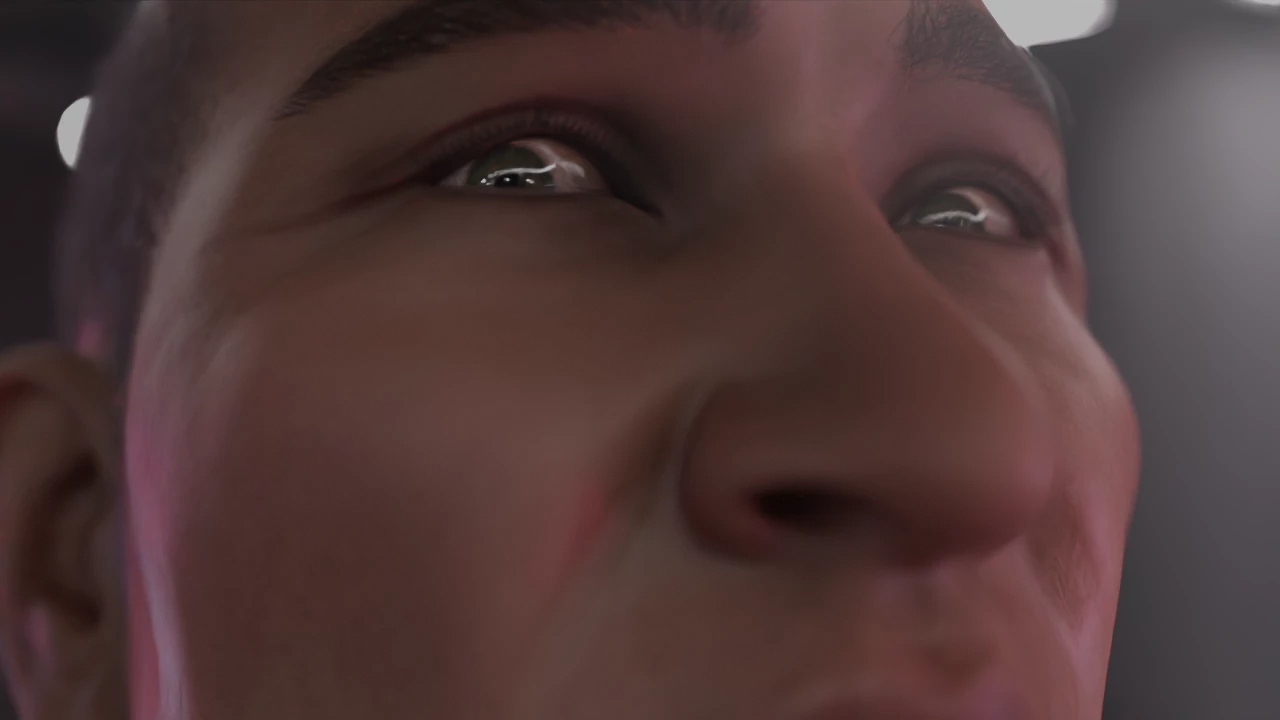
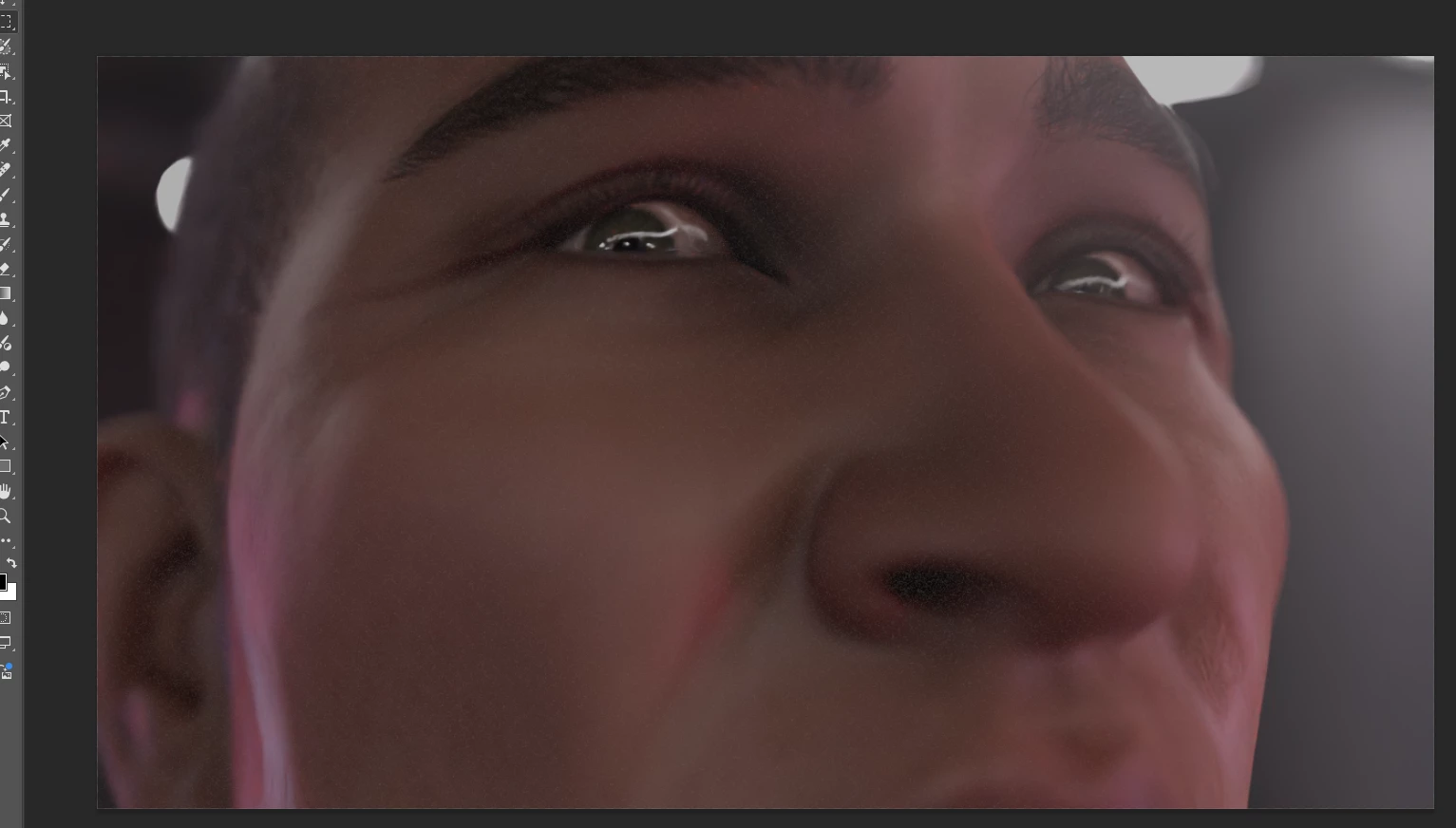
I'm using Windows 11, Photoshop 2025, i9 14900 and 3090 and the issue only shows during editing (not in the exported image). Here is before, after and inside Photoshop:
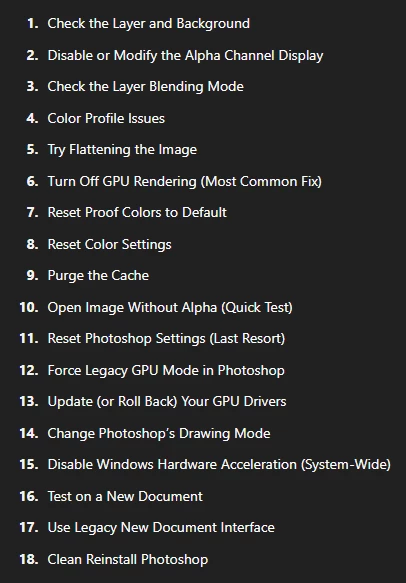
I tried this:
 What else can I do? Thanks a lot

3 replies

Trevor.Dennis
Community Expert
Community Expert
April 22, 2025

Goodness!  You have tried all of the above and made no difference?

Is this happening with all images?


Are these RAW files processed with ACR?  That's were I would expect that sort of artefact to be generated.  Except you say this is not there when you save the file and view in another app?  If this is with ACT, then did you reset Camera RAW Preferences?


Hold down Shift and Alt and click on Edit > Camera RAW. OK the resulting dialog box.

BrettN
Community Manager
Community Manager
April 22, 2025

It looks like applied noise. Are you seeing this upon opening the file without making any edits? Or, if you are performing edits, what are you changing? Would you be able to share the original file to see if we can reproduce on our end? 

CMass
Legend
April 22, 2025

Hey @Juan28015278n5b3

I see the artifacts in the screenshot. Thank you for sharing the troubleshooting you've already tried. May I ask you to this solution suggested in another post:  https://adobe.ly/3GmSj4Q

Let me know if it helps. 

^CM

Participant
April 22, 2025

Hi CMass! Thanks for your reply but it didn't work. Have a great day